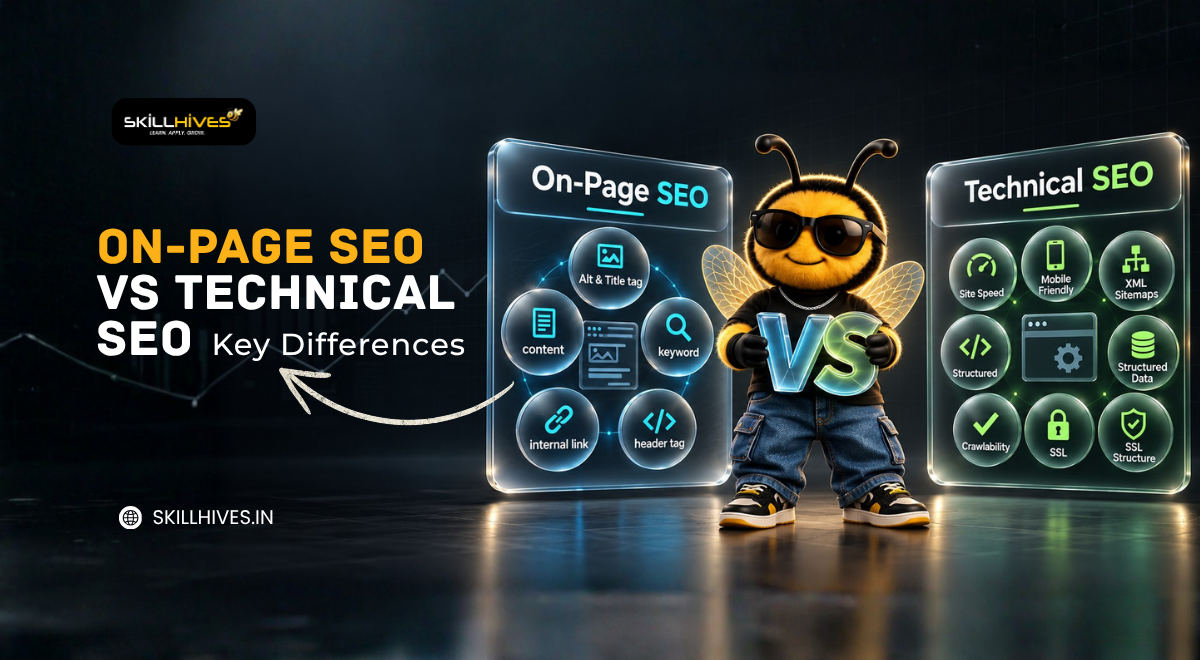
On-Page SEO vs Technical SEO Key Differences
-
By Devraj
-
21st October 2026
On-page SEO and technical SEO are two important parts of search engine optimization. On-page SEO improves a webpage’s content, headings, titles, and keyword relevance, while technical SEO improves how search engines access, crawl, render, and index a website. Both help search engines understand a website and provide a better experience for visitors.
Introduction
Search engine optimization (SEO) helps websites appear in search results when people look for information, products, or services. If you are learning digital marketing, preparing for an SEO interview, or planning to work as a freelancer, understanding the difference between on-page SEO and technical SEO is an important first step.
Both techniques help improve a website’s search visibility, but they focus on different areas. On-page SEO focuses mainly on the content and elements of individual webpages, whereas technical SEO focuses on the website’s technical health.
At Skill Hives, understanding these concepts through practical examples can help learners connect SEO theory with real website optimization tasks.
Master On-Page and Technical SEO Today!
Take your digital marketing skills to the next level with hands-on learning, expert guidance, and practical SEO strategies designed for learners and professionals.
Table of Content
On-Page SEO vs Technical SEO: Key Differences
On-Page SEO vs Technical SEO: Practical Examples
How to Perform On-Page SEO Step by Step
How to Perform a Basic Technical SEO Audit
Tools for On-Page SEO and Technical SEO
Which Is More Important: On-Page SEO or Technical SEO?
What Is SEO?
SEO is also known as Search Engine Optimization. It is the process of improving a website’s visibility to increase organic (non-paid) traffic in search engine results pages (SERPs). It involves optimizing content, technical structure and backlinks. So that search engines can understand and rank your website higher for relevant keywords.
SEO is important because higher rankings lead to more website traffic, better brand visibility and increased conversions. Most users click on results from the first page of search engines. That is why effective SEO helps businesses attract targeted visitors without paying for ads.
Search engines such as Google generally perform three important activities:
- Crawling: Finding webpages by following links and using other discovery methods.
- Indexing: Analyzing and storing information about eligible webpages.
- Serving search results: Selecting and displaying relevant results when someone searches.
SEO helps search engines understand a website and helps users find useful content. However, following SEO practices does not guarantee indexing or higher rankings.
For example, if someone searches for “digital marketing course in Chandigarh,” a relevant page should explain the course clearly and provide useful information. Its content needs to be understandable, and its technical setup should allow search engines to access the page.
This is where on-page SEO and technical SEO work together.
What Is On-Page SEO?
On-page SEO is the practice of optimizing the content and HTML elements of a webpage to help search engines and visitors understand its purpose.
It focuses on what a page communicates, how information is organized, and how easily users can find what they need.
On-Page SEO
1. Title tag
A title tag specifies a webpage’s title in its HTML. Search engines may use it to generate the clickable title shown in search results.
A useful title should accurately describe the page and reflect its main topic.
2. Meta description
A meta description summarizes a webpage’s content. Search engines may use it as the descriptive text in search results, although they can generate a different snippet.
3. URL structure
A URL is the web address of a page. A descriptive URL helps users understand the page topic.
example.com/on-page-seo-guide/
4. Heading tags: H1, H2, and H3
Headings organize a webpage into sections.
- H1 generally identifies the main page heading.
- H2 introduces major sections.
- H3 introduces subsections within a section.
5. Keyword research and placement
A keyword is a word or phrase people use when searching online. Keyword research helps identify the language and topics relevant to a target audience.
6. Search intent and content relevance
Search intent is the reason behind a search. Someone searching “what is technical SEO” likely wants an explanation, while someone searching “technical SEO audit service” may be looking for professional help.
7. Helpful, original content
Content should provide accurate, relevant information that satisfies the reader’s needs.
8. Internal linking
Internal links connect one page of a website to another page on the same website.
9. External links and references
External links direct users to other websites. Relevant references can support explanations and help readers verify information.
10. Image optimization and alt text
Image optimization includes selecting suitable image formats, reducing unnecessary file sizes, and using appropriate dimensions. Alt text describes an image for people who cannot see it and can help search engines understand meaningful images.
11. Readability and content organization
Readable content uses clear language, short paragraphs, useful headings, and a logical structure.
12. User experience and mobile content
Visitors should be able to read content, navigate pages, and use important features without unnecessary difficulty.
13. Content freshness
Some information becomes outdated, especially details about tools, regulations, software, and industry practices.
14. Structured data or schema markup
Structured data is a standardized way of describing information on a webpage to search engines. It can identify details such as an article’s headline, author, or publication date.
Looking for Professional SEO Audit Services?
Ensure your website is fully optimized, crawlable, and ranking higher on search engines with tailored SEO solutions from our expert team.
What Is Technical SEO?
Technical SEO focuses on improving the technical aspects of a website so search engines can discover, access, render, understand, and index its pages effectively.
It includes crawling, indexing, website speed, security, redirects, canonical tags, and website architecture.
Important technical SEO elements
1. Crawling and crawlability
Crawling is the process search engines use to access webpages and follow links. Crawlability describes how easily they can access those pages.
2. Indexing and indexability
Indexing involves analyzing and storing information about webpages. Indexability refers to whether a page can be considered for inclusion in a search engine’s index.
3. XML sitemap
An XML sitemap is a file that lists URLs a website wants search engines to discover.
4. Robots.txt
The robots.txt file provides crawling instructions to compliant search engine crawlers.
5. Canonical tags
A canonical tag indicates which URL should be treated as the preferred version among duplicate or similar pages.
6. HTTPS and website security
HTTPS encrypts data exchanged between a website and its visitors.
7. Website speed and Core Web Vitals
Page speed affects how quickly users can access and interact with a webpage. Core Web Vitals measure aspects of loading performance, responsiveness, and visual stability.
8. Mobile usability and responsive design
Responsive design allows a website’s layout to adapt to different screen sizes.
9. URL handling and website architecture
Website architecture describes how pages are organized and connected. URL handling includes managing URL variations and ensuring important pages use consistent addresses.
10. Redirects, broken links, and HTTP status codes
A redirect sends users and crawlers from one URL to another. A 301 generally indicates a permanent redirect, while a 302 generally indicates a temporary redirect.
A 404 status indicates that a requested resource was not found. Server errors, such as a 500 status, indicate server-side problems.
11. Duplicate content and canonicalization
Duplicate content occurs when substantially similar content is available at multiple URLs. Canonicalization helps search engines identify the preferred version.
12. JavaScript rendering and resource accessibility
Some websites use JavaScript to display content or navigation. Rendering is the process of processing a page’s code to produce the content users see.
13. Structured data implementation
Schema markup can help search engines interpret specific information about a page.
14. Internal links and crawl depth
Crawl depth describes how many link steps separate a page from a starting point, such as the homepage.
15. Pagination, faceted navigation, and international SEO
Pagination divides content across multiple pages. Faceted navigation allows users to filter products or listings. Both can create many URLs that need careful management.
International SEO helps websites serve audiences in different countries or languages. The hreflang attribute indicates language and regional alternatives for eligible pages.
16. Log files and crawl budget
Server log files record requests made to a website, including requests from search engine crawlers. Crawl budget refers to the crawling resources Google can allocate to a website.
Preparing for Your Next SEO Interview?
Boost your confidence with comprehensive guides, real-world examples, and expert tips to ace your digital marketing interviews and projects.
On-Page SEO vs Technical SEO
| Comparison Factor | On-page SEO | Technical SEO |
|---|---|---|
| Meaning | Optimizes page content and elements | Improves technical website health |
| Main Focus | Relevance and content quality | Access, crawling, rendering, and indexing |
| Primary Purpose | Help users and search engines understand content | Help search engines access and process pages |
| Main Work | Titles, headings, keywords, content, links | Sitemaps, redirects, indexing, speed |
| Important Elements | Title tags, headings, images, meta descriptions | Robots.txt, canonical tags, HTTPS, status codes |
| Content Optimization | Directly improves content | Ensures important content can be accessed |
| Website Structure | Organizes information within pages | Organizes sitewide URLs and navigation |
| Crawling and Indexing | Supports discovery through useful links and clear content | Directly addresses technical access and indexing issues |
| Keywords and Intent | Central to content planning | Not the primary focus |
| Website Speed | May improve image and page-content efficiency | Addresses performance and technical bottlenecks |
| Mobile Experience | Improves content readability and layout | Addresses responsive behavior and mobile accessibility |
| HTML and Settings | Uses page-level HTML elements | Uses technical settings, directives, and server behavior |
| Common Tools | Keyword Planner, Trends, analytics | Search Console, PageSpeed Insights, crawling tools |
| Common Problems | Weak titles, poor content, keyword stuffing | Blocked pages, broken redirects, incorrect canonicals |
| Practical Example | Rewrite an unclear page title | Remove an accidental noindex directive |
| Skills Required | Research, writing, content analysis | Technical diagnosis, crawling, indexing, performance |
| Who Performs the Work | SEO specialists, content writers | SEO specialists, developers, technical teams |
| Success Measurement | Relevant impressions, clicks, engagement, conversions | Crawl and indexing health, performance, valid technical setup |
On-Page SEO vs Technical SEO: Practical Examples
1: A webpage has a weak title
A page about keyword research uses the title “Our Services” and contains little useful information.
Solution: Improve the title, explain keyword research clearly, organize the content with headings, and address the reader’s questions. This is mainly on-page SEO.
2: An important page is not being indexed
A useful service page has an accidental noindex directive.
Solution: Confirm that the page should be indexed, remove the unintended directive, and check the page’s indexing status. This is mainly technical SEO.
3: A website loads slowly
A webpage takes too long to display because its images are oversized and unnecessary scripts delay rendering.
Solution: Compress images, review scripts, and investigate performance bottlenecks using PageSpeed Insights. This is primarily technical SEO, although content and design choices may contribute to the problem.
4: A page has duplicate URL versions
The same content appears under several URLs, and search engines select a different canonical URL than the website owner intended.
Solution: Inspect the URL variations, internal links, redirects, and canonical tags. This is mainly technical SEO, with possible on-page adjustments to links and content.
These examples show that the two areas sometimes overlap. A page may need both better content and technical corrections.
How to Perform On-Page SEO Step by Step
- Understand the audience: Identify who the page is for and what they need.
- Research keywords: Find relevant search terms using keyword research tools.
- Review search results: Examine competing pages to understand the type of information users expect.
- Create helpful content: Answer the main question accurately and cover relevant subtopics.
- Optimize the title and meta description: Write clear, relevant page metadata.
- Organize headings: Use a logical H1, H2, and H3 structure.
- Review the URL: Keep it descriptive and avoid unnecessary changes to existing URLs.
- Add useful links: Connect related pages and reference reliable external sources where relevant.
- Optimize images: Compress files and add meaningful alt text when appropriate.
- Check readability and mobile layout: Ensure the page is easy to use on different devices.
- Measure performance: Use Search Console and analytics tools to review impressions, clicks, and relevant user actions.
How to Perform a Basic Technical SEO Audit
A technical SEO audit is a systematic review of a website’s technical issues that may affect search engine access and performance.
Follow this beginner-friendly checklist:
- Check crawlability: Review whether important pages can be accessed by search engines.
- Review indexing: Use Google Search Console to investigate important pages that are not indexed.
- Check robots.txt and noindex: Look for unintended crawling restrictions or indexing directives.
- Review the XML sitemap: Confirm that it contains the intended canonical URLs.
- Inspect canonical tags: Check whether preferred URLs are configured correctly.
- Test redirects and status codes: Find broken links, redirect loops, and server errors.
- Check HTTPS and mobile behavior: Confirm secure connections and usable mobile layouts.
- Measure performance: Review loading performance and Core Web Vitals.
- Validate structured data: Test relevant markup for errors.
- Review site architecture: Ensure important pages are reachable through useful internal links.
- Prioritize problems: Fix issues based on their impact, scope, and importance.
- Recheck after changes: Test affected pages and monitor the results.
No single tool identifies every technical SEO issue. Use different tools to investigate different problems.
Tools for On-Page SEO and Technical SEO
| Tool | Primary Purpose | How Beginners Can Use It |
|---|---|---|
| Google Search Console | Search performance and indexing | Review queries, clicks, impressions, and indexing reports |
| Google Analytics | Website usage and conversions | Measure traffic and user actions |
| Google Keyword Planner | Keyword research | Find keyword ideas and estimated search volumes |
| Google Trends | Search interest over time | Compare topics and identify interest patterns |
| PageSpeed Insights | Page performance | Review performance data and improvement suggestions |
| Rich Results Test | Supported structured data | Check eligibility for supported rich results |
| Screaming Frog SEO Spider | Website crawling and auditing | Find broken links, titles, directives, and other issues |
Tool access and features vary. For example, Google Search Console focuses on search performance and indexing, while PageSpeed Insights focuses on page performance.
Common On-Page SEO Mistakes
- Keyword stuffing: Repeating keywords unnaturally instead of writing useful content.
- Poor title tags: Using vague, duplicate, or misleading titles.
- Unclear headings: Organizing content without a logical hierarchy.
- Thin content: Publishing information that does not adequately answer the reader’s question.
- Missing internal links: Making relevant pages harder for visitors to find.
- Poor image optimization: Using unnecessarily large images or unhelpful alt text.
- Ignoring search intent: Providing the wrong type of content for the user’s query.
- Writing only for search engines: Prioritizing keyword placement over accuracy and usefulness.
These mistakes can reduce content quality or relevance, but their effects depend on the page and the overall search context.
Common Technical SEO Mistakes
- Accidentally blocking important pages in robots.txt.
- Applying incorrect noindex directives.
- Using incorrect canonical tags.
- Creating broken redirects or redirect loops.
- Including inappropriate URLs in the XML sitemap.
- Ignoring significant performance problems.
- Leaving broken internal links unfixed.
- Allowing unnecessary duplicate URL versions.
- Making important pages difficult to discover through navigation.
- Overlooking server errors or inaccessible JavaScript content.
These problems can interfere with crawling, indexing, or user experience. Not every technical issue automatically causes ranking losses, so investigate the actual impact before deciding what to fix.
Which Is More Important: On-Page SEO or Technical SEO?
Neither is always more important. The right priority depends on the website’s condition and its goals.
If a website has useful content but important pages are blocked from indexing, fixing the technical problem may be the priority. If the website is accessible and indexable but its content does not answer users’ questions, on-page improvements may be more valuable.
A practical approach is to check technical accessibility first, identify content gaps, and then improve both areas according to their needs. SEO is an ongoing process, and results are not guaranteed by completing a checklist.
SEO Interview Questions and Answers
1. What is on-page SEO?
On-page SEO optimizes webpage content and elements, including titles, headings, keywords, images, and internal links.
2. What is technical SEO?
Technical SEO improves a website’s technical setup so search engines can access, crawl, render, and index its pages effectively.
3. What is the main difference between on-page SEO and technical SEO?
On-page SEO focuses primarily on the information presented on a page, while technical SEO focuses on the website systems and settings that support search engine access and processing.
4. What is a title tag?
A title tag is an HTML element that specifies a webpage’s title. Search engines may use it to generate a clickable title in search results.
5. What is a canonical tag?
A canonical tag identifies a preferred URL among duplicate or similar pages. Search engines may use it as a signal when selecting a canonical URL.
6. What is an XML sitemap?
An XML sitemap is a file listing URLs that a website wants search engines to discover.
7. What is robots.txt?
Robots.txt is a file that provides crawling instructions to compliant search engine crawlers. It does not guarantee that a URL will stay out of search results.
8. What is the difference between crawling and indexing?
Crawling is the process of accessing and discovering pages. Indexing involves analyzing and storing information about pages that may be eligible for search results.
9. How do you check technical SEO issues?
Use Google Search Console to investigate indexing and search performance, PageSpeed Insights to assess performance, and a crawling tool to identify website-level issues.
10. Can a website rank if its technical SEO is poor?
Yes, some pages can rank despite technical issues. However, serious problems that prevent search engines from accessing or indexing important pages can limit their search visibility.
Frequently Asked Questions
1. Is on-page SEO the same as technical SEO?
No. On-page SEO focuses on content and page elements, while technical SEO focuses on crawling, indexing, performance, and other technical aspects of a website.
2. Can beginners learn on-page and technical SEO?
Yes. Beginners can start with keyword research, title tags, headings, internal links, XML sitemaps, and basic indexing checks before progressing to more advanced audits.
3. Which should be done first: on-page SEO or technical SEO?
Start by checking whether important pages are accessible and eligible for indexing. Then prioritize content improvements and address other technical issues based on their impact. The order may vary by website.
4. Which tools are useful for learning SEO?
Google Search Console, Google Keyword Planner, Google Trends, PageSpeed Insights, and a website crawling tool are useful starting points. Each tool serves a different purpose.
5. Do on-page SEO and technical SEO work together?
Yes. Helpful content needs to be accessible to search engines, and a technically sound website still needs relevant, useful content to meet users’ needs.
Conclusion
On-page SEO and technical SEO solve different but connected problems. On-page SEO helps users and search engines understand a webpage’s content, while technical SEO supports crawling, rendering, indexing, website performance, and accessibility.
For students, interview candidates, and aspiring freelancers, the best way to understand these concepts is to practise them. Choose a webpage, review its title and headings, improve its content, inspect its internal links, and check its indexing and performance.
Skill Hives encourages learners to build practical digital marketing knowledge by connecting SEO concepts with real website tasks. With consistent practice, you can develop a stronger understanding of SEO and explain these techniques more confidently in interviews and professional projects.
Recent Articles






Devraj
 21st October 2026