Devraj, Author at Top IT Training Company in Chandigarh & Mohali - Skill Hives

Web Development Course in Chandigarh & Mohali: Fees, Syllabus, Duration & Career Scope

Every business today needs a website, and every website needs a skilled developer. That demand is why website development courses in Chandigarh are among the most popular career-focused programs in the Tricity. Students, graduates and working professionals are all looking for a practical way to enter the IT industry, and a web development course is one of the fastest routes in.

If you are planning to start, Skill Hives offers industry-focused web development training in Chandigarh and Mohali. The courses combine live projects, expert mentors and placement support. This guide covers the syllabus, duration, fees and career scope, plus how web design differs from web development, so you can decide which path suits you.

Not sure which web development program fits you?

Talk to a Skill Hives mentor about your goals and pick the right duration.

Message Us on WhatsApp

Table of Content

What Is Web Development?Web Design Course vs Web Development CourseWhy Choose a Web Development Course in Chandigarh & Mohali?Why Skill Hives Is a Leading Web Development Institute in Chandigarh & MohaliWeb Development Course Duration at Skill HivesWeb Development Course SyllabusWeb Development Course Fees in Chandigarh & MohaliProjects You Will Build During the CourseWho Can Join This Course?Career After 12th: Is Web Development a Good Option?Career Scope After a Web Development CourseWhy Full Stack Development Is the Smartest ChoiceA Simple Web Development Learning RoadmapHow to Choose the Right Web Development InstituteFrequently Asked Questions (FAQs)Conclusion

What Is Web Development?

Web development is the process of building, designing and maintaining websites and web applications. Every site you use, from a simple business page to an online store, is made by developers working across three areas:

  • Front-end development: what users see and interact with (HTML, CSS, JavaScript, React).
  • Back-end development: the server, database and logic behind the site (Node.js, PHP, Python, MongoDB, MySQL).
  • Full stack development: both front-end and back-end together.

Think of a food delivery app. The menu, buttons and layout you tap are the front end. The system that stores your order, checks your payment and tells the restaurant is the back end. A full stack developer can build both.

Beginners usually start with a basic web development course in Mohali or Chandigarh. They can then move to advanced full stack training.

Web Design Course vs Web Development Course

Many beginners ask whether they need a web design course or a web development course. The two overlap, but they are not the same.

Comparison Factor Web Design Web Development
Focus How a website looks and feels How a website works
Core skills Layout, colours, typography, UI/UX basics Coding, logic, databases, APIs
Common tools Figma, design basics, HTML and CSS JavaScript, React, Node.js, databases
Typical roles Web Designer, UI Designer Front-End, Back-End, Full Stack Developer

A web design course is a good fit if you enjoy the visual side. A web development course goes further and teaches you to build working sites and applications. The Skill Hives syllabus covers front-end design fundamentals such as responsive layouts and basic UI/UX principles, then moves into coding and back-end work. That way you understand both how a site looks and how it functions.

Why Choose a Web Development Course in Chandigarh & Mohali?

The Tricity (Chandigarh, Mohali and Panchkula) is a fast-growing IT hub. Software companies, startups and digital agencies in Mohali’s IT City and Chandigarh’s Rajiv Gandhi Technology Park keep hiring developers. This makes IT training in Chandigarh and Mohali practical, because what you learn is close to where the jobs are.

Here is why learners choose this region:

  • Many IT companies hiring freshers and trained developers
  • Affordable training compared to metro cities
  • Internship and job opportunities close to home
  • A strong student community and networking scene

A web development training in Mohali or Chandigarh gives you local industry exposure along with technical skills. You can also stay close to family while you build your career, which matters to many students and parents.

Why Skill Hives Is a Leading Web Development Institute in Chandigarh & Mohali

Choosing the right web development institute in Chandigarh affects both your skills and your career. Here is what Skill Hives offers:

  • Industry-expert trainers with real project experience
  • Hands-on, practical learning with live projects
  • Updated curriculum based on current industry demand
  • Small batch sizes for personal attention
  • Flexible batches (weekday, weekend, online and offline)
  • Resume building, mock interviews and placement assistance
  • Course completion certificate

Whether you want web development training in Chandigarh or a web development course in Mohali, Skill Hives builds job-ready skills rather than just theory. You spend most of your time writing code, building pages and fixing real problems, not just listening to lectures.

Web Development Course Duration at Skill Hives

Skill Hives offers three duration options so you can pick one that matches your goals.

Program Duration Best For
Crash Course 45 Days Beginners, school and college students, quick skill upgrade
Standard Program 3 Months Graduates and job seekers wanting solid fundamentals
Advanced / Master Program 6 Months Career switchers and aspiring full stack developers

45-Day Web Development Training

This short program covers HTML, CSS, JavaScript basics and responsive design. It suits students who want a quick start and a small portfolio, for example during a college break.

3-Month Web Development Training

This program goes deeper into front-end frameworks, database basics, Git/GitHub and real-world mini projects. It is a good choice for web development training in Chandigarh for freshers who want solid fundamentals before applying for roles.

6-Month Full Stack Developer Course

The most comprehensive option. It covers front-end, back-end, databases, APIs, deployment and major live projects. If you want a full stack developer course in Chandigarh that prepares you for professional roles, this is the right fit.

Ready to pick your duration?

Choose from 45 days, 3 months or 6 months and start with a free demo class.

Message Us on WhatsApp

Web Development Course Syllabus

Here is the module breakdown for our full stack web development course in Chandigarh and Mohali. Each module ends with practice work, so you apply what you learn straight away.

Module 1: Front-End Fundamentals

  • HTML5 and semantic markup
  • CSS3, Flexbox and Grid
  • Responsive design and Bootstrap/Tailwind CSS
  • Basic UI/UX principles

You start here because every website is built on HTML and CSS. By the end you can turn a design into a clean, mobile-friendly page.

Module 2: JavaScript Programming

  • JavaScript basics and ES6+
  • DOM manipulation and events
  • Async programming, APIs and JSON

JavaScript makes pages interactive. You learn to respond to clicks, handle forms and fetch data from other services.

Module 3: Front-End Frameworks

  • React.js (components, hooks, state management, routing)

React is widely used to build modern web apps, so this module prepares you for the kind of work companies expect.

Module 4: Back-End Development

  • Node.js and Express.js
  • REST API development
  • Authentication and security basics

Here you build the server side: handling requests, creating APIs and protecting user data.

Module 5: Database Management

  • MongoDB (NoSQL)
  • MySQL (SQL)
  • Database design and CRUD operations

You learn to store, read, update and delete data, which is the base of almost every real application.

Module 6: Tools and Deployment

  • Git and GitHub
  • Hosting, domain and deployment
  • Basic SEO and website performance optimization

Knowing how to put a site online and manage code with Git is what separates a learner from a working developer.

Module 7: Live Projects and Placement Preparation

  • E-commerce website
  • Portfolio website
  • Business and dashboard applications
  • Resume building, interview preparation and mock interviews

(The 45-day and 3-month programs cover selected modules. The 6-month program covers the complete syllabus.)

Web Development Course Fees in Chandigarh & Mohali

Fees vary by course duration, mode of learning and batch type. At Skill Hives, fees are kept affordable and transparent, with easy installment options. Because the 45-day, 3-month and 6-month programs differ in depth, each has its own fee. For the latest fee structure, message us and we will share the details for the program you choose.

What Affects the Fees?

  • Course duration and depth of syllabus
  • Online vs. offline classes
  • Number and complexity of live projects
  • Placement support and certification

What Should You Check Before Paying?

Whichever institute you pick, compare the full package, not only the price:

  • Complete syllabus and modules covered
  • Number of live projects
  • Trainer experience
  • Batch size
  • Certification and placement support
  • Payment and installment terms

Contact Skill Hives for the latest fee structure, discounts and demo class details.

Projects You Will Build During the Course

Projects are where skills become proof. A good web development training Chandigarh program should leave you with real work to show, not only certificates. During the course you can expect to build:

  • A personal portfolio website that presents you and your work.
  • An e-commerce website with product pages, a cart and a checkout flow.
  • A business website for a real or practice client, with responsive pages.
  • A dashboard application that reads and displays data from a database.

Each project teaches a different set of skills, from layout and design to APIs and deployment. When you apply for an internship or job, you can share links to these projects and walk the interviewer through how you built them. That is far more convincing than a list of topics you have studied.

Who Can Join This Course?

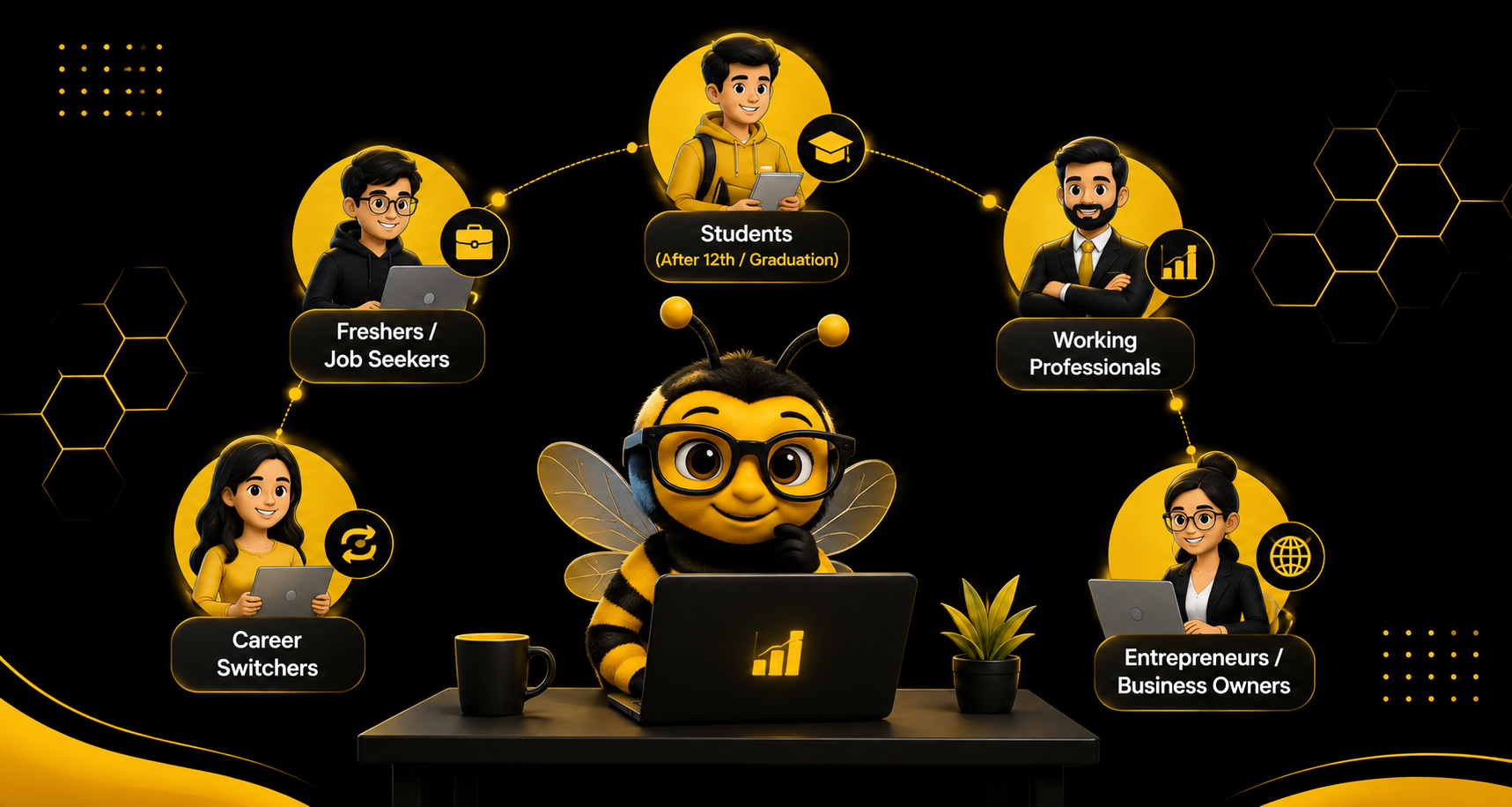
No advanced technical background is needed. This course suits:

  • 10+2 and college students
  • Graduates (BCA, MCA, B.Tech, BSc IT or any stream)
  • Job seekers and career switchers
  • Freelancers and entrepreneurs
  • Working professionals who want to upskill

Career After 12th: Is Web Development a Good Option?

If you have just finished 12th and are wondering what to do next, web development is a practical career after 12th. You do not need to wait for a degree to start. A short program, such as the 45-day crash course, lets you learn the basics, build your first projects and see whether coding suits you, while you continue your studies.

Here is how many students use it:

  • During or after 12th: start with the 45-day program to build basic skills and a small portfolio.
  • Alongside college: continue with the 3-month program to learn frameworks and databases.
  • After graduation: move to the 6-month full stack program to become job-ready.

This step-by-step approach lets you earn skills early instead of waiting until graduation.

Career Scope After a Web Development Course

The demand for skilled developers keeps growing. After completing web development training in Mohali or Chandigarh, you can work as:

  • Front-End Developer
  • Back-End Developer
  • Full Stack Developer
  • Web Designer
  • WordPress Developer
  • UI Developer
  • Freelance Web Developer
  • Software Engineer

Salary expectations (approximate): Freshers typically start between ₹2.5 and ₹5 LPA, and experienced full stack developers can earn significantly more. Freelancing and remote work add further income options. Actual pay depends on your skills, projects, company and city, and is not guaranteed.

Why Full Stack Development Is the Smartest Choice

Companies prefer developers who can handle both front-end and back-end. A full stack web development course in Chandigarh therefore opens more job options and higher pay. You can also build complete projects on your own, from the page design to the database. That is useful for freelancing and for starting your own business.

A Simple Web Development Learning Roadmap

If you are a beginner, follow this order:

  • Learn HTML and CSS to build and style pages.
  • Learn JavaScript to add interactivity.
  • Learn React to build modern interfaces.
  • Learn Node.js and Express to create the back end.
  • Learn databases (MongoDB and MySQL) to store data.
  • Learn Git, GitHub and deployment to manage code and publish sites.
  • Build 2 to 3 projects and put them in a portfolio.
  • Prepare your resume and practise interviews.

Want to follow this roadmap with expert guidance?

Skill Hives’ web development training is built around this path, from basics to live projects.

Message Us on WhatsApp

How to Choose the Right Web Development Institute

Before enrolling in any web development institute in Chandigarh or Mohali, check these points:

  • Is the syllabus updated and industry-relevant?
  • Do trainers have real-world experience?
  • Are live projects included?
  • Is placement or internship support available?
  • Are student reviews and success stories genuine?
  • Is the fee structure transparent?

Skill Hives meets all of these, which makes it a reliable choice for web development training in Chandigarh. We also suggest attending a demo class before you decide, so you can see the teaching style for yourself.

Frequently Asked Questions (FAQs)

Q1. What is the duration of the web development course at Skill Hives?

We offer 45-day, 3-month and 6-month programs, depending on your goal and experience level.

Q2. Is coding knowledge required to join?

No. Our web development course in Mohali and Chandigarh starts from the basics.

Q3. Do you provide placement assistance?

Yes. Skill Hives provides resume building, mock interviews and job referrals. We guide and support you, but we do not guarantee a job.

Q4. Can I learn online?

Yes. Both online and classroom batches are available.

Q5. Which course is best for becoming a full stack developer?

The 6-month full stack developer course is the most complete option.

Q6. Will I get a certificate?

Yes, you receive a course completion certificate from Skill Hives.

Q7. What is the difference between a web design course and a web development course?

A web design course focuses on how a site looks, such as layout and UI. A web development course teaches you to build how it works, including coding, databases and back-end logic.

Q8. Is web development a good career after 12th?

Yes, it can be. You can start with a short program after 12th, build a portfolio and continue to advanced training as you study.

Conclusion

If you want a career in IT, a web development course in Chandigarh & Mohali is a strong starting point. You can choose a 45-day, 3-month or 6-month program, and each gives you real, job-ready skills. With expert mentors, live projects and placement support, Skill Hives helps you build a successful career in web development.

Ready to start your journey?

Book a free demo class at Skill Hives today and take your first step into IT.

Message Us on WhatsApp

Top 40 Python Interview Questions and Answers

Preparing for a Python interview as a fresher? Interviewers rarely want memorised definitions. They want to see that you understand how Python works, and that you can explain it simply and write small pieces of code. This guide by Skill Hives covers the 40 most common Python interview questions in five parts, with short answers and code you can run yourself. You will also find ten extra questions, four coding tasks, a look at the Indian interview process, and a 7-day revision plan.

Want to turn Python basics into job-ready skills?

Skill Hives offers practical Python training with live projects and mentor guidance.

WhatsApp Us

Part 1: Python Basics (Q1–Q8)

Q1. What is Python and why is it popular?

Python is a high-level, interpreted, general-purpose language. Its syntax is close to English, so it is easy to read and learn. It is used in web development, data science, automation and AI, and it has a huge library ecosystem.

Q2. Is Python compiled or interpreted?

Both. Python first compiles your code into bytecode (the .pyc files in __pycache__), then the Python Virtual Machine runs that bytecode line by line. Most people call it an interpreted language.

Q3. What does “dynamically typed” mean?

You do not declare a variable’s type. Python decides the type from the value at run time, and the same name can hold a different type later.

x = 10        # int
x = "ten"     # now a str, no error

Q4. Why is indentation important in Python?

Python uses indentation (spaces) to mark a block of code, where other languages use curly braces. Wrong indentation gives an IndentationError. Use 4 spaces, as PEP 8 recommends.

Q5. What are mutable and immutable types?

Mutable objects can change after creation: list, dict, set. Immutable objects cannot: int, float, str, tuple, frozenset. This is one of the most asked questions, so learn it well.

Q6. What is the difference between a list and a tuple?

A list is mutable and written with []. A tuple is immutable and written with (). Tuples are slightly faster and can be dictionary keys, because they are hashable.

t = (1, 2)
t[0] = 9   # TypeError: 'tuple' object does not support item assignment

Q7. What is the difference between /, //, % and **?

print(7 / 2)    # 3.5 true division
print(7 // 2)   # 3 floor division
print(-7 // 2)  # -4 floor goes down, not toward zero
print(7 % 2)    # 1 remainder
print(2 ** 3)   # 8 power

Interviewer may ask: what is -7 // 2? The answer is -4, because floor division rounds toward negative infinity.

Q8. What is the difference between == and is?

== checks whether two values are equal. is checks whether two names point to the same object in memory.

a = [1, 2]
b = [1, 2]
c = a

print(a == b)   # True
print(a is b)   # False
print(a is c)   # True

Part 2: Data Types and Collections (Q9–Q18)

Q9. What is a dictionary?

A dictionary stores data as key-value pairs. Keys must be unique and hashable (str, int, tuple). Since Python 3.7 it remembers insertion order.

student = {"name": "Asha", "age": 20}

print(student["name"])            # Asha
print(student.get("city"))        # None, no KeyError
print(student.get("city", "NA"))  # NA, your own default

Q10. What is a set and when do you use it?

A set is an unordered collection of unique items. Use it to remove duplicates and for fast membership checks (x in my_set).

Q11. What is the difference between append() and extend()?

a = [1, 2]
a.append([3, 4])
print(a)  # [1, 2, [3, 4]]

b = [1, 2]
b.extend([3, 4])
print(b)  # [1, 2, 3, 4]

Q12. What is a KeyError and how do you avoid it?

It happens when you read a dictionary key that does not exist. Avoid it with .get(), with if key in d, or by catching it with try/except KeyError.

Q13. What is a list comprehension?

A short way to build a list from a loop, with an optional condition.

print([x * x for x in range(1, 6) if x % 2 == 1])
# [1, 9, 25]

Q14. How does slicing work?

The pattern is seq[start:stop:step]. The stop index is not included, and negative indexes count from the end.

s = "PYTHON"

print(s[0:3])   # PYT
print(s[-1])    # N
print(s[::2])   # PTO
print(s[::-1])  # NOHTYP

Q15. How do split() and join() work?

split() breaks a string into a list. join() joins a list of strings into one string.

print("a,b,c".split(","))   # ['a', 'b', 'c']
print("-".join(["a", "b"])) # a-b

Q16. What is the difference between a shallow copy and a deep copy?

A shallow copy copies the outer list but still shares the inner objects. A deep copy copies everything, so the two are fully independent.

import copy

orig = [[1, 2], [3, 4]]
sh = copy.copy(orig)
dp = copy.deepcopy(orig)

orig[0][0] = 99

print(sh[0][0])  # 99
print(dp[0][0])  # 1

Q17. How do you remove duplicates from a list and keep the order?

print(list(dict.fromkeys([3, 1, 3, 2, 1])))
# [3, 1, 2]

Using set() also removes duplicates, but it does not keep the order.

Q18. What is the difference between sort() and sorted()?

sort() changes the list in place and returns None. sorted() returns a new list and leaves the original alone.

nums = [3, 1, 2]

print(sorted(nums), nums)
# [1, 2, 3] [3, 1, 2]

r = nums.sort()
print(r, nums)
# None [1, 2, 3]

Interviewer may ask: what does nums = nums.sort() do? It sets nums to None, a very common beginner bug.

Part 3: Functions and Scope (Q19–Q26)

Q19. What are *args and **kwargs?

*args collects extra positional arguments into a tuple. **kwargs collects extra keyword arguments into a dictionary.

def show(*args, **kwargs):
    print(args, kwargs)

show(1, 2, name="Asha", age=20)

# (1, 2) {'name': 'Asha', 'age': 20}

Q20. What is a lambda function?

A small anonymous function written in one line. It is useful for short jobs, mostly with map, filter and sorted.

sq = lambda x: x * x
print(sq(4))  # 16

print(list(map(lambda x: x * 2, [1, 2, 3])))
# [2, 4, 6]

print(list(filter(lambda x: x % 2 == 0, [1, 2, 3, 4])))
# [2, 4]

Q21. What is the difference between map(), filter() and a list comprehension?

map() changes every item. filter() keeps only items that pass a test. A list comprehension can do both in one readable line, and most Python developers prefer it.

Q22. What is the mutable default argument trap?

A default value like [] is created once, when the function is defined, and is shared between calls. This is the most famous Python trick question.

def bad(item, bucket=[]):
    bucket.append(item)
    return bucket

print(bad(1), bad(2))

def good(item, bucket=None):
    if bucket is None:
        bucket = []
    bucket.append(item)
    return bucket

print(good(1), good(2))

Practising these questions on your own?

Get hands-on Python training, projects and interview preparation at Skill Hives.

Q23. What is the LEGB rule?

Python looks for a name in this order: Local, Enclosing function, Global, Built-in.

x = "global"

def outer():
    x = "enclosing"

    def inner():
        return x

    return inner()

print(outer())  # enclosing

Q24. What do global and nonlocal do?

global lets a function change a module-level variable. nonlocal lets an inner function change a variable of the outer function.

count = 0

def inc():
    global count
    count += 1

inc()
inc()
print(count)  # 2

def make_counter():
    n = 0

    def step():
        nonlocal n
        n += 1
        return n

    return step

c1 = make_counter()
c1()
print(c1())  # 2

Q25. What is a decorator?

A function that takes another function and adds behaviour to it without changing its code. You apply it with @name above the function.

def timer(func):
    def wrapper(*a, **k):
        res = func(*a, **k)
        print("done:", func.__name__)
        return res
    return wrapper

@timer
def add(a, b):
    return a + b

print(add(2, 3))

Q26. What is a generator and why use it?

A generator makes values one at a time with yield, instead of building the whole list in memory. It is ideal for large data.

def countdown(n):
    while n > 0:
        yield n
        n -= 1

print(list(countdown(3)))
# [3, 2, 1]

Interviewer may ask: what is the difference between return and yield? return ends the function. yield pauses it and resumes from the same place on the next request.

Part 4: Object-Oriented Programming (Q27–Q33)

Q27. What are the four pillars of OOP?

Encapsulation (hide data inside a class), inheritance (a child class reuses a parent class), polymorphism (the same method name behaves differently in different classes) and abstraction (show what an object does, hide how).

Q28. What are self and init?

__init__ is the constructor: it runs when you create an object. self is the object itself, and Python passes it explicitly so you can reach the object’s data.

Q29. How does inheritance and method overriding work?

class Animal:
    def __init__(self, name):
        self.name = name

    def speak(self):
        return "..."

class Dog(Animal):
    def speak(self):
        return "Woof"

d = Dog("Tommy")
print(d.speak())  # Woof

Q30. What is the difference between str and repr?

__str__ gives a readable text for users (used by print). __repr__ gives an exact, developer-friendly text, ideally one that could recreate the object.

Q31. What is multiple inheritance and MRO?

A class can have more than one parent. MRO (Method Resolution Order) is the order Python searches the parents for a method. You can see it with ClassName.__mro__.

class A:
    def hi(self): return "A"

class B(A):
    def hi(self): return "B"

class C(A):
    def hi(self): return "C"

class D(B, C):
    pass

print(D().hi())
print([k.__name__ for k in D.__mro__])

Q32. What is the difference between @classmethod, @staticmethod and an instance method?

An instance method gets self and works on one object. A class method gets cls and works on the class, often to build objects another way. A static method gets neither and is just a function placed inside the class.

class Date:
    def __init__(self, y, m, d):
        self.y, self.m, self.d = y, m, d

    @classmethod
    def from_string(cls, s):
        y, m, d = map(int, s.split("-"))
        return cls(y, m, d)

    @staticmethod
    def is_leap(y):
        return y % 4 == 0 and (y % 100 != 0 or y % 400 == 0)

dt = Date.from_string("2026-10-13")
print(dt.y, dt.m, dt.d)
print(Date.is_leap(2024))

Q33. Does Python have private variables?

Not truly. A single underscore (_x) is only a hint to other developers. A double underscore (__x) triggers name mangling, which makes the name harder to reach but not impossible.

class Account:
    def __init__(self):
        self.__balance = 100

acct = Account()
# acct.__balance -> AttributeError
print(acct._Account__balance)  # 100

Part 5: Errors, Files, Memory and Core Concepts (Q34–Q40)

Q34. How does exception handling work?

Put risky code in try. Handle the error in except. else runs only if no error happened. finally always runs, so use it for cleanup.

def divide(a, b):
    try:
        r = a / b
    except ZeroDivisionError:
        print("cannot divide by zero")
    else:
        print("result", r)
    finally:
        print("always runs")

divide(4, 2)
divide(4, 0)

Q35. How do you read a file, and why use with?

The with statement closes the file for you, even if an error happens, so you cannot forget to close it.

with open("notes.txt", "r") as f:
    for line in f:
        print(line.strip())

Q36. How do you raise your own error?

Use raise. For a custom error, make a class that inherits from Exception.

class AgeError(Exception):
    pass

def set_age(age):
    if age < 0:
        raise AgeError("age cannot be negative")
    return age

Q37. How does Python manage memory?

Python keeps all objects in a private heap. Each object has a reference count. When the count reaches zero, the memory is freed. A garbage collector also cleans up reference cycles, where two objects point to each other and the count never reaches zero.

Q38. What is the GIL?

The Global Interpreter Lock lets only one thread run Python bytecode at a time in standard CPython. So threads do not speed up CPU-heavy work. Use multiprocessing for that. Threads still help for waiting jobs such as network calls and file reads.

Q39. What is the difference between an iterable and an iterator?

An iterable (list, str, dict) can be looped over. An iterator is the object that gives the next value, one by one, using next(). It raises StopIteration when finished.

it = iter([1, 2])

print(next(it))  # 1
print(next(it))  # 2
next(it)         # raises StopIteration

Q40. What does if __name__ == “__main__”: do?

It runs the code below it only when the file is run directly, not when another file imports it. This lets one file work both as a program and as a reusable module.

def main():
    print("running")

if __name__ == "__main__":
    main()

Interview Process

Most IT companies in India follow a similar multi-round pattern, though the exact rounds vary by company. A typical process, as described for Infosys, looks like this:

Round What Is Tested
1. Online assessment Aptitude, logical reasoning, verbal ability and a coding section
2. Technical interview Python concepts, data structures, algorithms, databases, operating systems, and your projects or internships
3. Managerial interview Case studies, hypothetical project situations, decision-making, team fit
4. HR interview Communication, career goals, why you want to join, relocation, salary expectation

Platforms commonly recommended for practice include HackerRank, LeetCode, AMCAT and CoCubes.

10 Extra Python Interview Questions

E1. What is a context manager?

An object that sets something up and cleans it up automatically, used with with. Files, database connections and locks use it. You can write one with __enter__ and __exit__, or with contextlib.contextmanager.

E2. What is a virtual environment and why use one?

An isolated folder with its own Python packages, so one project’s library versions do not clash with another’s. Create one with python -m venv env.

E3. What is the difference between a module and a package?

A module is one .py file. A package is a folder of modules, usually with an __init__.py file.

E4. What is the difference between Django and Flask?

Django is a full framework with an ORM, admin panel and authentication built in. Flask is a small, flexible micro-framework where you pick the extra parts yourself.

E5. What is the difference between NumPy and pandas?

NumPy gives fast arrays for numeric maths. pandas builds on it and adds labelled tables (DataFrames) for cleaning and analysing data.

E6. What is the difference between loc and iloc in pandas?

loc selects by label. iloc selects by integer position.

E7. What is monkey patching?

Changing a class or module while the program runs, for example replacing a function for testing. It is powerful but can make code hard to understand.

E8. What is range vs xrange?

xrange is a Python 2 name that some interviewers still ask about. In Python 3 only range exists, and it gives a lazy sequence, not a full list.

E9. How do you debug and log in Python?

Use print for quick checks, the pdb debugger to step through code, and the logging module with levels (DEBUG, INFO, WARNING, ERROR) for real programs.

E10. How do you write a unit test?

Use the built-in unittest module or pytest. Write small functions that call your code and assert the expected result.

Want mentor guidance for your placement interviews?

Skill Hives helps students build projects, practise questions and prepare for interviews.

Message Us on WhatsApp

Salary Context for Indian Freshers

Figures differ by source, so treat these as a range, not one number.

Source Fresher Mid Level Experienced
Internshala (Infosys page) ₹3.5–5 LPA ₹6–10 LPA (2–4 years) ₹12–25 LPA or more (5+ years)
WSCube Tech, updated 14 September 2026, from AmbitionBox ₹3.0 LPA average (0–1 year) ₹4.1 LPA (2–3 years) ₹8.2 LPA (4–9 years)

Pay also varies by city and skills. Gurgaon, Mumbai, Noida, Bengaluru, Chennai, Pune and Hyderabad are listed as the highest-paying cities, and skills such as Django, Flask, FastAPI, NumPy, pandas, Git and databases can raise pay. These are not guarantees.

Bonus: Four Coding Questions to Practise

Most interviews end with a small coding task. Write these by hand first, then compare.

1. Count word frequency

from collections import Counter

text = "the cat and the hat and the bat"

print(Counter(text.split()).most_common(2))
# [('the', 3), ('and', 2)]

2. Check a palindrome

def is_pal(s):
    s = "".join(ch.lower() for ch in s if ch.isalnum())
    return s == s[::-1]

print(is_pal("A man, a plan, a canal: Panama"))
# True

3. Fibonacci with a generator

def fib(n):
    a, b = 0, 1

    for _ in range(n):
        yield a
        a, b = b, a + b

print(list(fib(8)))
# [0, 1, 1, 2, 3, 5, 8, 13]

4. FizzBuzz

print([
    "FizzBuzz" if i % 15 == 0
    else "Fizz" if i % 3 == 0
    else "Buzz" if i % 5 == 0
    else i
    for i in range(1, 16)
])

How to Use This List: A 7-Day Plan from Skill Hives

  • Days 1–2: Part 1 and Part 2. Type every code sample yourself and change one value to see what happens.
  • Days 3–4: Part 3 and Part 4. Explain decorators, generators and self out loud, as if teaching a friend.
  • Day 5: Part 5, then the four coding questions without looking at the answers.
  • Day 6: Ask a friend to quiz you on random questions, or record yourself answering.
  • Day 7: Revise only the questions you got wrong.

Interview Tips That Matter More Than the Answers

  • Start with a one-line definition, then give a small example. Interviewers value clear, short answers.
  • If you do not know, say what you do know and how you would find out. Guessing wildly counts against you.
  • Think aloud while you code. Interviewers score your approach, not only the output.
  • Know your own resume. Any project you list can be asked about in detail.

Keep Learning with Skill Hives

Skill Hives helps students turn Python basics into job-ready skills. Practise these questions, build small projects and revisit the topics that feel weak. Bookmark this page and share it with a classmate who is preparing for placements.

Ready to go from Python basics to real projects?

Join Skill Hives for practical Python training, mentor support and interview preparation.

FAQ

How many Python questions should I prepare for a fresher interview?

The 40 above cover the core areas that fresher and entry-level rounds test. Understanding them well matters more than memorising a longer list.

Do I need to know advanced topics like async or metaclasses?

Rarely for a first job. Learn them after you are confident with Parts 1 to 5.

Are the code samples tested?

Yes. We ran them and checked the outputs shown in the comments before publishing.

XML Sitemap and HTML Sitemap? Key Differences Explained

Have you ever wondered how Google finds pages on a website or how visitors find important pages without searching through every menu? Sitemaps help make both tasks easier. An XML sitemap helps search engines discover important URLs on a website, while an HTML sitemap helps visitors find pages through a structured list of links.

For students learning Search Engine Optimization (SEO), understanding both sitemap types is important. They serve different purposes, but both can support better website navigation and management. In this guide, Skill Hives explains what XML and HTML sitemaps are, how they work, how to create them, where to find them, and how to check whether they are working correctly.

Want to learn technical SEO the practical way?

Skill Hives helps students build real SEO skills through hands-on learning, not just theory.

Table of Content

What Is an XML Sitemap?What Is an HTML Sitemap?XML Sitemap vs HTML Sitemap: Key DifferencesWhy Are XML and HTML Sitemaps Important?How to Create an XML Sitemap: Step by StepHow to Submit an XML Sitemap to Google Search ConsoleHow to Create an HTML Sitemap: Step by StepWhere Can You Find an XML Sitemap and an HTML Sitemap?Common Sitemap Mistakes Beginners Should AvoidFrequently Asked QuestionsConclusion

What Is an XML Sitemap?

An XML sitemap is a file that lists important URLs on a website in a format search engines can read. XML stands for Extensible Markup Language. Search engines such as Google can use this file to discover website pages more efficiently, especially when a website has many pages or contains new content.

For example, an online learning website might include these URLs in its XML sitemap:

  • https://example.com/
  • https://example.com/courses/
  • https://example.com/blog/
  • https://example.com/contact/

An XML sitemap does not guarantee that Google will crawl, index, or rank every listed page. It simply helps search engines discover the URLs.

What Does an XML Sitemap Look Like?

How to understand this example:

  • identifies the document as XML.
  • contains the sitemap entries.
  • represents one URL entry.
  • specifies the complete URL of a page.

The URLs above are examples. A real sitemap should use your website’s actual, preferred URLs.

What Is an HTML Sitemap?

An HTML sitemap is a normal webpage that displays links to important pages on a website. Unlike an XML sitemap, it is designed mainly for human visitors.

For example, a college website might have an HTML sitemap containing links to:

  • Home
  • About Us
  • Courses
  • Admissions
  • Student Resources
  • Blog
  • Contact Us

Visitors can open the sitemap and click the link they need instead of navigating through several menus.

What Does an HTML Sitemap Look Like?

An HTML sitemap could appear on a webpage like this:

Website Sitemap

  • Home
  • About Us
  • Courses
  • Digital Marketing Course
  • Web Development Course
  • Python Course
  • Blog
  • Contact Us

Each item should link to its corresponding webpage. The design can use headings, lists, categories, and a simple layout.

An HTML sitemap is not the same as an XML file. It is a webpage that browsers display in a readable format.

XML Sitemap vs HTML Sitemap: Key Differences

Feature XML Sitemap HTML Sitemap
Main purpose Helps search engines discover URLs Helps visitors find website pages
Format Structured XML file Readable HTML webpage
Primary audience Search engines and other automated systems Human visitors
Typical URL /sitemap.xml /sitemap/
Appearance XML tags and URL entries Headings and clickable links
Creation SEO plugin, CMS, or manual XML file CMS page, plugin, or manually created webpage
SEO benefit Supports URL discovery and crawling Supports navigation and can provide internal links
Required for every website? No, but often useful No

Important: Neither sitemap guarantees higher rankings. Good content, useful internal links, crawlability, technical health, and other SEO factors remain important.

Why Are XML and HTML Sitemaps Important?

https://youtu.be/hDva5VoZJsE?si=ECX_BoMs0UFsgrgs

Both sitemap types can be useful, but they solve different problems.

Benefits of an XML Sitemap

  • Helps search engines discover URLs: It provides a list of important pages that search engines can crawl.
  • Supports new website content discovery: It can help search engines find newly published pages.
  • Helps manage large websites: It is particularly useful for websites with many URLs.
  • Provides additional information: Sitemap entries can include details such as a page’s last modification date when appropriate.
  • Supports SEO monitoring: Website owners can submit their sitemap through Google Search Console and review related indexing information.

Benefits of an HTML Sitemap

    • Helps visitors locate important pages.
    • Organizes website content into clear categories.
    • Provides additional internal links between pages.
    • Can improve navigation on websites with many sections.
    • Helps users find pages that may be difficult to locate through the main menu.

How to Create an XML Sitemap: Step by Step

There are several ways to generate an XML sitemap. The method depends on your website platform and technical setup.

Method 1: Generate an XML Sitemap in WordPress

If your website uses WordPress, you may already have an automatically generated XML sitemap.

[Image suggestion: WordPress dashboard Settings → Reading screenshot; Yoast SEO XML sitemap settings screenshot]

Step 1: Open your WordPress dashboard Log in to your WordPress website using your administrator account.

Step 2: Check the default WordPress sitemap Open your browser and enter:

https://yourwebsite.com/wp-sitemap.xml

Replace yourwebsite.com with your actual domain. WordPress provides a built-in XML sitemap on supported, up-to-date installations unless it has been disabled or modified.

Step 3: Use an SEO plugin if needed You can also generate a sitemap using an SEO plugin, such as Yoast SEO or Rank Math.

  • Install and activate your chosen plugin.
  • Open its SEO settings.
  • Find the XML sitemap option.
  • Enable the sitemap feature if it is disabled.
  • Open the sitemap URL provided by the plugin.

Menu names may differ depending on the plugin version.

Step 4: Open the sitemap in your browser Common sitemap URLs include:

  • /wp-sitemap.xml
  • /sitemap_index.xml
  • /sitemap.xml

These URLs are examples, not universal addresses. The correct URL depends on your website configuration.

Step 5: Check the sitemap contents Confirm that it includes the important pages you want search engines to discover and that the URLs use your preferred domain and protocol.

Method 2: Create an XML Sitemap Manually

For a small website or a student practice project, you can create a basic XML sitemap yourself.

[Image suggestion: XML sitemap file opened in a code editor showing urlset, url and loc tags]

Follow these steps:

  • Open a plain-text or code editor, such as Notepad or Visual Studio Code.
  • Add the XML structure shown in the earlier example.
  • Insert the full URLs of your important pages.
  • Save the file as sitemap.xml, using UTF-8 encoding.
  • Upload it to your website’s public root directory, usually the same directory that serves your homepage.
  • Open https://yourwebsite.com/sitemap.xml in your browser to verify that it is accessible.

For a manually maintained sitemap, remember to update the file when relevant URLs change. Automated generation is generally more convenient for websites that publish content regularly.

Method 3: Generate a Sitemap Using an Online Tool

Some website crawling tools can generate XML sitemaps for smaller websites.

  • Choose a reputable sitemap generator or website crawler.
  • Enter your website URL or crawl the website according to the tool’s instructions.
  • Generate and download the XML sitemap.
  • Review the listed URLs for errors and unwanted pages.
  • Upload the file to the correct public directory.
  • Test the sitemap URL in your browser.

Always review generated files before uploading them. A tool may include redirected URLs, duplicate pages, or URLs you do not want to submit.

Learning SEO and want to practice on a real website?

Skill Hives offers practical digital marketing and SEO training built around hands-on projects.

Message Us on WhatsApp

Creating a sitemap is only one part of the process. You can also tell Google where to find it.

[Image suggestion: Google Search Console “Add a new sitemap” screenshot; Sitemaps report showing a successful submitted sitemap status]

Step 1: Open Google Search Console Visit Google Search Console and select your verified website property.

Step 2: Open the Sitemaps report Find Sitemaps in the navigation menu.

Step 3: Enter your sitemap URL If the full sitemap address is https://example.com/sitemap.xml, enter the sitemap path in the submission field when the interface requests it.

Step 4: Submit the sitemap Click the Submit button.

Step 5: Check the reported status Review the submission status and any messages about fetching or processing the sitemap. If Google reports an error, check whether the file is accessible, returns a successful HTTP response, and contains valid XML.

Step 6: Monitor indexing separately Use the Page Indexing report and URL Inspection tool to investigate whether individual pages are indexed.

Submitting a sitemap does not guarantee that Google will index every URL.

How to Create an HTML Sitemap: Step by Step

An HTML sitemap is created as a normal webpage, so you can design it to match your website.

[Image suggestion: Website HTML sitemap page showing organized headings and clickable links for Home, About, Services, Blog and Contact]

Step 1: List your important pages Write down the main pages of your website, such as Home, About, Courses, Services, Blog, and Contact.

Step 2: Organize pages into categories Group related pages under headings. For example, an educational website might have separate sections for Courses, Student Resources, and Blog Articles.

Step 3: Create a new webpage In WordPress, open Pages → Add New. Name the page “Sitemap” or “Website Sitemap.”

Step 4: Add clickable links Use the WordPress editor to create headings and lists, linking each item to the relevant page. For example:

  • Home
  • Courses
  • Blog
  • Contact

These are illustrative links; replace them with the actual pages on your website.

Step 5: Publish the page Publish the page and check that its links work correctly. You may choose a URL such as /sitemap/.

Step 6: Make the sitemap easy to find Add a link to the HTML sitemap in your website footer or another suitable navigation area.

Step 7: Keep it updated When you add or remove important pages, update the HTML sitemap so visitors do not encounter broken or outdated links.

Where Can You Find an XML Sitemap and an HTML Sitemap?

Sitemap type Where to look
XML sitemap Try /sitemap.xml, /sitemap_index.xml, or /wp-sitemap.xml
HTML sitemap Look for a Sitemap link in the website footer or navigation
XML sitemap submission Google Search Console → Sitemaps
Sitemap discovery instructions The website’s robots.txt file may include a Sitemap directive

For example, you can open https://example.com/robots.txt in a browser to check whether a sitemap URL is listed. A robots.txt file may contain a line like this:

User-agent: *

Disallow:

Sitemap: https://example.com/sitemap.xml

This is an example of a sitemap directive. It does not mean that every website must use this exact robots.txt configuration.

Common Sitemap Mistakes Beginners Should Avoid

When creating or checking sitemaps, watch out for these common issues:

  • Broken URLs: Remove or correct URLs that no longer work.
  • Redirected URLs: Prefer the final destination URL in the sitemap.
  • Non-canonical URLs: Include the preferred version of a page.
  • Blocked or inaccessible files: Make sure search engines can fetch the sitemap.
  • Outdated HTML links: Update links when pages move or are deleted.
  • Duplicate sitemap entries: Avoid unnecessary duplication.
  • Confusing submission with indexing: A submitted URL is not automatically indexed.
  • Ignoring sitemap errors: Review Search Console messages and fix issues when necessary.

For most websites, XML sitemaps should focus on the canonical URLs you want search engines to consider for indexing.

Ready to go beyond sitemaps and learn complete SEO?

From technical SEO to on-page and off-page, Skill Hives helps beginners learn SEO step by step.

Message Us on WhatsApp

Frequently Asked Questions

1. What is the main difference between an XML sitemap and an HTML sitemap?

An XML sitemap provides structured URL information to search engines, while an HTML sitemap presents clickable links that help visitors navigate a website.

2. Does every website need an XML sitemap?

No. Google can often discover pages through internal links without a sitemap. However, XML sitemaps are useful for large websites, new websites, and sites with complex navigation.

3. Does an HTML sitemap improve SEO?

An HTML sitemap can support navigation and internal linking. However, creating one does not automatically improve rankings. Its value depends on how useful and accessible it is to visitors.

4. Can a website have both XML and HTML sitemaps?

Yes. A website can have both because they serve different purposes. The XML sitemap supports search engine discovery, while the HTML sitemap helps visitors find content.

5. How can I check whether my XML sitemap is working?

Open its URL in a browser and check that it loads correctly. Then submit it in Google Search Console and review the reported status for fetching or processing errors.

Conclusion

XML and HTML sitemaps are useful website management tools, but they have different roles. An XML sitemap helps search engines discover important URLs, while an HTML sitemap gives visitors a clear list of links to website pages. Students learning SEO should practise creating both sitemap types, checking their URLs, submitting XML sitemaps through Google Search Console, and updating HTML links when website content changes.

At Skill Hives, understanding these practical SEO concepts can help students build a strong foundation in website optimization and technical SEO. Start with a small practice website, create both sitemap types, and test them to see how they work in a real-world setup.

Ready to build real SEO skills?

Join Skill Hives and learn technical SEO, on-page SEO, and digital marketing with practical, project-based training.

Top 30 Java Interview Questions for Freshers

Starting your career with Java? Interviewers for fresher roles ask basic questions to check if you understand the concepts, not just memorised lines. This guide by Skill Hives explains each of the 30 most common questions in simple words, with a real-life example and code, so you can explain it confidently in front of the interviewer.

How to prepare: Read the explanation, understand the easy example, and then explain it in your own words. Type the code yourself and run it. If you can teach it to a friend, you are ready.

Want structured Java training before your interview?

Skill Hives offers hands-on Java and programming training with real projects, not just theory.

Table of Content

Core Java Basics

Object-Oriented Programming

Strings and Exception Handling

Collections Framework

Multithreading and Memory

Last-Minute Interview Tips

Keep Learning with Skill Hives

Core Java Basics

1. What is Java and what are its key features?

Java is a programming language created by Sun Microsystems in 1995 (now owned by Oracle). It is used to build Android apps, websites, banking software and large company systems. Its main features are: it is simple to learn, object-oriented (everything is organised into classes and objects), secure, platform independent, and it manages memory automatically through garbage collection.

2. Why is the Java platform independent?

When you write Java code and compile it, Java does not create code for one specific computer. It creates something called bytecode. This bytecode is the same for every computer. Then each computer has its own JVM (Java Virtual Machine) that reads the bytecode and runs it. So you write the program once and run it on Windows, Linux or Mac without changing anything. This is called “Write Once, Run Anywhere”.

3. What is the difference between JDK, JRE and JVM?

JVM (Java Virtual Machine) is the engine that actually runs your bytecode. JRE (Java Runtime Environment) contains the JVM plus the libraries needed to run Java programs. JDK (Java Development Kit) contains the JRE plus the tools to write and compile programs, like the javac compiler. So a normal user who only wants to run a Java app needs the JRE, but a developer like you needs the JDK.

Example: Think of a car. JVM is the engine. JRE is the engine plus fuel and parts so the car can run. JDK is the whole factory that can also build the car. Remember it as JDK contains JRE, and JRE contains JVM.

4. What are the primitive data types in Java?

Primitive types are the basic built-in types that store simple values directly. Java has 8 of them: byte, short, int and long for whole numbers; float and double for decimal numbers; char for a single character; and boolean for true or false. Everything else, like String, arrays and your own classes, is a reference type that stores the address of an object.

Example: Use int for age, double for price, char for grade, boolean for pass or fail.

int age = 20;
double price = 99.5;
char grade = ‘A’;
boolean isPassed = true;

5. What are wrapper classes, autoboxing and unboxing?

A wrapper class turns a primitive value into an object. Each primitive has one: int has Integer, double has Double, boolean has Boolean. We need them because collections like ArrayList can store only objects, not primitives. Autoboxing means Java automatically converts a primitive into its wrapper object, and unboxing means Java automatically converts the wrapper back into a primitive.

Example: You cannot write ArrayList, but you can write ArrayList. It is like putting a small item in a box so it can be stored on a shelf that only holds boxes.

Integer a = 10; // autoboxing
int b = a; // unboxing

6. What is the difference between == and equals()?

The == operator compares references for objects, which means it checks whether both variables point to the very same object in memory. The equals() method compares the actual content. For primitives like int, == simply compares values. Classes like String override equals() so it checks the characters inside.

Example: Two students can have the same name (same content, so equals() is true), but they are still two different persons (so == is false).

String a = new String(“hello”);
String b = new String(“hello”);
System.out.println(a == b); // false
System.out.println(a.equals(b)); // true

7. What is the static keyword?

The static keyword means a variable or method belongs to the class itself, not to any single object. There is only one copy shared by all objects, and you can use it without creating an object. A static method can directly use only other static members. The main() method is static so the JVM can start the program without creating an object first.

Example: In a college, the college name is the same for every student, so it can be static. The roll number is different for each student, so it is not static.

class Student {
static String college = “ABC College”;
int rollNo;
}

8. What is the final keyword?

final is used to stop changes. A final variable becomes a constant and cannot be given a new value. A final method cannot be overridden by a child class. A final class cannot be extended. The String class is a famous final class. Do not confuse it with finally (a block in exception handling) and finalize() (a method called by the garbage collector).

Example: The value of PI never changes, so we declare it final.

final double PI = 3.14159;
PI = 3.14; // error

Object-Oriented Programming

9. What are the four pillars of OOP?

OOP stands for Object-Oriented Programming, and it has four pillars.

  • Encapsulation means wrapping data and the methods that use it inside one class and hiding the data using private.
  • Inheritance means one class can reuse the properties of another class.
  • Polymorphism means one thing can take many forms, like one method name behaving differently.
  • Abstraction means showing only the necessary details and hiding the complex inner workings.

Example: Encapsulation: a medicine capsule holds the medicine inside. Inheritance: a child gets features from parents. Polymorphism: a person is a student, a son and a friend at the same time. Abstraction: when you drive a car, you use the steering wheel and don’t need to know how the engine works.

10. What is the difference between a class and an object?

A class is a blueprint or template that describes what data (variables) and behaviour (methods) something will have. It does not take memory by itself. An object is a real thing created from that class using the new keyword, and it takes memory. From one class you can create many objects.

Example: Class is the architect’s plan of a house, and objects are the actual houses built from it.

class Car {
String color;
void drive() { System.out.println(“Driving”); }
}
Car myCar = new Car(); // object

11. What is a constructor? Can it be overloaded?

A constructor is a special method that runs automatically at the moment an object is created. It is used to set the starting values of the object. It must have the same name as the class and it has no return type. Yes, constructors can be overloaded, which means you can write several constructors with different parameters. If you do not write any constructor, Java provides a default one.

Example: When you buy a new phone, it comes with the initial setup done. The constructor does that initial setup for an object.class Student {
String name;
Student(String n) { name = n; }
}
Student s = new Student(“Ravi”);

12. What is the difference between method overloading and overriding?

Overloading means having several methods with the same name in the same class but with different parameters (different number or type). It is decided at compile time. Overriding means a child class writes its own version of a method that already exists in the parent class, with the same name and parameters. It is decided at runtime, and it needs inheritance.

Example: Overloading: a calculator’s add button can add two numbers or three numbers. Overriding: a child class Dog changes how the sound() method of the parent class Animal works.

class Animal { void sound(){ System.out.println(“Some sound”); } }
class Dog extends Animal {
@Override
void sound(){ System.out.println(“Bark”); }
}

13. What is the difference between an abstract class and an interface?

An abstract class is a class that cannot be created as an object. It can have both abstract methods (without body) and normal methods, variables and constructors. A class can extend only one abstract class. An interface is a full contract that lists methods a class must implement, and a class can implement many interfaces. Since Java 8, interfaces can also have default and static methods.

Example: Use an abstract class when classes are closely related, like Animal for Dog and Cat. Use an interface for an ability, like Flyable which can be given to Bird, Plane or Drone.

interface Flyable { void fly(); }
class Bird implements Flyable {
public void fly(){ System.out.println(“Bird flies”); }
}

14. Does Java support multiple inheritance?

Java does not support multiple inheritance with classes, which means a class cannot extend two classes. The reason is the diamond problem: if two parent classes have the same method, the child will be confused about which one to use. But Java gives a safe solution, because a class can implement multiple interfaces and so get features from many sources.

Example: A child cannot have two different rulebooks that say opposite things, but it can follow many lists of skills.

class A implements Flyable, Swimmable { … }

15. What are these and super keywords?

The this keyword refers to the current object. It is mostly used when a parameter name is the same as a variable name, and to call another constructor of the same class. The super keyword refers to the parent class. It is used to call the parent’s constructor or the parent’s overridden method.

Example: When you say “my name”, you mean this person. When you say “my father’s name”, it is like super.

class Student {
String name;
Student(String name){ this.name = name; }
}

Practicing OOP concepts on your own?

Build real Java projects with mentor guidance through Skill Hives’ practical training programs.

Message Us on WhatsApp

Strings and Exception Handling

16. Why are Strings immutable in Java?

Immutable means that once a String object is created, it cannot be changed. If you try to change it, Java creates a new String instead. This is done for security (things like passwords and file names stay safe), for thread safety, for use as HashMap keys, and for saving memory because Java keeps a String pool and reuses the same text.

Example: It is like writing with a pen on paper. You cannot edit it, you can only write a new page.

String s = “Java”;
s.concat(” World”);
System.out.println(s); // still Java

17. What is the difference between String, StringBuilder and StringBuffer?

String is immutable, so every change creates a new object, which is slow if you do it many times. StringBuilder is mutable, which means it changes the same object, and it is fast but not thread-safe. StringBuffer is also mutable and it is thread-safe because its methods are synchronized, but it is slower. In most programs, use StringBuilder when joining text in loops.

Example: String is a printed page, and StringBuilder is a whiteboard where you can erase and write again.

StringBuilder sb = new StringBuilder(“Hello”);
sb.append(” World”);
System.out.println(sb); // Hello World

18. How do you reverse a String in Java?

The easiest way is to put the String into a StringBuilder and call its reverse() method. Interviewers also like the manual way, where you loop from the last character to the first and build a new String. Be ready to show both.

Example: Reversing “Java” gives “avaJ”. The same logic is used to check a palindrome.

String s = “Java”;
String rev = new StringBuilder(s).reverse().toString();

// manual way
String r = “”;
for (int i = s.length() – 1; i >= 0; i–) {
r += s.charAt(i);
}

19. What is the difference between checked and unchecked exceptions?

An exception is an error that happens while the program is running. Checked exceptions are checked by the compiler at compile time, so you must handle them with try-catch or declare them with throws. Examples are IOException and SQLException. Unchecked exceptions are subclasses of RuntimeException, they happen at runtime and the compiler does not force you to handle them. Examples are NullPointerException and ArithmeticException.

Example: Checked: a weather warning you must prepare for in advance, like taking an umbrella. Unchecked: a surprise mistake like slipping on the road.

try {
int x = 10 / 0;
} catch (ArithmeticException e) {
System.out.println(“Cannot divide by zero”);
}

20. What is the difference between throw and throws?

throw is a keyword used inside a method body to actually create and throw one exception object. throws is used in the method signature to declare that the method might pass an exception to the code that calls it. So throw is the action, and throws is the warning.

Example: throw: you raise your hand and say there is a problem. throws: you put a sign on the door saying danger may occur here.

void check(int age) throws Exception {
if (age < 18) throw new Exception(“Not eligible”);
}

21. What is the finally block?

The finally block is written after try and catch, and it always runs, whether an exception happened or not. It is used for cleanup work, like closing a file, database connection or scanner. It will not run only in rare cases, like when System.exit() is called. A modern alternative is try-with-resources, which closes resources automatically.

Example: After eating at a restaurant you always pay the bill, whether the food was good or bad.

try {
// risky code
} catch (Exception e) {
// handle error
} finally {
System.out.println(“Always runs”);
}

Collections Framework

22. What is the Java Collections Framework?

The Collections Framework is a set of ready-made interfaces and classes in Java for storing and handling groups of objects. The main interfaces are List (ordered, allows duplicates), Set (no duplicates) and Map (key-value pairs), and Queue. It saves your time because you do not have to write data structures like lists and maps from scratch.

Example: A List is like a class attendance register, a Set is like a list of unique roll numbers, and a Map is like a phone book with name and number.

List names = new ArrayList<>();
names.add(“Ravi”);
names.add(“Sita”);

23. What is the difference between ArrayList and LinkedList?

ArrayList uses a dynamic array inside. It is very fast to get an element by its index, but slow to add or remove in the middle because other elements must shift. LinkedList uses nodes connected to each other. It is fast to add or remove elements when you are at that position, but slow to find an element by index because it must walk through the list.

Example: ArrayList is like seats in a cinema with numbers, so you can find seat 25 quickly. LinkedList is like a train where each coach is connected to the next.

24. What is the difference between HashMap and HashSet?

HashMap stores data as key-value pairs, and keys must be unique. HashSet stores only single values and does not allow duplicates. Internally, a HashSet actually uses a HashMap to store its elements. Neither of them guarantees the order of elements.

Example: HashMap: student roll number to student name. HashSet: only a list of unique roll numbers.

Map<Integer,String> map = new HashMap<>();
map.put(1, “Ravi”);
Set set = new HashSet<>();
set.add(1); set.add(1); // stored once

25. How does HashMap work internally?

When you put a key and a value, HashMap calls the hashCode() of the key to calculate a number, and uses it to decide which bucket (position) to store the entry in. If two keys go to the same bucket, it is called a collision, and they are kept together in a linked list (changed to a tree in Java 8 when it becomes big). When you get a value, it finds the bucket by hashCode() and then uses equals() to find the exact key.

Example: Think of a library with shelves. The hash code tells which shelf to go to, and equals() helps you find the exact book on that shelf.

26. What is the difference between HashMap and Hashtable?

HashMap is not synchronized, so it is faster, and it allows one null key and many null values. Hashtable is synchronized (thread-safe), but slower, and it does not allow any null key or value. Hashtable is an old class, so in modern programs we use HashMap, or ConcurrentHashMap when many threads are involved.

Example: HashMap is a free-entry hall, and Hashtable is a hall where only one person enters at a time through a gate.

Want to practice Collections and build real logic, not just memorize them?

Skill Hives’ programming training includes hands-on exercises with Java fundamentals, OOP, and collections.

Message Us on WhatsApp

Multithreading and Memory

27. What is a thread and how do you create one?

A thread is a small unit of work that runs independently inside a program, so multithreading lets a program do many tasks at the same time. There are two ways to create a thread: extend the Thread class, or implement the Runnable interface. Implementing Runnable is better because Java allows you to extend only one class. Always call start() and not run(), because start() creates a new thread.

Example: On your phone, you listen to music while chatting. Each is like a separate thread.

class MyTask implements Runnable {
public void run(){ System.out.println(“Running”); }
}
new Thread(new MyTask()).start();

28. What does the synchronized keyword do?

When many threads use the same data, they can disturb each other and give wrong results. This problem is called a race condition. The synchronized keyword allows only one thread at a time to run a method or block of code. Other threads must wait until the first thread finishes. This keeps shared data safe.

Example: A single ATM cabin: only one person enters at a time, and others wait outside in the queue.

synchronized void withdraw(int amt) {
// only one thread at a time
}

29. What is garbage collection in Java?

Garbage collection is the process where the JVM automatically finds objects that are no longer used by the program and removes them to free memory. The programmer does not need to delete objects manually, unlike in C or C++. You can request it using System.gc(), but there is no guarantee it will run immediately.

Example: Like a cleaner in a hostel who removes the empty bottles and trash that nobody needs anymore.

Student s = new Student();
s = null; // object now eligible for GC

30. What is the difference between stack and heap memory?

Stack memory stores method calls, local variables and references. It is small and very fast, and each thread has its own stack. Heap memory stores all the objects created with new. It is larger, shared by all threads, and cleaned by the garbage collector. If the stack gets full you get StackOverflowError, and if the heap gets full you get OutOfMemoryError.

Example: Stack is like your desk with the book you are using right now. Heap is the big storeroom where all the items are kept.

int x = 10; // x in stack
Student s = new Student(); // s in stack, object in heap

Last-Minute Interview Tips

  • Start your answer with a simple definition, then give a small example.
  • Practise coding string reverse, palindrome, Fibonacci and sorting by hand.
  • Know your own projects well.
  • If you do not know an answer, say so honestly and tell how you would find it.
  • Stay calm and speak slowly.

Keep Learning with Skill Hives

Revise this list before every interview, practise daily, and share it with a friend who is preparing too. If you want structured, hands-on guidance to build real Java projects alongside this kind of interview preparation, Skill Hives offers practical programming training designed for freshers getting ready for their first developer role.

Ready to turn this prep into a job-ready Java skill set?

Join Skill Hives for structured Java training, real projects, and interview preparation support.

Message Us on WhatsApp

What Is SEO? On-Page, Off-Page and Technical SEO

What Is SEO?

SEO stands for Search Engine Optimization. It is the process of improving a website so search engines like Google can understand its content and show it to people when they search for related information, products, or services.

In simple words, SEO helps your website become easier to find on search engines. It is an important part of digital marketing training because it teaches beginners how websites can attract visitors through organic search.

Example

Imagine you have a small bakery in Chandigarh.

You have a website, but when someone searches:

“best bakery in Chandigarh”

your website appears on page 8 of Google.

Very few people will find it.

SEO helps improve the website so Google can better understand:

  • What your business offers
  • Where you are located
  • Which products you sell
  • Whether your website is useful
  • Whether other websites trust your website

The goal is to increase the chance of appearing higher in organic search results.

Takeaway: SEO is basically about helping the right people find your website through search engines.

New to SEO and want structured guidance?

Talk to Skill Hives about learning SEO step by step, from fundamentals to practical skills.

Message Us on WhatsApp

Table of Content

SEO Full Form and Meaning

How Does SEO Work?

Why Is SEO Important?

What Are the Types of SEO?

What Is On-Page SEO?

On-Page SEO Example for a Beginner

On-Page SEO Checklist

What Is Off-Page SEO?

What Are Backlinks?

Important Off-Page SEO Activities

Off-Page SEO Example

What Is Technical SEO?

Important Technical SEO Factors

Technical SEO Example

On-Page vs Off-Page vs Technical SEO

What Is Local SEO?

What Is AI SEO?

SEO and AI Overviews: What Should You Do?

How Do You Do SEO for a New Website?

What Are SEO Audit Tools?

How to Do a Basic SEO Audit

Common SEO Mistakes Beginners Should Avoid

How Long Does SEO Take?

SEO Example From Start to Finish

SEO Learning Roadmap for Beginners

Skill Hives: Learn SEO Step by Step

Quick SEO Checklist

Frequently Asked Questions About SEO

Final Conclusion

SEO Full Form and Meaning

What is the SEO full form? SEO full form is Search Engine Optimization.

Word Meaning
Search Looking for something online
Engine A system such as Google that finds information
Optimization Improving something so it works better

Put together: Search Engine Optimization = improving a website so it can perform better in search results.

It’s worth clearing up a common misconception early: SEO is not simply “adding keywords.” It involves content quality, website structure, technical performance, backlinks, user experience, local signals, and more, all working together.

How Does SEO Work?

This should be one of the most beginner-friendly sections.

Step 1: Crawling

Google uses automated programs called crawlers or Googlebot to find and access webpages.

Example:

Google discovers your new blog about “SEO for Beginners.”

Step 2: Indexing

Google analyzes the page and stores information about it in its search index.

Example:

Google understands that your article discusses SEO basics, keywords, on-page SEO, and technical SEO.

Step 3: Ranking

When someone searches for something, Google decides which relevant pages should appear and in what order.

Example:

Someone searches:

“What is SEO?”

Google may show pages that provide clear, useful, relevant answers.

Simple Formula

Website → Crawling → Indexing → Search → Ranking → User

Make this a visual flow in the article.

Why Is SEO Important?

SEO matters because it directly affects whether people can actually find you online. It can:

  • Help people find your website
  • Increase organic traffic
  • Attract relevant visitors
  • Support online visibility
  • Generate leads and sales
  • Build long-term search visibility
  • Support brand awareness
  • Help search engines understand your website

Example: Without SEO, you have a shop, but customers may not know where you are. With SEO, a customer searches, finds your website, visits, and contacts or buys from you.

It’s also important to be realistic: SEO does not guarantee a #1 Google ranking. It improves your chances and long-term visibility, but no legitimate SEO process can promise a specific rank.

What Are the Types of SEO?

There are several recognized types of SEO:

  • On-Page SEO
  • Off-Page SEO
  • Technical SEO
  • Local SEO
  • E-commerce SEO
  • International SEO
  • Mobile SEO
  • Image SEO
  • Video SEO
  • AI SEO

For beginners, the three core areas to understand first are on-page SEO, off-page SEO, and technical SEO. Everything else builds on these three foundations.

What Is On-Page SEO?

On-page SEO is the process of optimizing elements on your website pages so search engines and users can understand the page and its topic more easily.

Example: Suppose you create a page called “Best Digital Marketing Course in Chandigarh.” On-page SEO here would involve creating a clear title, writing genuinely useful content, using the main keyword naturally, adding relevant headings, optimizing the URL, writing a useful meta description, adding images with descriptive alt text, adding internal links, and answering related questions readers are likely to have.

Important On-Page SEO Elements

Element What It Means Simple Example
Title Tag Page title shown to search engines/users What Is SEO? Beginner’s Guide
H1 Main heading of the page What Is SEO?
H2/H3 Subheadings What Is On-Page SEO?
Keywords Words people search for on-page SEO
Content Information on the page SEO explanation
URL Web address /what-is-seo/
Meta Description Short page summary Learn SEO basics…
Internal Links Links to your own pages Link to SEO course
Images Visual content SEO process diagram
Alt Text Image description SEO process diagram
User Experience How easy the page is to use Clear layout

On-Page SEO Example for a Beginner

Bad example:

Title: Home Content:

“Welcome to our website. We provide the best services.”

This gives Google and users very little useful information to work with.

Better example:

Title: What Is SEO? Beginner’s Guide to Search Engine Optimization

H1: What Is SEO?

Content: Clearly explains SEO, its types, examples, benefits, and how it works.

Internal Link: Links to a relevant SEO course or related article.

The second version is better because it directly answers what the page is about, gives both users and search engines clear context, and connects to related content, all of which help the page rank and actually be useful once someone lands on it.

On-Page SEO Checklist

  • Use a clear page title
  • Add one clear H1
  • Use logical H2/H3 headings
  • Answer the search query early
  • Use keywords naturally
  • Create useful, original content
  • Optimize URLs
  • Write useful meta descriptions
  • Add relevant internal links
  • Optimize images
  • Add descriptive alt text
  • Make the content easy to read
  • Make pages mobile-friendly

What Is Off-Page SEO?

Off-page SEO refers to activities outside your own website that can help build your website’s reputation, authority, and visibility in search engines.

Real-life example: Imagine two new restaurants open in the same city. Restaurant A has no one talking about it. Restaurant B is recommended by several trusted food websites and local publications. Which one seems more trustworthy to a new customer? That’s the basic idea behind off-page SEO, reputation built outside your own four walls.

What Are Backlinks?

A backlink is a link from another website to your website.

Example: Website A publishes an article titled “Best SEO Resources for Beginners” and links to your SEO guide. That link is a backlink.

Quality vs. quantity: It’s a mistake to think “get thousands of backlinks” is the goal. In reality, one relevant, trustworthy backlink can be more valuable than many low-quality or irrelevant links — search engines evaluate the quality and relevance of links, not just the count.

Important Off-Page SEO Activities

  • Backlink building
  • Digital PR
  • Brand mentions
  • Business listings
  • Local citations
  • Guest contributions, where appropriate
  • Social media visibility
  • Community participation
  • Reviews
  • Content promotion
  • Relationship building

It’s worth noting: social media links themselves are not a guaranteed ranking shortcut. Their value comes more from visibility, traffic, brand awareness, and content discovery than from a direct ranking boost.

Off-Page SEO Example

Suppose Skill Hives publishes an article titled “What Is SEO?” A relevant education or marketing website later references that article as a useful beginner resource.

Relevant website → Link/Mention → Skill Hives → More visibility + potential referral traffic

This is a practical, real-world illustration of how off-page SEO actually plays out.

Want to understand SEO through practical examples like this?

Skill Hives’ digital marketing training covers on-page, off-page, and technical SEO with hands-on practice.

What Is Technical SEO?

Technical SEO is the process of improving the technical parts of a website so search engines can crawl, understand, index, and access its pages effectively.

A simple house analogy:

  • On-page SEO = What’s inside the house (content, headings, images, keywords)
  • Off-page SEO = What people say about your house (recommendations, links, mentions, reputation)
  • Technical SEO = The structure of the house (doors work, rooms connect properly, people can enter, everything is organized)

This analogy makes the three concepts much easier to keep separate in your head.

Important Technical SEO Factors

  • Crawling — Can search engines access your pages?
  • Indexing — Can Google store and understand your pages?
  • XML Sitemap — Does your website provide search engines with a sitemap of important URLs?
  • Robots.txt — Does your website provide instructions about which areas crawlers can access?
  • Canonical URLs — Do you tell search engines which version of similar/duplicate pages is preferred?
  • Mobile-Friendliness — Does your website work properly on phones?
  • Page Speed — Does the website load efficiently?
  • HTTPS — Does the website use a secure connection?
  • Structured Data — Does structured data help search engines understand entities and page content?
  • Broken Links — Do links lead users and crawlers to working pages?
  • Redirects — Are moved or deleted URLs redirected appropriately?
  • Core Web Vitals — Basic performance signals around loading, interactivity, and visual stability.

Technical SEO Example

Imagine you have example.com/seo-guide, but the page takes a very long time to load on mobile. A user clicks the result, waits, gets frustrated, and leaves.

Good content + good backlinks + poor technical experience = SEO problem. This is exactly why technical SEO matters, even excellent content can underperform if the technical foundation is weak.

On-Page vs Off-Page vs Technical SEO

SEO Type Where It Happens Main Focus Example
On-Page SEO On your website Content and page elements Title, headings, keywords
Off-Page SEO Outside your website Reputation and authority Backlinks, mentions
Technical SEO Website infrastructure Crawling and performance Speed, sitemap, indexing

Simple memory trick: On-page = your content. Off-page = your reputation. Technical = your website’s foundation.

What Is Local SEO?

Local SEO helps businesses appear in searches connected to a specific location.

Example: A person searches “SEO training institute near me” or “SEO course in Chandigarh.” Local SEO can involve a Google Business Profile, accurate local business information, reviews, local citations, location pages, local content, and consistent business details across the web.

What Is AI SEO?

AI SEO refers to optimizing content and websites to remain visible and useful as people increasingly use AI-powered search and answer systems to find information. Since AI search tools can summarize information and provide direct answers, content should:

  • Answer questions clearly
  • Use factual, useful information
  • Have a logical structure
  • Explain concepts simply
  • Cover related questions
  • Demonstrate expertise
  • Use clear headings
  • Provide trustworthy information
  • Make important facts easy to understand

Example: Instead of writing “SEO is an important and powerful strategy for businesses,” write: “SEO stands for Search Engine Optimization. It helps a website appear in unpaid search results when people search for relevant information, products, or services.” The second version is far clearer for both beginners and answer-focused search systems.

SEO and AI Overviews: What Should You Do?

  1. Answer the question immediately — don’t make users read 500 words before reaching the definition.
  2. Use question-based headings — “What is SEO?”, “How does SEO work?”, “What is on-page SEO?”
  3. Use examples — they make complex concepts easier to understand.
  4. Cover the topic completely — a good beginner guide answers connected questions too.
  5. Keep information accurate — avoid unsupported claims.
  6. Structure information clearly — use tables, short paragraphs, definitions, examples, and FAQs.

How Do You Do SEO for a New Website?

Step 1: Understand Your Audience — Who are you actually trying to reach?

Step 2: Find Search Topics — What does your audience search for?

Step 3: Create Useful Pages — Build service, product, category, and informational pages.

Step 4: Optimize Your Pages — Apply on-page SEO.

Step 5: Fix Technical Problems — Improve crawling, indexing, speed, mobile usability, and site structure.

Step 6: Build Website Authority — Earn relevant backlinks, mentions, and citations.

Step 7: Track Results — Monitor organic traffic, rankings, clicks, impressions, conversions, and indexed pages.

What Are SEO Audit Tools?

SEO audit tools help website owners identify technical, on-page, content, backlink, and performance issues.

Tool Type What It Helps Check
Google Search Console Search performance and indexing
Google Analytics Website traffic and user behavior
Keyword research tools Search demand and keywords
Technical audit tools Crawling and technical issues
Backlink tools Links pointing to your website
Page speed tools Performance and loading issues

These tools identify potential issues, but human review is still important — a tool can flag a problem, but understanding why it matters and how to fix it properly still takes judgment.

How to Do a Basic SEO Audit

Content Check: Does every important page answer a clear search intent? Is the content useful? Are titles and headings clear?

Technical Check: Can Google crawl the site? Are important pages indexed? Are there broken links? Is the site mobile-friendly? Are pages reasonably fast?

On-Page Check: Is there a clear title? Is there one main H1? Are headings organized? Are internal links useful?

Off-Page Check: Does the website have relevant backlinks? Are business listings accurate? Are there genuine brand mentions?

Common SEO Mistakes Beginners Should Avoid

  • Stuffing keywords unnaturally
  • Buying large numbers of low-quality backlinks
  • Copying content from other sites
  • Ignoring mobile users
  • Creating pages only for search engines, not people
  • Using misleading titles
  • Ignoring technical problems
  • Publishing content without understanding search intent
  • Expecting immediate results
  • Focusing only on rankings instead of actual business results

How Long Does SEO Take?

SEO does not have a fixed timeline. Results can vary based on competition, website history, technical condition, content quality, authority, search demand, and the actual work being performed.

SEO is generally a long-term process rather than an instant traffic method. Be wary of anyone promising “rank #1 in 30 days” — a more honest way to think about it is: SEO performance can improve over time when a website consistently addresses technical, content, authority, and user needs.

SEO Example From Start to Finish

Scenario: A student creates a website about “Digital Marketing Courses in Chandigarh.”

On-Page SEO: Create a title like “Digital Marketing Course in Chandigarh,” with useful course content, clear headings, FAQs, images, and internal links.

Technical SEO: Make sure the website loads properly, the mobile version works, important pages can be crawled, a sitemap is available, and URLs are organized.

Off-Page SEO: Build visibility through relevant mentions, quality backlinks, business listings, and content promotion.

Result: The website has now addressed three important areas together — Content + Authority + Technical Foundation — which is what a complete SEO approach actually looks like.

SEO Learning Roadmap for Beginners

Level 1 — SEO Basics: What is SEO, SEO full form, how Google works, search intent, keywords.

Level 2 — On-Page SEO: Titles, headings, keywords, URLs, internal links, content optimization, images.

Level 3 — Technical SEO: Crawling, indexing, sitemap, robots.txt, canonical tags, mobile SEO, page speed.

Level 4 — Off-Page SEO: Backlinks, digital PR, citations, brand mentions, link quality.

Level 5 — Advanced SEO: Local SEO, e-commerce SEO, international SEO, AI SEO, structured data, SEO audits, analytics.

Want to follow this exact roadmap with guided learning?

Our SEO training program is structured around these five levels, from fundamentals to advanced topics.

Message Us on WhatsApp

Skill Hives: Learn SEO Step by Step

Want to Learn SEO From the Basics?

Skill Hives can be a learning option for students and beginners who want to understand SEO practically rather than just theoretically. A well-rounded SEO learning path should help you understand SEO fundamentals, keyword research, on-page SEO, off-page SEO, technical SEO, SEO audits, local SEO, AI SEO, and search performance analysis, not just one piece in isolation.

As an IT training company offering a dedicated SEO training program alongside its broader digital marketing training, Skill Hives structures its courses around practical, hands-on learning in Chandigarh and Mohali. For students weighing options after school, this kind of course can be a solid career after 12th path, and formats like a 6 months training program allow enough time to move from fundamentals through to real, practical project work.

Quick SEO Checklist

  • Understand your audience
  • Research relevant search queries
  • Create useful content
  • Optimize titles and headings
  • Improve internal linking
  • Make the website technically accessible
  • Ensure mobile usability
  • Improve page performance
  • Earn relevant backlinks
  • Monitor search performance
  • Update content when needed

Frequently Asked Questions About SEO

1. What is SEO in?

SEO is the process of improving a website so search engines can understand it and users can find it through relevant search queries.

2. What is the SEO full form?

SEO stands for Search Engine Optimization.

3. What are the three main types of SEO?

The three core types are on-page SEO, off-page SEO, and technical SEO.

4. What is on-page SEO?

On-page SEO involves optimizing elements on your website, such as content, titles, headings, URLs, internal links, and images.

5. What is off-page SEO?

Off-page SEO focuses on activities outside your website that can build reputation and authority, such as relevant backlinks, mentions, and citations.

6. What is technical SEO?

Technical SEO focuses on the technical foundation of a website, including crawling, indexing, mobile usability, site speed, redirects, and structured data.

7. What is AI SEO?

AI SEO focuses on creating clear, useful, trustworthy content and optimizing websites for search experiences that increasingly use AI-generated answers and summaries.

8. Which SEO type should beginners learn first?

Start with the fundamentals, then learn on-page SEO, technical SEO, and off-page SEO as connected parts of one overall SEO strategy.

Final Conclusion

SEO is not one single task; rather, it is a combination of three connected pillars: On-Page SEO (focusing on useful and well-structured content), Technical SEO (ensuring search engines can access and understand a website), and Off-Page SEO (building reputation, authority, and relevant external signals). If you are completely new to SEO, start with the basics instead of trying to learn everything at once. Begin by understanding how search works, then gradually move through on-page SEO, technical SEO, off-page SEO, and finally advanced areas such as local SEO and AI SEO.

Internship in Chandigarh & Mohali: Top Internship Opportunities in 2027

Chandigarh and Mohali offer internship opportunities in IT, software development, digital marketing, web development, data analytics, AI, business, and other career-focused fields. Students can choose an internship based on their education, skills, career goals, and available time.

This guide covers the best internship fields in the region, summer internship options, opportunities for graduates, BCA and BBA students, and internships for 12th-pass students, plus how to actually choose and apply for one without wasting weeks on the wrong fit.At Skill Hives, we offer students the opportunity to build practical, job-ready skills alongside real internship experience

Not sure which internship field fits you?

Talk to Skill Hives about your background and the skill areas worth exploring.

Message Us on WhatsApp


Table of Content

What Are the Best Internship Opportunities in Chandigarh & Mohali?

Summer Internship in Chandigarh for Students

Summer Internships in Chandigarh & Mohali

Companies in Chandigarh for Internship

Graduate Internships in Chandigarh & Mohali

Internship for BCA Students in Chandigarh & Mohali

Internship for BBA Students in Chandigarh & Mohali

Internships for 12th Pass Students in Chandigarh & Mohali

How to Choose the Right Internship in Chandigarh & Mohali

What Skills Should You Learn During an Internship?

How to Apply for an Internship in Chandigarh & Mohali

Why Choose Skill Hives for Internship Training?

Frequently Asked Questions

Conclusion

What Are the Best Internship Opportunities in Chandigarh & Mohali?

Internships in Chandigarh and Mohali provide students and fresh graduates with an opportunity to gain practical experience, develop industry-relevant skills, and understand how professional workplaces operate. Whether you are pursuing BCA, BBA, BTech, MCA, MBA, or another degree, choosing the right internship can help you build your resume and prepare for future career opportunities.

Students can explore internships across areas such as software development, web development, digital marketing, data analytics, artificial intelligence, machine learning, cyber security, graphic design, and business development.


Internship Suitable For
Software Development BCA, BTech, MCA
Web Development Students & beginners
Digital Marketing BBA, MBA, Graduates
Data Analytics Graduates & IT students
AI & Machine Learning Technical students
Cyber Security IT students
Graphic Design Creative students
Business Development BBA & MBA students

Summer Internship in Chandigarh for Students

A summer internship is a short-term internship typically completed during college vacations, giving students hands-on exposure to a field without committing to a full semester-long program. It’s usually open to current students, undergraduates and postgraduates alike, though eligibility depends on the specific organization or program.

Benefits of doing an internship during college vacations:

  • Practical exposure without disrupting your academic schedule
  • A head start on skills before your final year
  • Something concrete to add to your resume early
  • A low-pressure way to explore whether a field actually interests you

How to choose a useful summer internship: look for one that offers real project work, not just observation. A summer spent shadowing someone teaches far less than a summer spent actually building something, however small.

Best Summer Internship Areas

  • IT
  • Digital Marketing
  • Web Development
  • Data Analytics
  • Graphic Design
  • Business Management

Summer Internships in Chandigarh & Mohali

Not all summer internships are the same length, and the difference matters more than students often realize. A short 4-week internship gives basic exposure to a field, while a longer 3–6 month internship allows time to actually build and complete projects.

Duration Suitable For
4–6 Weeks Basic exposure
2–3 Months Skills + projects
3–6 Months Deeper practical experience

If your goal is simply to understand what a field involves, a shorter internship works fine. If you want something you can genuinely showcase in interviews, a completed project, a dashboard, a working website, a longer format gives you the time to get there.

Looking for a longer, project-based internship?

Skill Hives offers structured internship training across IT, digital marketing, and data-focused fields.

Message Us on WhatsApp

Companies in Chandigarh for Internship

Rather than listing companies that may or may not be relevant to your specific field, it’s more useful to know how to evaluate any internship opportunity you come across. The criteria below apply whether you’re considering a large IT company or a smaller training-based program.

What to Check Before Joining

  • Whether the field is relevant to your career goals
  • Whether real, practical projects are included
  • The training structure and how it’s organized
  • Whether there’s an assigned mentor or trainer
  • The actual internship duration
  • The working environment
  • Whether a certificate is provided, if applicable
  • What specific skills you’ll walk away with

Skill Hives Internship Opportunities

Skill Hives offers internship-oriented training across several practical areas, including:

  • Digital Marketing
  • Web Development
  • Python
  • Data Analytics
  • AI/ML
  • Cyber Security
  • Full Stack Development

The focus across these areas is on hands-on, project-based learning rather than passive observation, which is worth checking for in any internship you’re considering, not just this one.

Graduate Internships in Chandigarh & Mohali

For graduates, internships serve a slightly different purpose than they do for current students; the goal here is usually bridging the gap between a completed degree and an entry-level job, by gaining practical experience that a classroom alone doesn’t provide. Graduate internships help you walk into interviews with real examples of work you’ve done, not just subjects you’ve studied.

Popular Internship Fields for Graduates

Internship for BCA Students in Chandigarh & Mohali

BCA students are in a strong position to pursue technical internships, since their coursework already overlaps significantly with the skills these roles require.

Best Internship Options for BCA Students

  • Python
  • Web Development
  • Full Stack Development
  • Software Development
  • Data Analytics
  • AI/ML
  • Cyber Security

Skills BCA Students Can Gain

  • Programming
  • Database management
  • Web technologies
  • Problem-solving
  • Project development
  • Teamwork

Internship for BBA Students in Chandigarh & Mohali

BBA students generally benefit most from internships that connect classroom business concepts to real workplace decision-making.

Popular Internship Areas

  • Digital Marketing
  • Business Development
  • Sales
  • Human Resources
  • Finance
  • Operations
  • Market Research

These internships help BBA students see how theoretical frameworks, marketing strategy, financial planning, HR processes, actually play out in a working business, which is often very different from how they’re taught in a textbook.

Internships for 12th Pass Students in Chandigarh & Mohali

Internship opportunities for 12th-pass students do exist, though availability depends heavily on the specific company or program, not every organization opens internships to students without a degree in progress, so it’s worth checking eligibility carefully before applying.

Suitable Areas for 12th-Pass Students

  • Digital Marketing
  • Graphic Design
  • Content Creation
  • Social Media
  • Basic Web Development
  • Sales & Business Development

These fields tend to be more accessible for 12th-pass students because they rely more on practical, learnable skills than on a specific degree prerequisite.

How to Choose the Right Internship in Chandigarh & Mohali

A simple five-step approach works well for most students trying to decide:

  1. Choose your career field — based on genuine interest, not just what’s trending.
  2. Check the eligibility — confirm you actually qualify before investing time in the application.
  3. Compare duration and training — match the format to how much depth you want.
  4. Look for practical projects — avoid internships that are mostly observation with little hands-on work.
  5. Choose an internship that matches your career goal — not just the one that was easiest to get into.

What Skills Should You Learn During an Internship?

Technical Skills

Programming, SEO, digital marketing, web development, data analytics, AI, and other field-specific tools and platforms.

Soft Skills

Communication, teamwork, time management, presentation, and problem-solving. Technical skills get you noticed on a resume, but soft skills are usually what determine how well you actually perform once you’re in the role, both matter, and a good internship should build both.

How to Apply for an Internship in Chandigarh & Mohali

  1. Choose an internship field based on your interests and goals
  2. Prepare your resume, highlighting relevant coursework or projects
  3. Shortlist suitable organizations or training providers
  4. Check eligibility requirements carefully
  5. Apply through the official website or application process
  6. Attend the interview or selection process
  7. Confirm internship details, duration, structure, and expectations before joining

Ready to apply with the right skills in place?

Build practical, project-based skills before you apply, so you walk into interviews with something real to show.

Message Us on WhatsApp

Why Choose Skill Hives for Internship Training?

We at Skill Hives focus on practical, career-oriented learning and can be relevant for students looking to build skills in areas such as IT, digital marketing, web development, data analytics, and emerging technologies. The approach centers on:

  • Practical learning over theory-heavy instruction
  • Industry-relevant skills across technical and business areas
  • Project-based experience students can actually showcase
  • Career-focused training structured around real workplace expectations
  • Options suited for both students and complete beginners

It’s worth being upfront here: Skill Hives does not promise guaranteed jobs, salaries, or placements. What structured, practical training can offer is a stronger starting point, real skills and project experience that make your internship applications more competitive.

Frequently Asked Questions

Which are the best internships in Chandigarh and Mohali for 2027?

The strongest options span IT, software development, digital marketing, web development, data analytics, AI/ML, and business-focused internships, with the right choice depending on your education and career goals.

Can 12th-pass students get internships in Chandigarh?

Yes, though eligibility depends on the specific organization or program. Fields like digital marketing, graphic design, content creation, and basic web development tend to be more accessible for 12th-pass students.

Which internship is best for BCA students?

BCA students are generally well-suited for software development, Python, web development, full stack development, data analytics, AI/ML, and cyber security internships, given the overlap with their coursework.

Where can I find a summer internship in Chandigarh?

Students can search company websites, training institutes like Skill Hives, internship platforms, college placement cells, and local business networks to find relevant summer internship openings.

How long does an internship usually last?

Common durations include 4–6 weeks for basic exposure, 2–3 months for a mix of skills and projects, and 3–6 months for deeper practical experience, though exact duration varies by program and organization.

Conclusion

Chandigarh and Mohali offer a genuinely wide range of internship opportunities, whether you’re a 12th-pass student exploring your first practical experience, a BCA or BBA student building on your coursework, or a graduate preparing for entry-level roles. The key is choosing a field that matches your actual interests, checking eligibility honestly, and prioritizing internships that include real, hands-on project work over passive observation.

If you want structured, practical training before or alongside your internship search, Skill Hives offers career-focused learning across IT, digital marketing, web development, and data analytics for students at different stages.

Ready to start building the skills behind a strong internship application? Get in touch with Skill Hives to explore your options.

Power BI Course in Chandigarh: Fees, Syllabus & Career Scope

Power BI has become one of the most widely used tools in data analytics and business intelligence, helping organizations turn raw numbers into dashboards, reports, and decisions people can actually act on. As more businesses lean on data to guide everyday choices, the demand for people who can build clean, insightful Power BI reports keeps growing.

If you’re a student, fresher, working professional, or someone switching careers, a Power BI course in Chandigarh can be a practical way to build this skill. This guide covers course fees, syllabus, duration, skills covered, career scope, job roles, a beginner-friendly learning roadmap, and interview preparation everything you’d want to know before enrolling anywhere. Also, this guide highlights why Skill Hives is the best option you have if you are looking for a Power BI course in Chandigarh.

Curious if Power BI is the right starting point for you?

Talk to Skill Hives about your background and what skills to build first.

Message Us on WhatsApp

Table of Content

What Is Power BI?

Why Learn Power BI in Chandigarh?

Who Should Join a Power BI Course?

Power BI Course Syllabus

Power BI Course Fees in Chandigarh

How Long Does a Power BI Course Take?

Power BI Roadmap for Beginners

Career Scope After Learning Power BI

Power BI Interview Questions to Prepare

Why Choose Skill Hives for a Power BI Course in Chandigarh?

Frequently Asked Questions

Conclusion

What Is Power BI?

Power BI is a business intelligence and data visualization tool developed by Microsoft, used to connect, clean, model, and visualize data through interactive reports and dashboards. In simple terms, it takes raw data sitting in spreadsheets or databases and turns it into visual charts, graphs, and dashboards that make patterns and trends easy to understand at a glance.

Many learners search for the Power BI full form, but it isn’t an acronym “Power BI” simply stands for “Power Business Intelligence,” Microsoft’s platform for business analytics.

Topic Details
Power BI A business intelligence and data visualization tool
Power BI Full Form Power Business Intelligence
Developed By Microsoft
Main Purpose Data analysis and visualization
Common Users Analysts, businesses, professionals

Why Learn Power BI in Chandigarh?

Data-driven decision-making has moved from being a competitive advantage to a basic business expectation companies across nearly every sector now rely on dashboards and reports to guide daily operations, not just quarterly reviews. Power BI skills are relevant across industries including finance, healthcare, retail, and marketing, which makes this one of the more flexible tools to learn.

For students and freshers, Power BI offers a relatively fast way to build a job-relevant, in-demand skill. For working professionals, it opens the door to specialising in analytics or business intelligence without needing to start over in a completely new field. And for career switchers, it’s often more approachable than a full programming-heavy path, since much of the learning curve is visual and practical rather than purely code-based.

Chandigarh and Mohali have built a steady IT and training ecosystem over the past several years, with a growing number of institutes offering structured, practical courses in this space. Skill Hives is one of the training options here for learners looking to build Power BI and broader data analytics skills.

Who Should Join a Power BI Course?

Power BI courses are fairly accessible and don’t require a technical background to begin. Suitable learners include:

  • Students
  • Fresh graduates
  • Data analytics beginners
  • Business professionals
  • Marketing professionals
  • Finance professionals
  • Working professionals
  • Career switchers

Prerequisites

You don’t need programming experience to start learning Power BI. What helps most is:

  • Basic computer knowledge
  • Familiarity with spreadsheets (Excel or Google Sheets)
  • A genuine willingness to work with data and numbers

Power BI Course Syllabus

A well-structured Power BI course typically moves through the following modules:

Module 1: Introduction to Power BI Power BI fundamentals, the Power BI interface, the broader Power BI ecosystem, and basic terminology.

Module 2: Data Sources and Data Import Connecting data sources, working with Excel and CSV data, connecting to databases, and importing and managing datasets.

Module 3: Power Query Data cleaning, data transformation, filtering and sorting, working with data types, and general data preparation.

Module 4: Data Modeling Tables and relationships, building data models, primary and foreign keys, and star schema basics.

Module 5: DAX DAX fundamentals, creating measures, calculated columns, common DAX functions, and basic calculations.

Module 6: Data Visualization Charts, tables, cards, slicers, filters, and building interactive dashboards.

Module 7: Reports and Dashboards Report creation, dashboard design, interactive reports, formatting, and data storytelling.

Module 8: Power BI Service Publishing reports, sharing dashboards, workspaces, and collaboration basics.

Module 9: Projects and Practical Learning Working with real-world datasets, building dashboard projects, business reporting projects, and developing a portfolio.

Syllabus depth and sequencing can vary between training providers, so it’s worth comparing what’s actually covered before enrolling.

Power BI Course Fees in Chandigarh

Power BI course fees can vary quite a bit depending on the institute and what’s included in the program. Rather than quoting a fixed number, it’s more useful to understand what actually drives the price:

  • Course duration
  • Beginner vs advanced curriculum depth
  • Whether practical projects are included
  • Training format (online or classroom)
  • Learning resources provided
  • Batch type (group batches vs one-on-one)
Factor How It Can Affect Course Fees
Course Duration Short vs extended programs
Level Beginner/advanced
Practical Training Project-based learning
Mode Online/classroom
Curriculum Basic vs comprehensive

What Should You Check Before Choosing a Course?

  • Complete syllabus and module depth
  • Whether hands-on projects are included
  • Trainer experience
  • Batch size
  • Learning format and flexibility
  • Certification, if offered
  • Support for doubt-solving

How Long Does a Power BI Course Take?

Course duration depends heavily on the format and how much practical work is included:

Learning Format Possible Duration
Fast-track Short-term
Regular Course Medium-term
Advanced Learning Longer-term
Self-paced Flexible

Ultimately, how long it takes to become genuinely comfortable with Power BI depends on the curriculum depth, how much time you spend practicing, and your personal learning goals. Industrial training can also provide practical exposure to real-world projects and help you build Power BI skills more effectively. Someone aiming for basic dashboard skills will need far less time than someone targeting advanced DAX and data modeling.

Some learners prefer a more extended, comprehensive format such as a 6 month training in Chandigarh program, which typically allows more time for practical projects, revision, and building a stronger portfolio compared to a short-term, fast-track course. Neither approach is inherently better, it depends on how much depth you want before you start applying for roles.

Power BI Roadmap for Beginners

A clear Power BI roadmap helps beginners avoid jumping into advanced topics before the fundamentals are solid:

Step 1: Understand data and analytics basics ↓

Step 2: Learn Power BI fundamentals ↓

Step 3: Learn Power Query ↓

Step 4: Understand data modeling ↓

Step 5: Learn DAX ↓

Step 6: Create visualizations ↓

Step 7: Build interactive dashboards ↓

Step 8: Learn Power BI Service ↓

Step 9: Complete practical projects ↓

Step 10: Prepare a portfolio and interview questions

Following this order matters. Each step builds on the one before trying to learn DAX before understanding data modeling, for example, usually leads to confusion that could have been avoided. Progressing through these steps steadily is what takes a beginner from “knows the interface” to genuinely job-ready.

Ready to follow a structured Power BI roadmap?

Skill Hives’ Power BI and data analytics training is built around this exact progression from fundamentals to portfolio-ready projects.

Chat with Us on WhatsApp

Career Scope After Learning Power BI

Power BI skills open the door to several roles, with the exact title often depending on your broader skill set and experience:

  • Power BI Developer
  • Business Intelligence Analyst
  • Data Analyst
  • Business Analyst
  • Reporting Analyst
  • BI Consultant
  • Data Visualization Specialist

Industries That Use Power BI

  • IT
  • Finance
  • Healthcare
  • Retail
  • Marketing
  • Manufacturing
  • Education
  • E-commerce

This breadth is part of what makes Power BI such a practical skill to learn — it isn’t tied to one industry, so the same core training can lead toward very different career paths depending on what interests you. Salary outcomes vary significantly by role, company, location, and experience, so it’s best to research current data specific to your situation rather than rely on general figures.

Power BI Interview Questions to Prepare

Preparing for Power BI interview questions is easier when you organize your revision by difficulty level rather than trying to cover everything at once.

  • Beginner Questions Power BI fundamentals, Power BI components, and data sources.
  • Intermediate Questions Power Query, data modeling, relationships, and DAX.
  • Advanced Questions Performance optimization, complex DAX, Power BI Service, and dashboard design.

How to Prepare for Power BI Interviews

  • Revise core concepts systematically
  • Practice writing and troubleshooting DAX
  • Build real projects, not just follow tutorials
  • Work with real or realistic datasets
  • Practice scenario-based questions, not just definitions

Why Choose Skill Hives for a Power BI Course in Chandigarh?

Skill Hives approaches Power BI training with a structured curriculum, an emphasis on practical, hands-on projects, and a beginner-friendly learning pace suited to students and professionals coming from non-technical backgrounds. The training also includes interview preparation support and a career-oriented focus, aimed at helping learners build skills they can actually demonstrate, not just discuss.

As an IT training company in Chandigarh, Skill Hives structures its Power BI course alongside its broader data analytics training course in Chandigarh, so learners can build both visualization skills and the underlying data-analysis foundation together. For the most current syllabus, batch schedule, and fee details, it’s best to contact Skill Hives directly rather than relying on general estimates.

Want the current Power BI syllabus and schedule?

Get in touch with Skill Hives for up-to-date course details and batch timings.

Message Us on WhatsApp

Frequently Asked Questions

What is the Power BI full form?

Power BI stands for “Power Business Intelligence,” a data visualization and business analytics tool developed by Microsoft.

Is Power BI difficult for beginners?

Not particularly. Power BI is designed to be visual and relatively intuitive, so beginners with basic spreadsheet knowledge can typically pick up the fundamentals fairly quickly, though advanced topics like DAX take more consistent practice.

What is included in a Power BI course syllabus?

A typical syllabus covers Power BI fundamentals, data import, Power Query, data modeling, DAX, data visualization, report and dashboard creation, Power BI Service, and practical projects.

What is the average Power BI course fee in Chandigarh?

Fees vary based on the institute, course duration, curriculum depth, and whether practical projects are included. It’s best to compare what’s covered rather than relying on price alone.

How long does it take to learn Power BI?

It depends on the learning format and your goals, basic dashboard skills can be picked up relatively quickly, while advanced data modeling and DAX typically require sustained practice over a longer period.

What is the Power BI roadmap for beginners?

A typical roadmap moves from data and analytics basics, through Power BI fundamentals, Power Query, data modeling, DAX, visualization, dashboards, and Power BI Service, ending with practical projects and interview preparation.

What jobs can I get after learning Power BI?

Common roles include Power BI Developer, Business Intelligence Analyst, Data Analyst, Business Analyst, Reporting Analyst, and BI Consultant, depending on your broader skill set.

Are Power BI interview questions difficult?

They can be challenging at an advanced level, but consistent preparation, practical project experience, and comfort with real datasets make most interview questions manageable.

Conclusion

Power BI has become a genuinely valuable skill as businesses across nearly every industry lean more heavily on data-driven decision-making. Whether you’re a student weighing the best training after 12th, a fresher building your first analytics skill set, or a working professional planning a career shift, this guide has covered the fees, syllabus, duration, roadmap, career scope, and interview preparation you need to get started.

As the future of IT jobs continues to favor people who can work confidently with data, an IT training course that builds practical Power BI and analytics skills, like the ones offered through Skill Hives, can be a strong starting point.

Ready to start your Power BI learning journey?

Check the current Power BI course details with Skill Hives and take the first step toward a data-focused career.

Message Us on WhatsApp

Top 30 .NET Core Interview Questions and Answers for 2027

Interviewers most often ask about the .NET runtime and garbage collector, async/await, dependency injection lifetimes, middleware order, Entity Framework Core performance, API security, caching, background services, and production debugging. This guide covers 30 of them, each with a short answer, a red flag, and a likely follow-up.

Most interview guides hand you definitions to memorize. Interviewers, however, are rarely impressed by definitions. They want to hear how something works, what goes wrong when it’s misused, and what you would do in production. That is why every question below comes with a level (Junior, Mid or Senior), a red flag answer that costs candidates the job, and a follow-up you should be ready for.

This matters more as the future of IT jobs shifts toward developers who understand systems end to end, not just syntax. Whether you’re a fresher preparing for a first role or a developer moving to a senior position, these questions show what companies actually test in 2027.

If you’re still building your foundation, Skill Hives runs practical IT training course programs, including web development training, for learners in Mohali and Chandigarh. We’ll point to it where it’s relevant, but first, the questions.

Preparing for a .NET or web development role?

Talk to Skill Hives about structured, project-based training and interview preparation.

Message Us on WhatsApp

Table of Content

Q1. What’s the difference between .NET Framework, .NET Core, and modern .NET? Which do you pick in 2027?

Q2. How does a C# program go from source code to running machine code?

Q3. How does the garbage collector work, and how can a managed app still leak memory?

Q4. Value types vs reference types: what does “structs live on the stack” get wrong?

Q5. What is Native AOT, and when would you not use it?

Q6. What does async/await actually do? Does it create a thread?

Q7. Task vs ValueTask, and how do you handle cancellation and parallel calls?

Q8. IEnumerable vs IQueryable, and what is deferred execution?

Q9. How do IDisposable, IAsyncDisposable, and finalizers fit together?

Q10. Name modern C# features you use regularly and where they help.

Q11. What happens between CreateBuilder and app.Run()?

Q12. Why does middleware order matter? Give the correct order.

Q13. Explain DI lifetimes and the captive dependency problem.

Q14. What are keyed services, and how does multiple-registration resolution work?

Q15. IOptions vs IOptionsSnapshot vs IOptionsMonitor, and how do you fail fast on bad config?

Q16. Minimal APIs vs controllers: how do you choose in 2027?

Q17. Middleware or filter?

Q18. How do you implement global error handling with consistent responses?

Want to build these skills through real projects?

Q19. Authentication vs authorization: how do JWT, policies and 401 vs 403 fit together?

Q20. How do you protect an API from abuse using built-in features?

Q21. What caching options exist, and what problem does HybridCache solve?

Q22. How do you handle API documentation and versioning in .NET 10?

Q23. What’s wrong with new HttpClient() per request, and how do you make outbound calls resilient?

Q24. How do you find and fix slow EF Core queries?

Q25. What is the correct lifetime for a DbContext, and how do you handle concurrency conflicts?

Q26. How do you run migrations safely in production?

Q27. How do global query filters work, for example soft delete or multi-tenancy?

Q28. How do you run background work correctly in ASP.NET Core?

Q29. How do you make a .NET service observable?

Q30. Production CPU is at 100% (or memory keeps growing). Walk me through your diagnosis.

5 Mistakes That Get Candidates Rejected

How to Prepare for a .NET Interview (A Simple Plan)

Key Takeaways

Frequently Asked Questions

Conclusion

Q1. What’s the difference between .NET Framework, .NET Core, and modern .NET? Which do you pick in 2027?

.NET Framework is Windows-only and in maintenance mode. .NET Core was the cross-platform rewrite. Since .NET 5, the two lines were unified under the name “.NET.” New projects use current .NET, and .NET 10 is the LTS release (3 years of support). Even-numbered releases are LTS, and odd-numbered ones are STS. Existing projects should be on a supported version, because .NET 8 support ends in November 2026.

Q2. How does a C# program go from source code to running machine code?

The compiler produces IL (intermediate language) and metadata inside an assembly. At runtime the CLR’s JIT compiles IL to machine code per method. Tiered compilation first emits fast, less-optimized code, then recompiles hot methods with heavier optimization. Dynamic PGO (default since .NET 8) uses runtime profiling to optimize further.

Q3. How does the garbage collector work, and how can a managed app still leak memory?

The GC is generational (Gen 0, 1, 2), and objects of 85,000 bytes or more go to the Large Object Heap. Most objects die young, so Gen 0 collections are cheap. Managed apps leak through references that stay reachable:

  • Static collections that only grow
  • Event handlers that are never unsubscribed
  • Captured closures
  • Undisposed HttpClients or streams
  • Unbounded caches

Server GC vs Workstation GC and container memory limits are also fair game.

Q4. Value types vs reference types: what does “structs live on the stack” get wrong?

Value types are copied on assignment. Reference types share a reference. But a struct field inside a class lives on the heap, and boxing a struct copies it to the heap. The real distinction is copy semantics, not storage location. Use small, immutable structs for data that is short-lived and allocated frequently.
object boxed = 42; // boxing: heap allocation
int n = (int)boxed; // unboxing: type check + copy

Q5. What is Native AOT, and when would you not use it?

Native AOT compiles the app to a native binary at publish time. It gives fast startup, low memory use and no JIT, which suits serverless, CLI tools and containers. The costs are restricted reflection, no runtime code generation, trimming warnings, and the need for source-generated JSON (JsonSerializerContext). ASP.NET Core supports it through Minimal APIs and CreateSlimBuilder, but not full MVC controllers.

Q6. What does async/await actually do? Does it create a thread?

The compiler rewrites the method into a state machine. At an await on incomplete work, the method returns to its caller, and the rest of the method runs later as a continuation. No thread is created, and none is blocked while waiting for I/O. ASP.NET Core has no SynchronizationContext, so ConfigureAwait(false) is not needed in app code (it still matters in libraries used by UI apps).

Q7. Task vs ValueTask, and how do you handle cancellation and parallel calls?

Use ValueTask only when a result is often available synchronously (cache hits). Never await it twice. For concurrent calls, start the tasks and await Task.WhenAll(…), and flow a CancellationToken through every layer. In ASP.NET Core, HttpContext.RequestAborted is bound automatically when you accept a CancellationToken parameter.
app.MapGet(“/report”, async (IReportService s, CancellationToken ct) =>
await s.BuildAsync(ct));

Q8. IEnumerable vs IQueryable, and what is deferred execution?

IEnumerable runs LINQ in memory. IQueryable builds an expression tree that a provider (EF Core) translates to SQL. LINQ queries run only when enumerated (ToList, foreach, First). Calling AsEnumerable() or ToList() too early pulls the whole table into memory, and enumerating the same query twice runs it twice.

Q9. How do IDisposable, IAsyncDisposable, and finalizers fit together?

Dispose releases resources deterministically, and using guarantees the call. IAsyncDisposable covers resources that need async cleanup (await using). Finalizers are a GC-run safety net for unmanaged resources, are costly, and are rarely needed today (prefer SafeHandle). The DI container disposes services it creates, but not instances you create yourself and register.

Q10. Name modern C# features you use regularly and where they help.

  • Records and with: immutable DTOs.
  • required and init: safer object initialization.
  • Primary constructors: less DI boilerplate.
  • Collection expressions: [1, 2, 3].
  • Nullable reference types: catch nulls at compile time.
  • C# 14: the field keyword in properties and extension members.

public class OrderService(IOrderRepo repo, ILogger log) { }

Q11. What happens between CreateBuilder and app.Run()?

Before Build() you register services and configuration on the builder. Build() freezes the DI container. After it you compose the middleware pipeline, and Run() starts Kestrel. Services can’t be registered after Build().

Q12. Why does middleware order matter? Give the correct order.

Each middleware wraps the next. The usual order is: exception handling → HTTPS/HSTS → static files → routing → CORS → authentication → authorization → endpoints. Authentication must precede authorization, and CORS must come before auth so preflight requests succeed. A misordered pipeline gives symptoms like “missing CORS headers” that are really ordering bugs.

Q13. Explain DI lifetimes and the captive dependency problem.

  • Transient: new instance per resolve.
  • Scoped: one instance per request.
  • Singleton: one instance per app.

A singleton that holds a scoped service (like a DbContext) keeps it forever, which causes stale data and thread-safety bugs. Scope validation catches this at startup, but it is on by default only in Development. The fix is IServiceScopeFactory or a factory.

Q14. What are keyed services, and how does multiple-registration resolution work?

Resolving IFoo returns the last registration, and IEnumerable returns all of them. Keyed services (since .NET 8) let you resolve one by key.
services.AddKeyedScoped<IPayment, Stripe>(“stripe”);
public class Checkout([FromKeyedServices(“stripe”)] IPayment p) { }

Q15. IOptions vs IOptionsSnapshot vs IOptionsMonitor, and how do you fail fast on bad config?

  • IOptions is a singleton that never reloads.
  • IOptionsSnapshot is scoped and reloads per request.
  • IOptionsMonitor is a singleton with change notifications, and is the right choice for background services.

Use ValidateDataAnnotations().ValidateOnStart() so the app refuses to boot with invalid config.

Q16. Minimal APIs vs controllers: how do you choose in 2027?

Minimal APIs give less ceremony, faster startup, Native AOT support, endpoint filters and (since .NET 10) built-in validation via AddValidation(). Controllers give conventions, mature filters, and model-binding features that suit large teams and existing codebases. Both share the same middleware, DI and auth.

Q17. Middleware or filter?

Middleware sees the raw HttpContext for every request (logging, CORS, exception handling, compression). Filters run inside the MVC or endpoint layer, after model binding, so they can see arguments, ModelState and results (validation, per-action policies, response shaping).

Q18. How do you implement global error handling with consistent responses?

Use AddProblemDetails() plus UseExceptionHandler and one or more IExceptionHandler implementations that map exception types to RFC 9457 ProblemDetails responses. Register it first in the pipeline. Avoid try/catch in every action.
public class NotFoundHandler : IExceptionHandler
{
public async ValueTask TryHandleAsync(HttpContext ctx, Exception ex, CancellationToken ct)
{
if (ex is not NotFoundException) return false;
ctx.Response.StatusCode = 404;
await ctx.Response.WriteAsJsonAsync(new ProblemDetails { Title = ex.Message }, ct);
return true;
}
}

Want to build these skills through real projects?

Skill Hives offers practical web development training with hands-on project work for beginners and career switchers.

Message Us on WhatsApp

Q19. Authentication vs authorization: how do JWT, policies and 401 vs 403 fit together?

Authentication establishes identity, for example by validating a JWT’s signature, issuer, audience and expiry. Authorization decides access with roles, claims or policies (AddAuthorization + RequireAuthorization). 401 means “not authenticated,” and 403 means “authenticated but not allowed.” Keep access tokens short-lived and use refresh tokens.

Q20. How do you protect an API from abuse using built-in features?

Use the built-in rate-limiting middleware (AddRateLimiter) with fixed window, sliding window, token bucket or concurrency limiters. Partition by user, API key or IP. Return 429 with Retry-After. Behind a proxy, configure forwarded headers first, otherwise every client looks like one IP.

Q21. What caching options exist, and what problem does HybridCache solve?

  • In-memory: fast, but per-instance.
  • Distributed (Redis): shared across instances, but slower.
  • Output caching: caches whole responses.
  • HybridCache: a two-level (L1 + L2) API with built-in stampede protection, so 1,000 concurrent misses trigger one factory call.

Also mention invalidation (tags) and expiration strategy.

Q22. How do you handle API documentation and versioning in .NET 10?

Use the built-in Microsoft.AspNetCore.OpenApi (AddOpenApi() / MapOpenApi(), with OpenAPI 3.1 support in .NET 10) instead of relying on Swashbuckle. Version through the URL path, a header or a query string with Asp.Versioning. Never break existing clients silently: deprecate, announce, then remove.

Q23. What’s wrong with new HttpClient() per request, and how do you make outbound calls resilient?

Creating one per request causes socket exhaustion, while a single static one can miss DNS changes. IHttpClientFactory pools and rotates handlers. Add resilience with AddStandardResilienceHandler() (retry, circuit breaker, timeouts, based on Polly) and retry only idempotent calls.

Q24. How do you find and fix slow EF Core queries?

  • Use AsNoTracking() for read-only queries.
  • Project with Select instead of loading whole entities.
  • Fix N+1 with Include or projections.
  • Use AsSplitQuery() to avoid cartesian explosion.
  • Check the generated SQL (ToQueryString(), logging).
  • Add indexes.
  • Use ExecuteUpdateAsync / ExecuteDeleteAsync for bulk changes.

Q25. What is the correct lifetime for a DbContext, and how do you handle concurrency conflicts?

Use scoped (one per request/unit of work). A DbContext isn’t thread-safe, so don’t run parallel operations on one instance. AddDbContextPool reduces allocation overhead. For lost updates, use a row-version concurrency token and catch DbUpdateConcurrencyException.

Q26. How do you run migrations safely in production?

Don’t call Database.Migrate() on startup across many instances, which risks race conditions and long locks. Generate an idempotent SQL script or a migration bundle, run it in the deployment pipeline, and use backward-compatible (expand/contract) schema changes so old and new code can coexist.

Q27. How do global query filters work, for example soft delete or multi-tenancy?

HasQueryFilter applies a predicate to every query for an entity, which is useful for IsDeleted and TenantId. Bypass it with IgnoreQueryFilters(). In EF Core 10, named query filters let you disable a specific filter without disabling all of them. Watch out for the tenant value being captured per DbContext instance.

Q28. How do you run background work correctly in ASP.NET Core?

Use BackgroundService, which is a singleton. Create a scope per unit of work with IServiceScopeFactory, honor the stoppingToken, and catch exceptions inside the loop (an unhandled exception can stop the host). For producer/consumer flows, use System.Threading.Channels. For durable, retryable jobs, use a queue or a job system (Hangfire, Quartz, a message broker) rather than in-process fire-and-forget.

Q29. How do you make a .NET service observable?

Combine three signals:

  • Structured logging: ILogger with templates (not string interpolation), plus correlation IDs.
  • Metrics and tracing: OpenTelemetry, exported via OTLP.
  • Health checks: separate liveness from readiness (MapHealthChecks).

.NET Aspire (the dashboard and service defaults) wires much of this up locally.

Q30. Production CPU is at 100% (or memory keeps growing). Walk me through your diagnosis.

  1. Check dashboards and recent deployments.
  2. Use dotnet-counters for live GC, thread-pool and request metrics.
  3. Take a trace (dotnet-trace) for CPU hotspots or a dump/gcdump (dotnet-dump, dotnet-gcdump) for memory.
  4. Look for thread-pool starvation (sync-over-async), GC pressure from allocations, or unbounded caches.
  5. Reproduce, fix, and add a metric or alert so it’s caught earlier next time.

5 Mistakes That Get Candidates Rejected

  1. Ignoring middleware order. Placing CORS after authentication, or exception handling last, signals you’ve never debugged a real pipeline.
  2. Getting DI lifetimes wrong. Captive dependencies and singleton DbContexts are among the most common red flags.
  3. Sync-over-async. Using .Result or .Wait() causes thread-pool starvation, and interviewers know it.
  4. Running old .NET versions. With .NET 8 support ending in November 2026, defaulting to outdated versions suggests your knowledge has gone stale.
  5. Reciting definitions without mechanisms. Saying what a thing is isn’t enough. Explain how it works, when it breaks and what you’d do about it.

How to Prepare for a .NET Interview (A Simple Plan)

Reading questions isn’t enough. A better approach is to build a small project (an API with authentication, EF Core, caching and a background job), break it deliberately, and then fix it. That is how you gain the “mechanism” answers interviewers want.

Skill Hives, an IT training company in Mohali and Chandigarh, structures its training around practical projects and mentor guidance rather than theory alone. For students comparing options, a 6 month training in Chandigarh and Mohali format gives enough time to move from fundamentals to a portfolio project. If you are choosing the best training after 12th, look for programs that combine core programming, a web development training course component, and interview preparation, so you finish with real skills rather than just a certificate.

Skill Hives does not guarantee jobs or placement outcomes. What structured training can do is give you a clearer path, working projects and the confidence to explain your own code. For the current curriculum, batch timings and fees, contact the team directly.

Ready to turn interview prep into real skills?

Join a practical IT training course in Mohali and Chandigarh, with hands-on projects and mentor guidance.

Message Us on WhatsApp

Key Takeaways

  • Interviewers test mechanisms and trade-offs, not memorized definitions.
  • .NET 10 is the LTS release, and .NET 8 support ends in November 2026.
  • Get DI lifetimes, middleware order and async/await right, since they cause the most rejections.
  • Know your EF Core performance basics: AsNoTracking, projections, N+1 fixes and safe migrations.
  • Prepare a production debugging story: dotnet-counters, dotnet-trace and dotnet-dump.
  • Build and break a real project. It’s the fastest way to earn credible answers.

Frequently Asked Questions

Is .NET Core still relevant in 2027?

Yes. “.NET Core” is now simply called “.NET,” and it remains widely used for web APIs, cloud services and enterprise applications. Since .NET 5 the platform has been unified, with .NET 10 as the current LTS release, so learning modern .NET is a solid choice.

Which .NET version should I learn?

Learn the current .NET, meaning .NET 10 (LTS). Even-numbered releases are LTS with 3 years of support, while odd-numbered releases are STS. Avoid starting new work on .NET Framework, which is in maintenance mode, and note that .NET 8 support ends in November 2026.

What are the most asked .NET Core interview questions?

Common topics include the garbage collector, async/await, dependency injection lifetimes, middleware order, Entity Framework Core performance, authentication and authorization, caching, background services, and production debugging.

Are .NET Core interviews different for freshers and experienced developers?

Yes. Freshers are usually asked about C# basics, compilation, value vs reference types and simple ASP.NET Core concepts. Mid and senior candidates face questions on DI pitfalls, EF Core performance, resilience, observability and production diagnosis.

Can I learn .NET after 12th or without a computer science degree?

Yes. Many learners start after 12th with programming basics and progress through C#, databases and web development. Practical projects matter more than the exact degree, so choose training that emphasizes hands-on work.

How long does it take to prepare for a .NET developer role?

It depends on your starting point. Beginners typically need several months of structured learning plus projects, which is why longer formats such as a 6-month training program are popular. Experienced developers may only need focused revision.

Does Skill Hives offer web development training?

Skill Hives offers Web Development Training with a focus on practical, project-based learning. For details on the current curriculum, technologies covered, schedule and fees, please contact the team directly.

Conclusion

Cracking a .NET Core interview in 2027 comes down to understanding how things work, not just what they’re called. Know your runtime, master async and DI, keep your middleware order straight, write efficient EF Core queries, and be ready to walk through a real production problem. Avoid the five common mistakes, and back your answers with a project you’ve built yourself.

As the future of IT jobs rewards developers who can build and debug complete systems, the strongest preparation is structured learning combined with practice. If you want guidance, Skill Hives can help you build practical skills through its IT training programs in Mohali and Chandigarh.

How to Get a Business Analyst Internship in 2027: Skills & Tips for Freshers

A fresher can get a Business Analyst internship by learning core business analysis concepts, developing skills such as Excel, SQL, requirements gathering, documentation, and communication, creating 2–3 practical projects, preparing a targeted resume, applying to relevant internship openings, and practicing common Business Analyst interview questions.

That’s the short version. But if you’re a student or recent graduate trying to actually make this happen, you probably want more detail, what a Business Analyst does day to day, why internships matter so much for freshers, whether you need a specific degree, what skills employers are really screening for, and why practical projects tend to matter more than certificates alone.

Business analysis sits at an interesting intersection right now. As the future of IT jobs leans more toward data-driven decision-making and AI-assisted workflows, companies need people who can translate business problems into clear requirements, a skill that doesn’t disappear even as tools change. If you’re exploring structured learning to get there, Skill Hives is one option offering practical Business Analyst training, project work, and internship preparation for freshers.

Want a clear starting point for Business Analyst skills?

Get guidance on what to learn first and how to structure your preparation.

WhatsApp Us

Table of Content

What Is a Business Analyst?

Why Is a Business Analyst Internship Important for Freshers?

Business Analyst Internship Eligibility in 2027

What Skills Do You Need for a Business Analyst Internship?

Business Analyst Roadmap for Freshers

How to Create a Business Analyst Resume for a Fresher

How to Build a Business Analyst Portfolio Without Experience

How to Find a Business Analyst Internship in 2027

How to Prepare for a Business Analyst Internship Interview

100 Questions to Crack a Business Analyst Interview PDF: What Should You Prepare?

Business Analyst Internship vs Data Analyst Internship

What Is an AI Business Analyst?

How Much Does a Business Analyst Course Cost?

Business Analyst Internship Tips for Freshers in 2027

Can You Get a Business Analyst Internship Without Experience?

How Skill Hives Can Help With Business Analyst Career Preparation

Frequently Asked Questions About Business Analyst Internships

Conclusion — Start Preparing for Your Business Analyst Internship in 2027

What Is a Business Analyst?

A Business Analyst internship is a practical learning opportunity where students or freshers work on business problems, requirements, data, processes, documentation, and solutions under the guidance of experienced professionals.

What Does a Business Analyst Intern Do?

The day-to-day work usually involves:

  • Gathering business requirements
  • Communicating with stakeholders
  • Creating requirement documents
  • Analyzing business processes
  • Preparing reports
  • Working with Excel or SQL
  • Creating basic dashboards
  • Supporting meetings
  • Identifying business problems
  • Helping teams define solutions

Example scenario: An eCommerce company has a high rate of abandoned shopping carts. A Business Analyst intern working on this would typically:

  1. Identify the problem clearly
  2. Review the available data
  3. Speak with relevant teams (product, marketing, checkout/payments)
  4. Identify possible reasons behind the drop-offs
  5. Document the requirements for a fix
  6. Suggest improvements based on findings
  7. Track the results after changes are made

This step-by-step flow is a good way to understand the role. It’s less about technical wizardry and more about structured problem-solving.

Why Is a Business Analyst Internship Important for Freshers?

A Business Analyst internship helps freshers turn theoretical knowledge into practical experience and gives them concrete examples they can discuss on their resume and during interviews.

Key Benefits

  • Practical business experience
  • Understanding of real business processes
  • Exposure to stakeholders
  • Experience with documentation
  • Better communication skills
  • Exposure to analytical tools
  • Portfolio-building opportunities
  • Better interview preparation
  • Understanding of workplace expectations

Here’s something worth repeating for every business analyst fresher reading this: you do not necessarily need years of professional experience. What actually matters is demonstrating relevant knowledge, completed projects, analytical thinking, and clear communication  all of which can be built before you ever hold the job title.

Business Analyst Internship Eligibility in 2027

Business analyst eligibility varies by company. Many internships are open to students, recent graduates, and candidates from business, IT, computer science, economics, finance, engineering, or related backgrounds.

Common Eligibility Requirements

  • Educational background in a related field
  • Current students or recent graduates
  • Basic analytical ability
  • Communication skills
  • Excel knowledge
  • Basic SQL knowledge
  • Problem-solving ability
  • Genuine interest in business processes
  • Willingness to learn

Is a Degree Required for a Business Analyst Internship?

It depends on the employer. Some companies specify a degree requirement, while others focus more on demonstrated skills and practical knowledge than on the exact qualification listed on your certificate. Because requirements differ so much between organizations, it’s always worth reading the individual internship description carefully rather than assuming a blanket rule applies everywhere.

What Skills Do You Need for a Business Analyst Internship?

To prepare for a Business Analyst internship, focus on analytical thinking, communication, requirements gathering, documentation, Excel, SQL, data visualization, and basic business process understanding.

Technical Skills

Skill Why It Matters
Excel Data analysis and reporting
SQL Working with business data
Power BI/Tableau Data visualization
Requirements Gathering Understanding business needs
Documentation Recording requirements clearly
Process Mapping Understanding workflows
Jira/Confluence Supporting project collaboration
Basic Statistics Understanding data
Presentation Skills Communicating findings

Soft Skills

  • Communication
  • Critical thinking
  • Problem-solving
  • Active listening
  • Time management
  • Teamwork
  • Adaptability
  • Presentation skills

What are the top skills for a Business Analyst fresher? In short: Excel, SQL, requirements gathering, documentation, communication, and problem-solving  with data visualization tools like Power BI as a strong add-on once the fundamentals are solid.

Business Analyst Roadmap for Freshers

A simple Business Analyst roadmap is: learn business analysis fundamentals → develop Excel and SQL skills → learn requirements gathering → practice documentation → build projects → create a resume and portfolio → apply for internships → prepare for interviews.

Step 1 — Learn Business Analysis Fundamentals

Start with the core vocabulary and concepts every Business Analyst works with:

  • Business requirements
  • Functional requirements
  • Non-functional requirements
  • Stakeholders
  • Business processes
  • Use cases
  • User stories
  • KPIs
  • Gap analysis

None of these are complicated once explained; simply a functional requirement describes what a system should do, while a non-functional requirement describes how well it should do it (speed, security, reliability, and so on).

Step 2 — Learn the Most Useful Tools

  • Microsoft Excel
  • SQL
  • Power BI
  • Tableau
  • Jira
  • Confluence
  • Google Sheets
  • Microsoft PowerPoint

You don’t need to master every tool before applying for internships. Strong Excel and basic SQL skills, paired with familiarity in at least one visualization tool, is usually enough to start.

Step 3 — Learn Requirements Gathering

Common techniques include:

  • Interviews
  • Surveys
  • Workshops
  • Observation
  • Document analysis
  • Stakeholder discussions

Example: A food delivery company wants to reduce delivery delays. A Business Analyst approaching this would ask:

  • Where are delays occurring most often?
  • Which locations have the highest delays?
  • What process is causing the delay?
  • What data is available to investigate this?
  • What solution does the business actually need?

Step 4 — Learn the Business Analyst Course Syllabus

A typical business analyst course syllabus covers:

  • Business analysis fundamentals
  • Requirement gathering
  • Requirement documentation
  • BRD and FRD
  • User stories
  • Use cases
  • Process mapping
  • Agile and Scrum
  • Excel
  • SQL
  • Power BI
  • Business communication
  • Case studies
  • Business Analyst interview preparation

Actual syllabi vary between training providers, so it’s worth comparing what’s covered before enrolling anywhere.

Step 5 — Build 2–3 Business Analyst Projects

Project 1: E-commerce Sales Analysis Analyze sales data, identify top products, find sales trends, create a dashboard, and present business recommendations.

Project 2: Food Delivery Process Analysis Map the delivery process, identify bottlenecks, define requirements, and suggest improvements.

Project 3: Customer Complaint Analysis Categorize complaints, identify recurring problems, analyze trends, and suggest process improvements.

Each of these can become a genuine portfolio piece, something you can walk an interviewer through step by step, showing not just what you did but why.

How to Create a Business Analyst Resume for a Fresher

A Business Analyst fresher resume should highlight relevant skills, projects, education, certifications or training, tools, and measurable project outcomes rather than relying only on academic qualifications.

Recommended Resume Sections

  • Name and contact information
  • Career summary
  • Technical skills
  • Business analysis skills
  • Projects
  • Education
  • Certifications/training
  • Relevant experience
  • Portfolio/LinkedIn

Example Project Description

Instead of writing something vague like “Worked on an Excel project,” write something specific:

“Analyzed an eCommerce sales dataset using Excel to identify product-level sales trends and created a dashboard highlighting key business metrics.”

The second version tells a recruiter exactly what tool you used, what you analyzed, and what you produced  far more useful than a generic line.

How to Build a Business Analyst Portfolio Without Experience

Freshers can absolutely build a credible portfolio without any professional employment. Include:

  • 2–3 case studies
  • Requirement documents
  • Process flow diagrams
  • Excel analysis
  • SQL queries
  • Power BI dashboards
  • User stories
  • Business recommendations

“How can I become a Business Analyst with no experience?”  By combining self-directed learning with practical projects, documentation samples, and a portfolio that demonstrates real analytical thinking, even without a prior job title.

Ready to build real Business Analyst projects?

Skill Hives structures its Business Analyst training around practical, portfolio-ready projects, not just theory.

WhatsApp Us

How to Find a Business Analyst Internship in 2027

Practical channels worth exploring:

  • LinkedIn
  • Company career pages
  • Internship platforms
  • College placement cells
  • Networking
  • Professional communities
  • Training/internship programs

Search Terms to Use

  • Business Analyst Internship
  • Business Analyst Internship for Freshers
  • Junior Business Analyst Intern
  • Business Analyst Intern
  • Business Analytics Intern
  • Entry-Level Business Analyst

How Many Internships Should You Apply For?

There’s no magic number that guarantees a result. What matters more is maintaining a consistent application process and tailoring each application to the specific role, rather than sending the same generic resume everywhere and hoping something sticks.

How to Prepare for a Business Analyst Internship Interview

Prepare by reviewing Business Analyst fundamentals, practicing scenario-based questions, understanding your projects thoroughly, and improving your ability to explain business problems clearly.

Common Interview Areas

Business Analysis Questions:

  • What does a Business Analyst do?
  • What are requirements gathering?
  • What is a BRD?
  • What is an FRD?
  • What is a use case?
  • What is a user story?
  • What is gap analysis?
  • What is Agile?
  • What is Scrum?

Scenario-Based Questions:

Example: “A company is experiencing a drop in customer retention. How would you investigate the problem?”

Use this framework to structure your answer: 

Understand → Gather data → Identify causes → Validate findings → Recommend solution → Measure results. 

Interviewers are usually more interested in your reasoning process than a single “correct” answer.

100 Questions to Crack a Business Analyst Interview PDF: What Should You Prepare?

If you’re searching for a “100 questions to crack business analyst interview PDF,” it’s worth knowing upfront: memorizing a question bank isn’t the same as being prepared. A more useful approach is dividing your preparation across categories:

  • 25 Business Analysis fundamentals
  • 20 Requirements questions
  • 15 Agile/Scrum questions
  • 15 SQL/data questions
  • 15 Scenario-based questions
  • 10 HR/behavioral questions

The key recommendation: focus on understanding the reasoning behind answers rather than memorizing a fixed set of questions. Interviewers can usually tell the difference between someone who understands a concept and someone who’s recited a rehearsed answer.

Business Analyst Internship vs Data Analyst Internship

Factor Business Analyst Internship Data Analyst Internship
Main Focus Business problems and requirements Data analysis and insights
Typical Work Requirements, processes, stakeholders Data cleaning, analysis, reporting
Common Tools Excel, Jira, SQL, Power BI Excel, SQL, Python, Power BI/Tableau
Communication High stakeholder interaction Often focused on data and reporting
Key Output Requirements/recommendations Reports, dashboards, insights
Suitable Interests Business + problem-solving Data + analytical work

Difference Between Data Analyst and Business Analyst

A Business Analyst focuses more on understanding business problems, gathering requirements, and working closely with stakeholders, while a Data Analyst focuses more on analyzing data itself to produce reports and insights. In practice, responsibilities often overlap, and the exact split varies significantly between companies.

What Is an AI Business Analyst?

An AI Business Analyst combines traditional business analysis skills with AI-related tools and workflows to help organizations identify opportunities, improve processes, and define requirements for AI-driven solutions.

Why AI Skills May Matter for Business Analysts

  • Generative AI tools for faster research and drafting
  • AI-assisted research and summarization
  • Data interpretation support
  • Prompting skills for working with AI tools
  • Process automation understanding
  • Defining requirements for AI-powered products
  • Identifying appropriate AI use cases
  • Responsible AI considerations

It’s worth being clear here: AI tools support a Business Analyst’s work, but they don’t replace the fundamental skills  requirements gathering, stakeholder communication, and structured problem-solving remain the core of the role, even as the future of IT jobs increasingly involves AI-assisted workflows.

How Much Does a Business Analyst Course Cost?

Business analyst course fees vary based on several factors:

  • Course duration
  • Training format
  • Curriculum depth
  • Projects included
  • Mentorship
  • Tools covered
  • Internship support
  • Training provider

Rather than comparing price alone, students should evaluate the complete learning package  syllabus depth, practical project work, and career support  before deciding. 

Business Analyst Internship Tips for Freshers in 2027

Tip 1 — Focus on Skills, Not Just Certificates

A certificate opens a conversation; demonstrated skills close it.

Tip 2 — Build Practical Projects

Projects are proof you can apply what you’ve learned, not just recall it.

Tip 3 — Learn Excel and SQL

These remain the two most consistently required technical skills across Business Analyst roles.

Tip 4 — Improve Business Communication

Much of the role involves translating between technical and non-technical stakeholders; this skill matters as much as any tool.

Tip 5 — Customize Your Resume

Tailor your resume to each internship description rather than sending one generic version everywhere.

Tip 6 — Practice Scenario-Based Questions

These reveal how you think, which matters more to interviewers than memorized definitions.

Tip 7 — Build a LinkedIn Presence

Share projects, insights, and learning progress  recruiters do look.

Tip 8 — Track Your Internship Applications

A simple spreadsheet tracking where and when you applied helps you follow up and stay organized.

Tip 9 — Learn From Job Descriptions

Job postings are essentially a free list of what skills to prioritize learning next.

Tip 10 — Keep Improving Your Portfolio

Treat your portfolio as a living project, not a one-time task you finish and forget.

Can You Get a Business Analyst Internship Without Experience?

Yes, freshers can apply for Business Analyst internships without professional Business Analyst experience. Employers may evaluate relevant skills, projects, education, communication, analytical thinking, and willingness to learn instead.

The way to compensate for a lack of formal experience is straightforward: 

Skills + Projects + Portfolio + Resume + Interview Preparation. 

Each of these is something you can build starting today, regardless of your current background.

How Skill Hives Can Help With Business Analyst Career Preparation

Skill Hives offers structured Business Analyst learning that covers fundamentals, practical projects, and tool-based learning across Excel, SQL, and data visualization. The training approach includes interview preparation and career-oriented skill development designed to help freshers build genuine, demonstrable competence rather than relying on theory alone.

It’s worth being clear about what this does and doesn’t promise: Skill Hives does not guarantee placements, salaries, jobs, or internship outcomes. What structured training can offer is a clearer path  the skills, projects, and preparation that make you a stronger candidate when you do apply.

For students weighing options like a 6 month industrial trainingprogram versus shorter courses, or comparing which is the best IT training company for Business Analyst preparation specifically, it’s worth checking syllabus depth and project work rather than relying on marketing claims alone.

Need structured guidance to build Business Analyst skills?

If you’re a fresher looking for practical projects and career-focused preparation, Skill Hives can be considered as a training option.

WhatsApp Us

Frequently Asked Questions

  1. How can I get a Business Analyst internship as a fresher?

Learn core business analysis skills, build 2–3 practical projects, create a targeted resume, apply to relevant openings consistently, and prepare for common interview questions using a structured framework.

  1. What are the eligibility requirements for a Business Analyst internship?

Business analyst eligibility generally includes a relevant educational background, basic Excel and SQL knowledge, analytical ability, and communication skills. Exact requirements vary by employer.

  1. What skills are required for a Business Analyst internship?

Core skills include Excel, SQL, requirements gathering, documentation, basic data visualization, and strong communication and problem-solving abilities.

  1. Can I get a Business Analyst internship without experience?

Yes. Employers often evaluate relevant skills, completed projects, communication, and willingness to learn rather than requiring prior professional experience.

  1. Is SQL required for a Business Analyst internship?

Basic SQL knowledge is commonly expected, since much of the role involves working with business data, though requirements vary between companies.

  1. What is the difference between a Data Analyst and a Business Analyst?

A Business Analyst focuses more on requirements and business problems, while a Data Analyst focuses more on analyzing data to produce insights  though the two roles often overlap in practice.

  1. What should I include in a Business Analyst fresher resume?

A business analyst fresher resume should highlight relevant skills, completed projects with measurable outcomes, tools used, education, and any relevant training or certifications.

  1. What is included in a Business Analyst course syllabus?

A typical business analyst course syllabus covers requirements gathering, documentation, BRD/FRD, Agile and Scrum, Excel, SQL, Power BI, and interview preparation, though it varies by provider.

  1. How much are Business Analyst course fees?

Business analyst course fees vary based on duration, curriculum, projects included, and training provider. It’s best to compare the complete learning package rather than price alone.

  1. What is an AI Business Analyst?

An AI Business Analyst applies traditional business analysis skills alongside AI-related tools and workflows to help define requirements and identify opportunities for AI-driven solutions.

Conclusion — Start Preparing for Your Business Analyst Internship in 2027

The path is straightforward, even if it takes consistent effort: 

Learn → Practice → Build Projects → Create Portfolio → Apply → Prepare for Interviews → Improve.

Freshers don’t need to know everything before applying for a Business Analyst internship. What matters is demonstrating relevant skills, practical understanding, problem-solving ability, and a genuine willingness to learn. Whether you’re exploring this path right after 12th-level education, during college, or as a training after 12th alternative to a traditional degree-first approach, the same core roadmap applies  fundamentals, tools, projects, and consistent preparation.

If you want structured guidance, practical Business Analyst projects, and career-focused preparation, Skill Hives can help you build the skills needed to prepare for Business Analyst internship opportunities.

Computer Hardware and Networking Course in Chandigarh: Fees, Duration & Career Scope

A Computer Hardware and Networking Course in Chandigarh teaches the practical, technical skills behind every computer, office network, and IT setup you interact with daily, from assembling and troubleshooting hardware to configuring routers, IP addresses, and basic network security. It’s a course best suited for students, beginners exploring IT, freshers, and working professionals who want a solid technical foundation without needing a full engineering background.

Students typically learn computer hardware, operating systems, networking fundamentals, troubleshooting, security basics, and practical networking concepts through a mix of theory and hands-on practice. If you’re comparing training options in the region, Skill Hives is one of the institutes offering this kind of foundational IT training in Chandigarh and Mohali.

Here’s a quick overview before we go deeper: duration typically ranges from a few months to a more comprehensive 6 month training in Chandigarh and Mohali fees vary depending on the institute and modules included, eligibility is fairly open (from after-10th/12th students to working professionals), and the career scope spans hardware support, desktop support, and entry-level networking roles.

Curious if this course fits your background?

Talk to Skill Hives about eligibility, syllabus, and course timing before you decide.

WhatsApp Us

Table of Content

What Is a Computer Hardware and Networking Course?

Computer Hardware and Networking Course in Chandigarh: Quick Overview

Computer Hardware and Networking Course Fees in Chandigarh

Computer Hardware and Networking Course Duration in Chandigarh

Computer Hardware and Networking Course Eligibility

Computer Hardware and Networking Course Syllabus

Essential Networking Concepts You Will Learn

Practical Skills You Can Build During the Course

Why Learn Computer Hardware and Networking in Chandigarh?

Career Scope After a Computer Hardware and Networking Course

Skills Needed for a Career in Hardware and Networking

Computer Network MCQ: How to Prepare for Networking Assessments

Computer Networks Questions and Answers PDF: What Should You Practice?

Computer Networks Interview Questions for Freshers

Computer Hardware and Networking vs Other IT Courses

How to Choose a Computer Hardware and Networking Course in Chandigarh

Is a Computer Hardware and Networking Course Good for Beginners?

Why Choose Skill Hives for Computer Hardware and Networking Training?

Frequently Asked Questions

Conclusion

What Is a Computer Hardware and Networking Course?

In simple terms, computer hardware refers to the physical components of a computer, the processor, RAM, storage, motherboard, and peripherals. Networking is about connecting devices together so they can communicate, sharing internet access, files, and resources across a home, office, or larger organization.

Hardware support and networking are closely related but distinct skill sets. Hardware support focuses on diagnosing and fixing physical machines, while networking focuses on how those machines talk to each other and to the internet. In real IT environments, the two work together constantly, a technician who understands both is far more useful than one who only knows one side.

Practical examples of what this looks like in the real world:

  • Installing RAM or an SSD to upgrade a slow computer
  • Setting up a router for a home or small office
  • Connecting multiple computers to a shared network
  • Troubleshooting a dropped or unstable internet connection
  • Configuring basic network settings like IP addresses and DNS

What Will You Learn in This Course?

A typical course introduces you to:

  • Computer hardware components and assembly
  • Operating systems (installation and configuration)
  • Networking fundamentals
  • Network devices (routers, switches, modems)
  • IP addressing (IPv4 and IPv6 basics)
  • Network troubleshooting
  • Basic cybersecurity concepts
  • Hardware and software troubleshooting
  • Practical network configuration

Computer Hardware and Networking Course in Chandigarh: Quick Overview

Course Factor What to Know
Course Computer Hardware and Networking
Location Chandigarh/Mohali
Suitable For Students, beginners, freshers & working professionals
Eligibility Based on the institute/course requirements
Duration Varies by course structure and level
Fees Varies by duration, modules and training format
Learning Format Theory + practical learning
Key Areas Hardware, OS, networking & troubleshooting
Career Areas IT support, hardware support, networking and related roles

Computer Hardware and Networking Course Fees in Chandigarh

Course fees for hardware and networking training can vary quite a bit from one institute to another, and it’s worth understanding why before you compare prices.

Factors that affect fees include:

  • Course duration
  • Number of modules covered
  • Amount of practical/hands-on training included
  • Whether the course is beginner or advanced level
  • Training format (classroom vs online)
  • Additional certifications, if applicable

Rather than choosing a course purely on price, it’s usually better to compare what’s actually included in the fee, a cheaper course that skips practical training often costs more in the long run if you have to relearn fundamentals elsewhere.

What Should Be Included in the Course Fee?

Before enrolling, check whether the fee covers:

  • Theory classes
  • Practical, hands-on sessions
  • Lab access, where offered
  • Course materials
  • Assignments and assessments
  • Support or doubt-solving, where applicable

Computer Hardware and Networking Course Duration in Chandigarh

The duration of a Computer Hardware and Networking Course in Chandigarh can vary depending on the course level, syllabus, amount of practical training, and individual learning requirements. Common formats include 3-month, 6-month, and customized options.

Course Duration Suitable For Learning Focus
3 Months Beginners and students Hardware fundamentals, operating systems, networking basics and troubleshooting
6 Months Students and career-focused learners More comprehensive hardware, networking, configuration, troubleshooting and practical concepts
Customized Professionals or learners with specific goals Flexible modules based on existing skills and required topics

A more comprehensive 6 month training in Chandigarh and Mohali format is generally preferred by students who want deeper practical exposure rather than just covering the basics quickly.

Computer Hardware and Networking Course Eligibility

This course is fairly accessible compared to many technical programs. It’s generally suitable for:

  • Students after 10th/12th
  • Beginners interested in IT
  • Freshers exploring technical career paths
  • Graduates wanting to add technical skills to their profile
  • Working professionals looking to build networking knowledge

Exact eligibility criteria can vary by course level and institute, so it’s worth checking specific requirements before enrolling.

Computer Hardware and Networking Course Syllabus

Module Topics Covered
Computer Fundamentals Components, peripherals and basic computing
Hardware CPU, RAM, storage, motherboard and peripherals
Operating Systems Installation, configuration and basic troubleshooting
Networking Basics Network concepts, protocols and connectivity
Network Devices Routers, switches, modems, access points
IP Addressing IPv4, IPv6 and basic addressing concepts
Network Troubleshooting Common connectivity and configuration issues
Network Security Basic security practices and threats
Practical Training Hardware setup and basic network configuration

Types of Computer Network You Should Know

Understanding the differenttypes of computer network is one of the earliest and most important building blocks in this course:

  • PAN (Personal Area Network): A small network connecting personal devices, like a phone connected to a laptop via Bluetooth.
  • LAN (Local Area Network): Devices connected within a limited area, such as computers in a single office or home.
  • MAN (Metropolitan Area Network): A network spanning a city or large campus, connecting multiple LANs together.
  • WAN (Wide Area Network): A network that spans large geographic distances — the internet itself is the largest example of a WAN.
  • WLAN (Wireless Local Area Network): A LAN that uses wireless connections, like Wi-Fi in a home or office.
  • CAN (Campus Area Network): A network connecting multiple buildings within a college or corporate campus.

Essential Networking Concepts You Will Learn

IP Address and MAC Address

An IP address identifies a device on a network and can change; a MAC address is a fixed, hardware-level identifier unique to each device.

Router vs Switch

A router connects different networks together (like your home network to the internet), while a switch connects multiple devices within the same network.

LAN vs WAN

A LAN covers a small, local area like an office, while a WAN connects networks across larger distances, sometimes globally.

TCP/IP

The core set of rules that governs how data is sent and received across networks, including the internet.

DNS and DHCP

DNS translates website names into IP addresses; DHCP automatically assigns IP addresses to devices on a network.

Network Topologies

The physical or logical layout of how devices are connected — common types include star, bus, ring, and mesh topologies.

Wired vs Wireless Networks

Wired networks use physical cables for stable, fast connections; wireless networks use radio signals for flexibility and mobility.

Basic Network Troubleshooting

Simple, systematic steps, checking cables, restarting devices, verifying IP settings, used to resolve common connectivity issues.

Practical Skills You Can Build During the Course

  • Identifying computer components
  • Installing hardware
  • Installing and configuring an operating system
  • Diagnosing hardware problems
  • Setting up basic networks
  • Configuring network devices
  • Understanding IP addresses
  • Troubleshooting connectivity issues
  • Performing basic system maintenance
  • Applying basic network-security practices

Why Learn Computer Hardware and Networking in Chandigarh?

There’s a steady, ongoing need for people who understand basic technical IT support — nearly every office, school, and small business depends on someone who can fix a slow computer or troubleshoot a network issue. Hardware and networking training is practical by nature, which makes it a strong foundation for further IT certifications and specialised learning later on.

For students weighing a training course after 12th, this path offers a relatively quick way to build real, employable technical skills without committing to a multi-year technical degree first. Chandigarh and Mohali, in particular, have a growing base of IT companies and support-focused roles, making structured, practical training genuinely useful here. Skill Hives is one of the institutes in the region offering this kind of structured, hands-on learning for students building their first technical skill set.

Want hands-on hardware and networking practice?

Skill Hives offers structured, practical-focused training for beginners in Chandigarh and Mohali.

WhatsApp Us

Career Scope After a Computer Hardware and Networking Course

This course opens the door to several entry-level and early-career technical roles. Rather than promising guaranteed employment, here’s a realistic look at the directions this training can lead toward:

  • Computer Hardware Technician
  • IT Support Technician
  • Desktop Support Technician
  • Network Support Technician
  • Technical Support Executive
  • System Support Roles
  • Junior Network Administrator
Career Path Typical Work
Hardware Technician Diagnose and maintain computer hardware
IT Support Technician Resolve everyday IT issues
Desktop Support Support computers and users
Network Support Troubleshoot network connectivity
Network Administrator Maintain and manage network infrastructure

Skills Needed for a Career in Hardware and Networking

Beyond the technical syllabus, a few additional skills matter for long-term success in this field:

  • Hardware troubleshooting
  • Networking fundamentals
  • Problem-solving
  • Operating-system knowledge
  • Communication
  • Documentation
  • Analytical thinking
  • Basic cybersecurity awareness
  • Willingness to keep learning as technology evolves

Computer Network MCQ: How to Prepare for Networking Assessments

Practicing a computer network MCQ set is one of the fastest ways to check whether your fundamentals are actually solid, not just familiar. MCQs force quick recall of definitions, protocols, and device functions, exactly the kind of knowledge interviewers and assessments tend to test.

Topics worth practicing:

  • OSI model
  • TCP/IP
  • IP addressing
  • Network devices
  • Network topologies
  • Protocols
  • LAN/WAN
  • Network security

Sample practice questions:

  1. Which layer of the OSI model handles routing? — Network Layer
  2. What does DHCP stand for? — Dynamic Host Configuration Protocol
  3. Which device connects multiple networks together? — Router
  4. What is the default subnet mask for a Class C IP address? — 255.255.255.0
  5. Which protocol translates domain names into IP addresses? — DNS

Computer Networks Questions and Answers PDF: What Should You Practice?

If you’re searching for computer networks questions and answers PDF resources to study from, focus on material that covers:

  • Networking definitions
  • Short-answer questions
  • Protocol-based questions
  • IP addressing problems
  • OSI model questions
  • Troubleshooting scenarios
  • MCQs with explanations

Good study material explains why an answer is correct, not just what it is, that distinction matters a lot when you move from memorising answers to actually applying the concept during an interview or on the job.

Computer Networks Interview Questions for Freshers

Here are common computer networks interview questions freshers should be ready for, with simple, beginner-friendly answers:

What is a computer network? A system of interconnected devices that share data and resources with each other.

What is the difference between LAN and WAN? A LAN covers a small, local area like an office; a WAN spans much larger distances, connecting multiple LANs across cities or countries.

What is an IP address? A unique numerical identifier assigned to a device on a network so it can send and receive data.

What is a router? A device that connects different networks and directs data between them.

What is a switch? A device that connects multiple devices within the same network, allowing them to communicate directly.

What is DNS? A system that translates human-readable website names into IP addresses computers can understand.

What is DHCP? A protocol that automatically assigns IP addresses to devices when they join a network.

What is the OSI model? A seven-layer framework that standardises how different networking systems communicate with each other.

What is the difference between TCP and UDP? TCP is connection-based and ensures reliable data delivery; UDP is faster but doesn’t guarantee delivery, making it suited for real-time applications.

How would you troubleshoot a network connection? Start by checking physical connections and cables, then verify IP settings, restart the device or router, and test connectivity step by step to isolate the issue.

Computer Hardware and Networking vs Other IT Courses

Course Area Main Focus Suitable For
Hardware & Networking Systems, networks & troubleshooting Technical support beginners
Web Development Websites and web applications Aspiring developers
Cybersecurity Security and threat protection Security-focused learners
Cloud Computing Cloud infrastructure and services Cloud/IT infrastructure learners
Data Science Data analysis and machine learning Data-focused learners

None of these courses is objectively “better” than the others — the right choice depends entirely on which type of work genuinely interests you.

How to Choose a Computer Hardware and Networking Course in Chandigarh

Before enrolling anywhere, run through this checklist:

  • Check the syllabus in detail
  • Compare course duration across institutes
  • Review practical and lab components
  • Check trainer qualifications where publicly available
  • Understand the complete fee structure
  • Ask about assessment methods
  • Check whether the course matches your current skill level
  • Consider what further learning or certifications you may need afterward

When you’re comparing options, it’s worth researching which is considered the best IT training company in your area by actually checking syllabus depth and practical exposure, not just marketing claims.

Is a Computer Hardware and Networking Course Good for Beginners?

Yes — this course is generally well-suited for beginners starting out in technical IT. It gives you a practical, foundational understanding without requiring prior technical knowledge. That said, beginners should prioritise mastering fundamentals and hands-on troubleshooting first, and should not expect a single foundational course to cover every advanced networking or cybersecurity topic. It’s a starting point, not the finish line.

Why Choose Skill Hives for Computer Hardware and Networking Training?

Skill Hives approaches hardware and networking training with a structured, beginner-friendly format, focused on building foundational technical concepts through practical understanding rather than theory alone. It’s positioned as a learning path suitable for students and freshers who want to enter technical IT roles with real, hands-on exposure to hardware setup and network configuration.

As one of the training providers considered among the top training institute in Mohali & Chandigarh options for practical IT skill-building, Skill Hives structures its programs — including this one — around applied learning rather than passive classroom sessions.

For the most current course curriculum, schedule, eligibility, and fee details, it’s best to contact Skill Hives directly rather than relying on general estimates.

Want the latest curriculum, fees, and schedule?

Get in touch with us directly for up-to-date Computer Hardware and Networking course details.

WhatsApp Us

Frequently Asked Questions

What is a computer hardware and networking course? 

It’s a training program that teaches computer hardware components, operating systems, networking fundamentals, and troubleshooting skills through a mix of theory and hands-on practice.

What is the duration of a computer hardware and networking course in Chandigarh? 

Duration typically ranges from around 3 months for beginner-level training to a more comprehensive 6-month format, with customized options also available depending on the learner’s goals.

What is the fee for a computer hardware and networking course in Chandigarh? 

Fees vary depending on the institute, course duration, modules included, and training format. It’s best to compare what’s included in the fee rather than relying on price alone.

Is a computer hardware and networking course suitable for beginners? 

Yes, it’s designed to be accessible for beginners, including students after 10th or 12th grade, with no advanced technical background required to start.

What are the types of computer networks? 

Common types include PAN, LAN, MAN, WAN, WLAN, and CAN, each differing in scale and typical use case.

What jobs can I get after a hardware and networking course? 

Common entry points include Hardware Technician, IT Support Technician, Desktop Support Technician, Network Support Technician, and Junior Network Administrator roles.

What are the most important computer networks interview questions? 

Common questions cover topics like LAN vs WAN, IP addressing, routers vs switches, DNS, DHCP, the OSI model, and basic troubleshooting steps — all covered earlier in this guide.

Can I learn computer networking after 12th? 

Yes, this is one of the more accessible technical fields for students right after 12th, since foundational courses are built for beginners without requiring prior IT experience.

Conclusion

A Computer Hardware and Networking Course in Chandigarh gives students and career-changers a practical, foundational path into technical IT, covering everything from hardware components and operating systems to IP addressing, network devices, and basic troubleshooting. Duration generally ranges from a few months to a more thorough 6-month program, fees depend on the modules and training format chosen, and the career scope spans hardware support, desktop support, and entry-level networking roles.

Before enrolling anywhere, take the time to compare syllabus depth, practical training components, and the current fee structure rather than choosing based on price or marketing alone. Skill Hives offers structured, practical-focused training in this space for students and professionals across Chandigarh and Mohali looking to build real technical skills from the ground up.


Ready to explore the current curriculum and schedule? 

Enquire with Skill Hives today for the latest details on the Computer Hardware and Networking Course.

WhatsApp Us