October 2026 - Top IT Training Company in Chandigarh & Mohali - Skill Hives

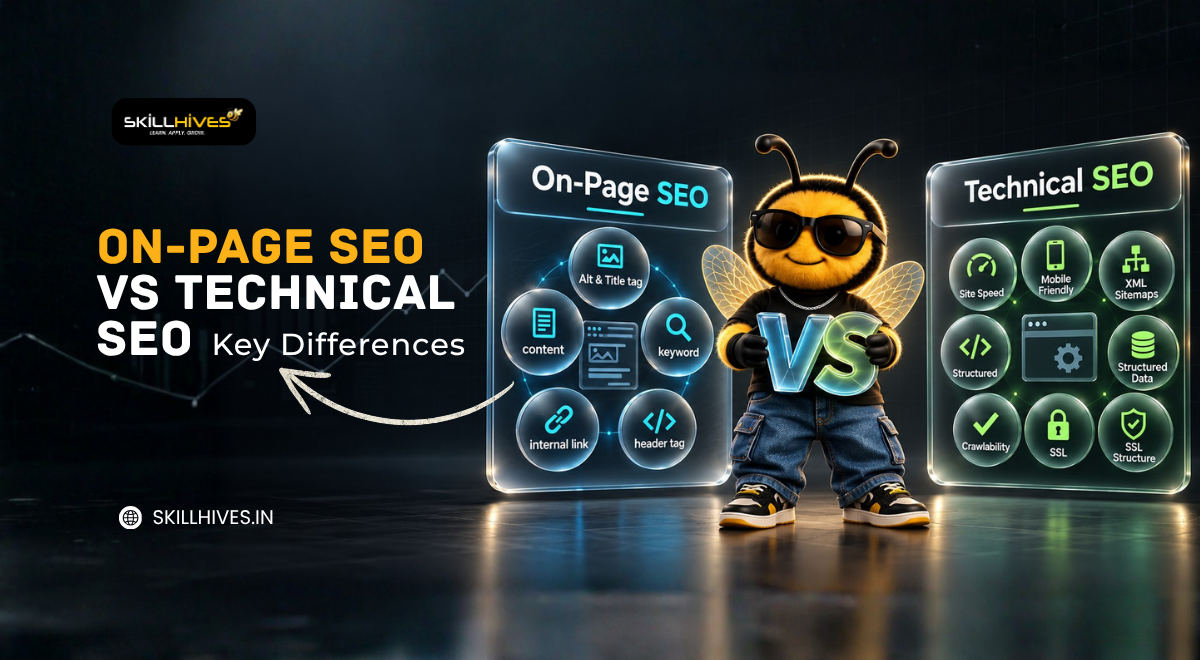
On-Page SEO vs Technical SEO Key Differences

On-page SEO and technical SEO are two important parts of search engine optimization. On-page SEO improves a webpage’s content, headings, titles, and keyword relevance, while technical SEO improves how search engines access, crawl, render, and index a website. Both help search engines understand a website and provide a better experience for visitors.

Introduction

Search engine optimization (SEO) helps websites appear in search results when people look for information, products, or services. If you are learning digital marketing, preparing for an SEO interview, or planning to work as a freelancer, understanding the difference between on-page SEO and technical SEO is an important first step.

Both techniques help improve a website’s search visibility, but they focus on different areas. On-page SEO focuses mainly on the content and elements of individual webpages, whereas technical SEO focuses on the website’s technical health.

At Skill Hives, understanding these concepts through practical examples can help learners connect SEO theory with real website optimization tasks.

Master On-Page and Technical SEO Today!

Take your digital marketing skills to the next level with hands-on learning, expert guidance, and practical SEO strategies designed for learners and professionals.

Table of Content

Introduction

What Is SEO?

What Is On-Page SEO?

What Is Technical SEO?

On-Page SEO vs Technical SEO: Key Differences

On-Page SEO vs Technical SEO: Practical Examples

How to Perform On-Page SEO Step by Step

How to Perform a Basic Technical SEO Audit

Tools for On-Page SEO and Technical SEO

Common On-Page SEO Mistakes

Common Technical SEO Mistakes

Which Is More Important: On-Page SEO or Technical SEO?

SEO Interview Questions and Answers

Frequently Asked Questions

Conclusion

What Is SEO?

SEO is also known as Search Engine Optimization. It is the process of improving a website’s visibility to increase organic (non-paid) traffic in search engine results pages (SERPs). It involves optimizing content, technical structure and backlinks. So that search engines can understand and rank your website higher for relevant keywords.

SEO is important because higher rankings lead to more website traffic, better brand visibility and increased conversions. Most users click on results from the first page of search engines. That is why effective SEO helps businesses attract targeted visitors without paying for ads.

Search engines such as Google generally perform three important activities:

  • Crawling: Finding webpages by following links and using other discovery methods.
  • Indexing: Analyzing and storing information about eligible webpages.
  • Serving search results: Selecting and displaying relevant results when someone searches.

SEO helps search engines understand a website and helps users find useful content. However, following SEO practices does not guarantee indexing or higher rankings.

For example, if someone searches for “digital marketing course in Chandigarh,” a relevant page should explain the course clearly and provide useful information. Its content needs to be understandable, and its technical setup should allow search engines to access the page.

This is where on-page SEO and technical SEO work together.

What Is On-Page SEO?

On-page SEO is the practice of optimizing the content and HTML elements of a webpage to help search engines and visitors understand its purpose.

It focuses on what a page communicates, how information is organized, and how easily users can find what they need.

On-Page SEO

1. Title tag

A title tag specifies a webpage’s title in its HTML. Search engines may use it to generate the clickable title shown in search results.

A useful title should accurately describe the page and reflect its main topic.

2. Meta description

A meta description summarizes a webpage’s content. Search engines may use it as the descriptive text in search results, although they can generate a different snippet.

3. URL structure

A URL is the web address of a page. A descriptive URL helps users understand the page topic.

example.com/on-page-seo-guide/

4. Heading tags: H1, H2, and H3

Headings organize a webpage into sections.

  • H1 generally identifies the main page heading.
  • H2 introduces major sections.
  • H3 introduces subsections within a section.

5. Keyword research and placement

A keyword is a word or phrase people use when searching online. Keyword research helps identify the language and topics relevant to a target audience.

6. Search intent and content relevance

Search intent is the reason behind a search. Someone searching “what is technical SEO” likely wants an explanation, while someone searching “technical SEO audit service” may be looking for professional help.

7. Helpful, original content

Content should provide accurate, relevant information that satisfies the reader’s needs.

8. Internal linking

Internal links connect one page of a website to another page on the same website.

9. External links and references

External links direct users to other websites. Relevant references can support explanations and help readers verify information.

10. Image optimization and alt text

Image optimization includes selecting suitable image formats, reducing unnecessary file sizes, and using appropriate dimensions. Alt text describes an image for people who cannot see it and can help search engines understand meaningful images.

11. Readability and content organization

Readable content uses clear language, short paragraphs, useful headings, and a logical structure.

12. User experience and mobile content

Visitors should be able to read content, navigate pages, and use important features without unnecessary difficulty.

13. Content freshness

Some information becomes outdated, especially details about tools, regulations, software, and industry practices.

14. Structured data or schema markup

Structured data is a standardized way of describing information on a webpage to search engines. It can identify details such as an article’s headline, author, or publication date.

Looking for Professional SEO Audit Services?

Ensure your website is fully optimized, crawlable, and ranking higher on search engines with tailored SEO solutions from our expert team.

What Is Technical SEO?

Technical SEO focuses on improving the technical aspects of a website so search engines can discover, access, render, understand, and index its pages effectively.

It includes crawling, indexing, website speed, security, redirects, canonical tags, and website architecture.

Important technical SEO elements

1. Crawling and crawlability

Crawling is the process search engines use to access webpages and follow links. Crawlability describes how easily they can access those pages.

2. Indexing and indexability

Indexing involves analyzing and storing information about webpages. Indexability refers to whether a page can be considered for inclusion in a search engine’s index.

3. XML sitemap

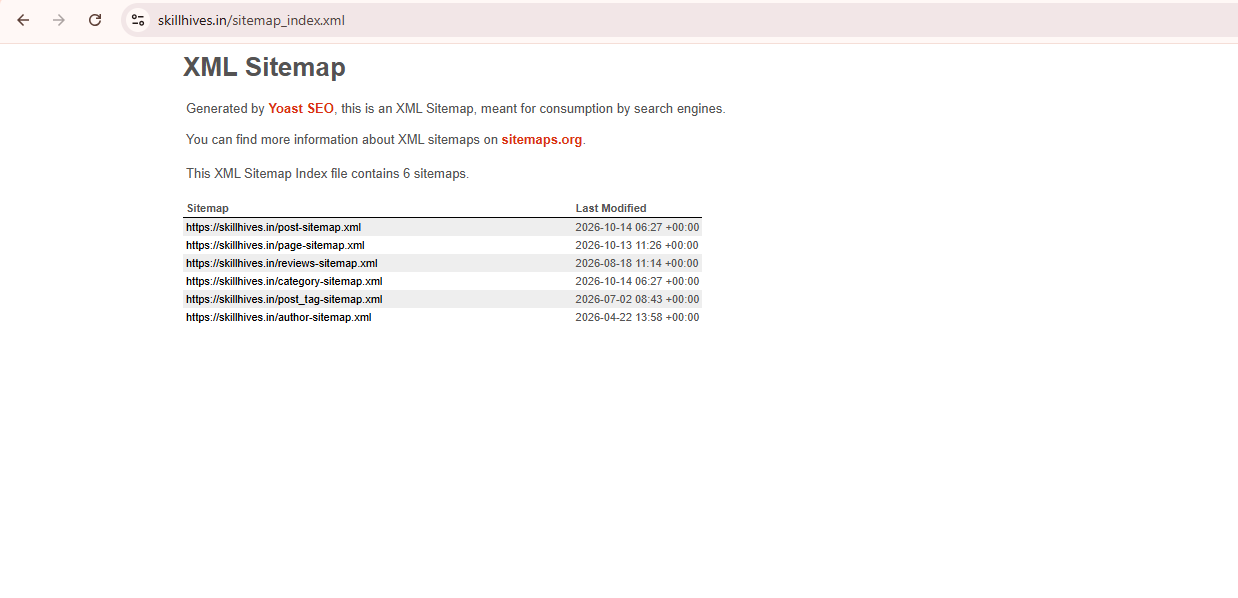
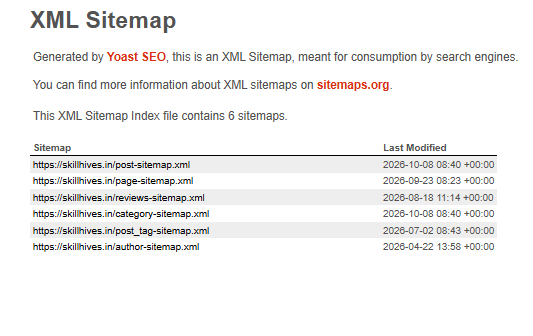
An XML sitemap is a file that lists URLs a website wants search engines to discover.

4. Robots.txt

The robots.txt file provides crawling instructions to compliant search engine crawlers.

5. Canonical tags

A canonical tag indicates which URL should be treated as the preferred version among duplicate or similar pages.

6. HTTPS and website security

HTTPS encrypts data exchanged between a website and its visitors.

7. Website speed and Core Web Vitals

Page speed affects how quickly users can access and interact with a webpage. Core Web Vitals measure aspects of loading performance, responsiveness, and visual stability.

8. Mobile usability and responsive design

Responsive design allows a website’s layout to adapt to different screen sizes.

9. URL handling and website architecture

Website architecture describes how pages are organized and connected. URL handling includes managing URL variations and ensuring important pages use consistent addresses.

10. Redirects, broken links, and HTTP status codes

A redirect sends users and crawlers from one URL to another. A 301 generally indicates a permanent redirect, while a 302 generally indicates a temporary redirect.

A 404 status indicates that a requested resource was not found. Server errors, such as a 500 status, indicate server-side problems.

11. Duplicate content and canonicalization

Duplicate content occurs when substantially similar content is available at multiple URLs. Canonicalization helps search engines identify the preferred version.

12. JavaScript rendering and resource accessibility

Some websites use JavaScript to display content or navigation. Rendering is the process of processing a page’s code to produce the content users see.

13. Structured data implementation

Schema markup can help search engines interpret specific information about a page.

14. Internal links and crawl depth

Crawl depth describes how many link steps separate a page from a starting point, such as the homepage.

15. Pagination, faceted navigation, and international SEO

Pagination divides content across multiple pages. Faceted navigation allows users to filter products or listings. Both can create many URLs that need careful management.

International SEO helps websites serve audiences in different countries or languages. The hreflang attribute indicates language and regional alternatives for eligible pages.

16. Log files and crawl budget

Server log files record requests made to a website, including requests from search engine crawlers. Crawl budget refers to the crawling resources Google can allocate to a website.

Preparing for Your Next SEO Interview?

Boost your confidence with comprehensive guides, real-world examples, and expert tips to ace your digital marketing interviews and projects.

On-Page SEO vs Technical SEO

Comparison Factor On-page SEO Technical SEO
Meaning Optimizes page content and elements Improves technical website health
Main Focus Relevance and content quality Access, crawling, rendering, and indexing
Primary Purpose Help users and search engines understand content Help search engines access and process pages
Main Work Titles, headings, keywords, content, links Sitemaps, redirects, indexing, speed
Important Elements Title tags, headings, images, meta descriptions Robots.txt, canonical tags, HTTPS, status codes
Content Optimization Directly improves content Ensures important content can be accessed
Website Structure Organizes information within pages Organizes sitewide URLs and navigation
Crawling and Indexing Supports discovery through useful links and clear content Directly addresses technical access and indexing issues
Keywords and Intent Central to content planning Not the primary focus
Website Speed May improve image and page-content efficiency Addresses performance and technical bottlenecks
Mobile Experience Improves content readability and layout Addresses responsive behavior and mobile accessibility
HTML and Settings Uses page-level HTML elements Uses technical settings, directives, and server behavior
Common Tools Keyword Planner, Trends, analytics Search Console, PageSpeed Insights, crawling tools
Common Problems Weak titles, poor content, keyword stuffing Blocked pages, broken redirects, incorrect canonicals
Practical Example Rewrite an unclear page title Remove an accidental noindex directive
Skills Required Research, writing, content analysis Technical diagnosis, crawling, indexing, performance
Who Performs the Work SEO specialists, content writers SEO specialists, developers, technical teams
Success Measurement Relevant impressions, clicks, engagement, conversions Crawl and indexing health, performance, valid technical setup

On-Page SEO vs Technical SEO: Practical Examples

1: A webpage has a weak title

A page about keyword research uses the title “Our Services” and contains little useful information.

Solution: Improve the title, explain keyword research clearly, organize the content with headings, and address the reader’s questions. This is mainly on-page SEO.

2: An important page is not being indexed

A useful service page has an accidental noindex directive.

Solution: Confirm that the page should be indexed, remove the unintended directive, and check the page’s indexing status. This is mainly technical SEO.

3: A website loads slowly

A webpage takes too long to display because its images are oversized and unnecessary scripts delay rendering.

Solution: Compress images, review scripts, and investigate performance bottlenecks using PageSpeed Insights. This is primarily technical SEO, although content and design choices may contribute to the problem.

4: A page has duplicate URL versions

The same content appears under several URLs, and search engines select a different canonical URL than the website owner intended.

Solution: Inspect the URL variations, internal links, redirects, and canonical tags. This is mainly technical SEO, with possible on-page adjustments to links and content.

These examples show that the two areas sometimes overlap. A page may need both better content and technical corrections.

How to Perform On-Page SEO Step by Step

  • Understand the audience: Identify who the page is for and what they need.
  • Research keywords: Find relevant search terms using keyword research tools.
  • Review search results: Examine competing pages to understand the type of information users expect.
  • Create helpful content: Answer the main question accurately and cover relevant subtopics.
  • Optimize the title and meta description: Write clear, relevant page metadata.
  • Organize headings: Use a logical H1, H2, and H3 structure.
  • Review the URL: Keep it descriptive and avoid unnecessary changes to existing URLs.
  • Add useful links: Connect related pages and reference reliable external sources where relevant.
  • Optimize images: Compress files and add meaningful alt text when appropriate.
  • Check readability and mobile layout: Ensure the page is easy to use on different devices.
  • Measure performance: Use Search Console and analytics tools to review impressions, clicks, and relevant user actions.

How to Perform a Basic Technical SEO Audit

A technical SEO audit is a systematic review of a website’s technical issues that may affect search engine access and performance.

Follow this beginner-friendly checklist:

  • Check crawlability: Review whether important pages can be accessed by search engines.
  • Review indexing: Use Google Search Console to investigate important pages that are not indexed.
  • Check robots.txt and noindex: Look for unintended crawling restrictions or indexing directives.
  • Review the XML sitemap: Confirm that it contains the intended canonical URLs.
  • Inspect canonical tags: Check whether preferred URLs are configured correctly.
  • Test redirects and status codes: Find broken links, redirect loops, and server errors.
  • Check HTTPS and mobile behavior: Confirm secure connections and usable mobile layouts.
  • Measure performance: Review loading performance and Core Web Vitals.
  • Validate structured data: Test relevant markup for errors.
  • Review site architecture: Ensure important pages are reachable through useful internal links.
  • Prioritize problems: Fix issues based on their impact, scope, and importance.
  • Recheck after changes: Test affected pages and monitor the results.

No single tool identifies every technical SEO issue. Use different tools to investigate different problems.

Tools for On-Page SEO and Technical SEO

Tool Primary Purpose How Beginners Can Use It
Google Search Console Search performance and indexing Review queries, clicks, impressions, and indexing reports
Google Analytics Website usage and conversions Measure traffic and user actions
Google Keyword Planner Keyword research Find keyword ideas and estimated search volumes
Google Trends Search interest over time Compare topics and identify interest patterns
PageSpeed Insights Page performance Review performance data and improvement suggestions
Rich Results Test Supported structured data Check eligibility for supported rich results
Screaming Frog SEO Spider Website crawling and auditing Find broken links, titles, directives, and other issues

Tool access and features vary. For example, Google Search Console focuses on search performance and indexing, while PageSpeed Insights focuses on page performance.

Common On-Page SEO Mistakes

  • Keyword stuffing: Repeating keywords unnaturally instead of writing useful content.
  • Poor title tags: Using vague, duplicate, or misleading titles.
  • Unclear headings: Organizing content without a logical hierarchy.
  • Thin content: Publishing information that does not adequately answer the reader’s question.
  • Missing internal links: Making relevant pages harder for visitors to find.
  • Poor image optimization: Using unnecessarily large images or unhelpful alt text.
  • Ignoring search intent: Providing the wrong type of content for the user’s query.
  • Writing only for search engines: Prioritizing keyword placement over accuracy and usefulness.

These mistakes can reduce content quality or relevance, but their effects depend on the page and the overall search context.

Common Technical SEO Mistakes

  • Accidentally blocking important pages in robots.txt.
  • Applying incorrect noindex directives.
  • Using incorrect canonical tags.
  • Creating broken redirects or redirect loops.
  • Including inappropriate URLs in the XML sitemap.
  • Ignoring significant performance problems.
  • Leaving broken internal links unfixed.
  • Allowing unnecessary duplicate URL versions.
  • Making important pages difficult to discover through navigation.
  • Overlooking server errors or inaccessible JavaScript content.

These problems can interfere with crawling, indexing, or user experience. Not every technical issue automatically causes ranking losses, so investigate the actual impact before deciding what to fix.

Which Is More Important: On-Page SEO or Technical SEO?

Neither is always more important. The right priority depends on the website’s condition and its goals.

If a website has useful content but important pages are blocked from indexing, fixing the technical problem may be the priority. If the website is accessible and indexable but its content does not answer users’ questions, on-page improvements may be more valuable.

A practical approach is to check technical accessibility first, identify content gaps, and then improve both areas according to their needs. SEO is an ongoing process, and results are not guaranteed by completing a checklist.

SEO Interview Questions and Answers

1. What is on-page SEO?

On-page SEO optimizes webpage content and elements, including titles, headings, keywords, images, and internal links.

2. What is technical SEO?

Technical SEO improves a website’s technical setup so search engines can access, crawl, render, and index its pages effectively.

3. What is the main difference between on-page SEO and technical SEO?

On-page SEO focuses primarily on the information presented on a page, while technical SEO focuses on the website systems and settings that support search engine access and processing.

4. What is a title tag?

A title tag is an HTML element that specifies a webpage’s title. Search engines may use it to generate a clickable title in search results.

5. What is a canonical tag?

A canonical tag identifies a preferred URL among duplicate or similar pages. Search engines may use it as a signal when selecting a canonical URL.

6. What is an XML sitemap?

An XML sitemap is a file listing URLs that a website wants search engines to discover.

7. What is robots.txt?

Robots.txt is a file that provides crawling instructions to compliant search engine crawlers. It does not guarantee that a URL will stay out of search results.

8. What is the difference between crawling and indexing?

Crawling is the process of accessing and discovering pages. Indexing involves analyzing and storing information about pages that may be eligible for search results.

9. How do you check technical SEO issues?

Use Google Search Console to investigate indexing and search performance, PageSpeed Insights to assess performance, and a crawling tool to identify website-level issues.

10. Can a website rank if its technical SEO is poor?

Yes, some pages can rank despite technical issues. However, serious problems that prevent search engines from accessing or indexing important pages can limit their search visibility.

Frequently Asked Questions

1. Is on-page SEO the same as technical SEO?

No. On-page SEO focuses on content and page elements, while technical SEO focuses on crawling, indexing, performance, and other technical aspects of a website.

2. Can beginners learn on-page and technical SEO?

Yes. Beginners can start with keyword research, title tags, headings, internal links, XML sitemaps, and basic indexing checks before progressing to more advanced audits.

3. Which should be done first: on-page SEO or technical SEO?

Start by checking whether important pages are accessible and eligible for indexing. Then prioritize content improvements and address other technical issues based on their impact. The order may vary by website.

4. Which tools are useful for learning SEO?

Google Search Console, Google Keyword Planner, Google Trends, PageSpeed Insights, and a website crawling tool are useful starting points. Each tool serves a different purpose.

5. Do on-page SEO and technical SEO work together?

Yes. Helpful content needs to be accessible to search engines, and a technically sound website still needs relevant, useful content to meet users’ needs.

Conclusion

On-page SEO and technical SEO solve different but connected problems. On-page SEO helps users and search engines understand a webpage’s content, while technical SEO supports crawling, rendering, indexing, website performance, and accessibility.

For students, interview candidates, and aspiring freelancers, the best way to understand these concepts is to practise them. Choose a webpage, review its title and headings, improve its content, inspect its internal links, and check its indexing and performance.

Skill Hives encourages learners to build practical digital marketing knowledge by connecting SEO concepts with real website tasks. With consistent practice, you can develop a stronger understanding of SEO and explain these techniques more confidently in interviews and professional projects.


MERN Stack Course in Chandigarh Fees, Syllabus, Duration & Career Scope

MERN Course Details

Want the short answer? Read this first.

Course Details Information
Course Name MERN Full Stack Developer Course
Institute Skill Hives
Duration Options 45 Days, 3 Months, 6 Months
Who Can Join 12th pass, graduates, job seekers, working professionals
Coding Knowledge Needed? No. We start from zero.
Training Mode Classroom
You Get Live projects, placement support, certificate, interview preparation
Next Step Book your FREE demo class today

Launch Your Career as a MERN Developer

Limited seats available per batch to ensure personalized attention. Take the first step toward a high-paying tech career—reserve your spot now!

Table of Content

Introduction

What is MERN Stack?

Why Learn a MERN Full Stack Developer Course?

MERN Stack Course Duration at Skill Hives

MERN Stack Course Syllabus (Easy to Understand)

What Projects Will You Build?

Career Scope After MERN Stack Course

Why Choose Skill Hives for MERN Stack Course in Chandigarh?

Skill Hives vs Other Institutes

Is This Course Right for You? (Quick Check)

How to Join Skill Hives? (3 Easy Steps)

Frequently Asked Questions (FAQs)

Final Words

Introduction

Do you want to become a web developer but don’t know where to start? Today, every company needs websites and web apps. Because of this, MERN Full Stack Developers are in high demand in India and abroad.

If you are searching for the best MERN stack developer course in Chandigarh, you are in the right place. In this blog, we explain everything in simple words: what MERN is, what you will learn, how long it takes, what jobs you can get, and why thousands of students trust Skill Hives.

Read till the end. You will find useful information that can change your career.

What is MERN Stack?

MERN is a set of 4 popular technologies used to build complete websites and apps:

Letter Technology What it does (Simple Meaning)
M MongoDB Stores your website data (database)
E Express.js Helps build the backend (server side)
R React.js Creates the beautiful front page that users see
N Node.js Runs JavaScript on the server

All four use one language: JavaScript. That makes learning easier and faster. This is why a MERN full stack developer course is perfect for beginners.

Why Learn a MERN Full Stack Developer Course?

Choosing the right technology stack is the most important decision for any aspiring developer. The MERN stack (MongoDB, Express.js, React.js, Node.js) has emerged as an industry favorite for several compelling reasons:

  • Massive Industry Demand: From fast-growing startups to multinational tech enterprises, companies across sectors are actively seeking versatile developers who can handle both client-facing interfaces and server-side logic.
  • One Universal Language (JavaScript): Instead of juggling multiple languages for different tiers of your application, you only need to master JavaScript from front to back. This drastically shortens the learning curve and boosts your coding confidence.
  • Accelerated Career Growth: Entry-level developers equipped with full-stack capabilities transition quickly into senior roles, technical leads, or specialized architects as they gain hands-on experience.
  • Lucrative Freelancing Opportunities: With complete end-to-end development skills, you can independently build, launch, and monetize custom web applications or ecommerce platforms for global clients.
  • Location Independence & Remote Work: MERN development is inherently digital-first, opening doors to remote positions, hybrid roles, and digital nomad lifestyles with companies worldwide.
  • Beginner-Friendly Architecture: You do not need a prior computer science degree or a complex coding background. Our curriculum starts from absolute zero and guides you step by step into professional proficiency.

MERN Stack Course Duration at Skill Hives

We know every student is different. Some want fast learning, some want deep learning. So at Skill Hives, you can choose the duration that suits you.

Program Duration Best For What You Learn
Fast Track 45 Days Students with basic coding knowledge, quick learners, working professionals Core MERN concepts + 1 mini project
Standard Program 3 Months Beginners and college students Complete MERN stack + 2–3 live projects
Advanced Program 6 Months Students who want job-ready skills and deep practice Full MERN + advanced topics + real-time projects + interview training

Confused which one to choose?

Talk to our counsellor. We will guide you for free.

Message Us on WhatsApp

MERN Stack Course Syllabus (Easy to Understand)

Here is what you will learn in our MERN stack developer course in Chandigarh:

Module Topics Covered
1. Web Basics HTML5, CSS3, Responsive Design, Bootstrap
2. JavaScript Variables, Functions, ES6+, DOM, Async JS, APIs
3. Git & GitHub Code saving, teamwork, uploading projects
4. React.js Components, Props, State, Hooks, Routing, Redux
5. Node.js Server basics, NPM, File system, Modules
6. Express.js Routes, Middleware, REST APIs, Authentication
7. MongoDB Database, CRUD, Mongoose, Data design
8. Full Stack Projects Login system, E-commerce app, Blog app, Chat app
9. Deployment Putting your website live on the internet
10. Career Training Resume, portfolio, mock interviews, communication

What Projects Will You Build?

At Skill Hives, we believe that real-world skills are mastered through execution, not just theory. Throughout your training, you won’t just write sample code—you will architect, build, and deploy full-stack applications from scratch.

Here are the industry-grade projects you will create and add to your professional portfolio:

  • Feature-Rich E-commerce Website: Build a complete online shopping platform featuring user authentication, dynamic product catalogs, a fully functional shopping cart, secure checkout flows, and payment gateway integration.
  • Dynamic Blog & Social Media App: Develop a platform where users can create, read, update, and delete (CRUD) posts, upload media, leave comments, and interact with dynamic feeds in real time.
  • Secure Login & Signup System: Implement robust user authentication and authorization pipelines using JSON Web Tokens (JWT), password hashing (bcrypt), and protected route middleware to safeguard user data.
  • Interactive Task Manager / Todo App: Create a productivity application featuring task categorization, priority tagging, status tracking, and persistent data storage to keep users organized.
  • Real-Time Chat Application: Build a messaging platform utilizing WebSockets (Socket.io) to enable instant, bi-directional communication, private rooms, and live online status indicators.
  • Professional Personal Portfolio Website: Design and deploy a responsive, modern portfolio showcasing your projects, technical skill sets, resume, and direct contact channels to help you stand out to recruiters.

These hands-on projects go straight into your developer portfolio, giving you tangible proof of your abilities that helps you get hired faster.

Career Scope After MERN Stack Course

After completing a MERN full stack developer course, you can apply for jobs like:

Job Role What You Do
MERN Stack Developer Build complete web applications
Frontend Developer (React) Design the user side of websites
Backend Developer (Node.js) Handle servers and databases
Full Stack Developer Work on both frontend and backend
Web Developer Create and manage websites
Freelance Developer Work with clients worldwide

Where can you work? IT companies, startups, software firms, digital agencies, product companies, or start your own freelancing career.

Why Choose Skill Hives for MERN Stack Course in Chandigarh?

There are many institutes in Chandigarh. So why Skill Hives? Because we focus on one thing: making you job-ready, not just certificate-ready.

1. Practical Learning, Not Only Theory

You code every day. Most of your time is spent building real projects.

2. Expert Trainers

Our trainers have real industry experience. They teach in simple language so everyone understands.

3. Beginner Friendly

Never written a single line of code? No problem. We start from zero and take you step by step.

4. Flexible Duration

Choose 45 days, 3 months or 6 months based on your goal and time.

5. Small Batches

We keep batches small so every student gets personal attention.

6. Placement & Career Support

Resume building, portfolio, mock interviews and job guidance. We stay with you till you are ready.

7. Doubt Clearing Support

Stuck somewhere? Ask anytime. Your doubts are solved quickly.

8. Certificate & Portfolio

Get a course certificate plus live projects to show employers.

Skill Hives vs Other Institutes

See the difference yourself:

Feature Skill Hives Other Institutes
Learning style 80% practical, live coding Mostly theory
Course duration choice 45 Days / 3 Months / 6 Months Usually only one fixed option
Batch size Small batches Crowded batches
Personal attention Yes, for every student Often missing
Live projects Multiple real projects Few or none
Doubt support Quick and friendly Limited
Interview preparation Mock interviews + resume help Rarely included
Beginner support Start from zero Sometimes assumes knowledge
Placement guidance Yes Not always

No Coding Background? No Problem!

Start from absolute zero and master MongoDB, Express, React, and Node.js with flexible 45-day, 3-month, or 6-month programs.

Is This Course Right for You? (Quick Check)

Choosing the right career path is a major milestone, and you might be wondering if web development is the right fit for your background. The beauty of the MERN stack is its versatility. This program is tailored for you if:

  • You are a student and want a tech career
  • You completed 12th or graduation and want a skill
  • You are a job seeker looking for a better opportunity
  • You are working and want to switch to IT
  • You want to start freelancing
  • You want to build your own website or startup

If you answered YES to even one of these points, Skill Hives is the ideal launchpad for your next big move.

How to Join Skill Hives? (3 Easy Steps)

Getting started on your web development journey doesn’t have to be complicated. We keep our admission process straightforward so you can focus on what matters most: learning to code.

  • Connect With Us: Call or WhatsApp our admissions team to ask any questions and book your completely free demo class.
  • Attend a Live Demo: Step into our Chandigarh center or join online to experience our teaching style firsthand, interact with our expert trainers, and get a feel for the classroom environment.
  • Select Your Path & Enroll: Choose the program duration that aligns best with your goals—whether that is the fast-track 45-day sprint, the standard 3-month immersion, or the comprehensive 6-month masterclass—and dive straight into learning.

It’s that simple to transform your professional future.

Frequently Asked Questions (FAQs)

Q1. Can a beginner join the MERN stack developer course in Chandigarh?

Yes. Skill Hives teaches from the basics, so no coding knowledge is needed.

Q2. Which duration is best for me?

The 45-day program suits quick learners with some basics. The 3-month program is ideal for most beginners. The 6-month program is best if you want deep practice and strong job preparation.

Q3. Will I get live projects?

Yes. You will build real projects that you can show to employers.

Q4. Do you provide placement support?

Yes. We help with resumes, portfolios, mock interviews and job guidance.

Q5. Is online training available?

Yes. You can choose classroom or online mode.

Q6. Can I join the MERN full stack developer course after 12th?

Yes. Anyone interested in coding can join.

Final Words

The tech industry is evolving at an unprecedented pace, and the demand for skilled, adaptable developers has never been higher. Waiting for the “perfect moment” to upgrade your skills often means missing out on incredible career growth.

Whether you are a fresh graduate stepping into the professional world, a student planning ahead, or a working professional looking to make a high-impact career switch, the best time to start your journey is today. With expert mentorship, immersive 80% practical training, and portfolio-ready live projects at Skill Hives, you can transform from a complete beginner into a confident MERN Full Stack Developer right here in Chandigarh.

Don’t let hesitation hold you back. Take charge of your future, book your free demo class, and start building a rewarding tech career today!

READY TO START YOUR CAREER? CONTACT US TODAY!

Skill Hives: MERN Stack Developer Course in Chandigarh

🎓 Join the MERN Full Stack Developer Course (45 Days | 3 Months | 6 Months) 🎁 Free Demo Class Available 👨‍🏫 Limited seats in every batch

Top 40 Manual Software Testing Interview Questions and Answers For 2027

Preparing for a manual testing interview can feel overwhelming, but the right preparation makes all the difference. Interviewers want to see that you understand the fundamentals of the software testing life cycle, can write clear test cases, report defects effectively, and think like an end user.

At Skill Hives, we’ve put together this collection of manual software testing interview questions to help both freshers and experienced testers build confidence. From core concepts like test case design, bug life cycle, and types of testing to real-world scenario-based questions, this guide covers what employers actually ask, so you can walk into your interview ready to impress.

Testing Basics (1–8)

1. What is software testing, and why is it needed?

Answer: Software testing is the process of checking an application to find defects and verify that it works according to the requirements.

It is needed to:

  • Find bugs before users encounter them.
  • Check that features work correctly.
  • Protect user data and improve security.
  • Improve performance, reliability, and user experience.
  • Reduce the cost of fixing problems after release.

Example: If a user enters the correct username and password but cannot log in, software testing helps identify this problem before the application reaches customers.

2. What is manual testing?

Answer: Manual testing is a type of software testing in which a tester checks an application manually without using automated test scripts to execute the tests.

The tester follows test cases, enters data, checks results, and reports defects.

Example: A tester opens an e-commerce website, adds a product to the cart, enters a delivery address, and checks whether the checkout process works correctly.

Manual testing is especially useful for exploratory testing, usability testing, and checking new features.

3. Manual vs. automation testing: When do you choose manual testing?

Answer: Manual testing involves a human executing test steps, while automation testing uses scripts and tools to execute predefined checks.

Manual Testing Automation Testing
Tests are performed by a person. Tests are executed using scripts and tools.
Useful for exploratory and usability testing. Useful for repetitive and regression tests.
Usually takes longer for repeated execution. Can run repetitive tests quickly.
Requires less initial automation setup. Requires scripting, setup, and maintenance.

When should you choose manual testing? Choose manual testing when:

  • A feature is new and requirements are changing.
  • You need to evaluate the user experience.
  • You are exploring unexpected user behavior.
  • The test is performed only a few times.
  • Visual or contextual judgment is important.

Interview tip: Manual and automation testing complement each other. A good testing strategy uses both where appropriate.

4. What is SDLC?

Answer: SDLC stands for Software Development Life Cycle. It is a structured process used to plan, develop, test, release, and maintain software.

The main phases are:

  • Requirement gathering: Understand what users and the business need.
  • Planning: Estimate time, cost, resources, and risks.
  • Design: Create the system architecture and user interface.
  • Development: Write the code.
  • Testing: Identify defects and verify requirements.
  • Deployment: Release the application to users.
  • Maintenance: Fix defects and improve the application.

Example: When developing a shopping app, the team first defines its features, designs the screens, builds the application, tests purchases, releases it, and maintains it after launch.

5. What is STLC, and what are its phases?

Answer: STLC stands for Software Testing Life Cycle. It describes the activities performed by a testing team to ensure software quality.

Its common phases are:

  • Requirement analysis: Identify testable requirements.
  • Test planning: Decide the scope, resources, schedule, and testing approach.
  • Test case development: Prepare test cases and test data.
  • Test environment setup: Configure the required hardware, software, and tools.
  • Test execution: Run test cases and record results.
  • Defect reporting and tracking: Report bugs and verify fixes.
  • Test closure: Summarize results, lessons learned, and remaining risks.

Some organizations treat defect tracking as an activity across multiple phases rather than a separate phase.

6. What is the difference between verification and validation?

Answer: Verification checks whether the software is being developed according to specifications. Validation checks whether the final product meets user needs.

Verification Validation
Are we building the product right? Are we building the right product?
Focuses on requirements, design, and implementation artifacts. Focuses on whether the working product meets expectations.
Often includes reviews and inspections. Often includes executing software tests.
Can identify issues before code execution. Checks actual application behavior.

Example: Reviewing a login design against documented requirements is verification. Testing whether users can successfully log in with valid credentials is validation.

7. What is the difference between QA, QC, and testing?

Answer: Quality Assurance (QA), Quality Control (QC), and testing are related, but they have different purposes.

  • QA: Focuses on improving processes to prevent defects.
  • QC: Focuses on checking whether the product meets quality standards.
  • Testing: Examines software behavior to identify defects and verify expected results.

Example: Creating a standard development process is QA. Reviewing a completed feature for quality is QC. Entering invalid login credentials to check the error message is testing.

Testing is an important QC activity, while QA is broader and focuses on the processes that support quality.

8. What are the seven principles of software testing?

Answer: The seven commonly recognized principles of software testing are:

  • Testing shows the presence of defects: Testing can reveal bugs but cannot prove that software is completely bug-free.
  • Exhaustive testing is impossible: Testing every possible input and condition is usually impractical.
  • Early testing saves time and cost: Finding defects early generally makes them cheaper to fix.
  • Defects cluster together: A small number of modules often contain a large proportion of defects.
  • Pesticide paradox: Repeating the same tests may stop finding new defects, so tests need to evolve.
  • Testing is context-dependent: Different applications require different testing approaches.
  • Absence-of-errors fallacy: Software can be technically correct but still fail to meet user needs.

Example: A banking application needs strong security and transaction testing, while a simple informational website may focus more on content, navigation, and compatibility.

Want to build real software testing skills?

Ask Skill Hives about practical testing training, with hands-on practice and mentor guidance.

Message Us on WhatsApp

Testing Types (9–20)

9. What are the testing levels: unit, integration, system, and acceptance?

Answer: Testing levels represent different stages at which software components and the complete application are checked.

Testing Level Purpose Example
Unit testing Tests an individual function or component. Checking a tax calculation function.
Integration testing Checks whether components work together. Checking communication between a shopping cart and payment service.
System testing Tests the complete integrated application. Testing the full purchase journey.
Acceptance testing Checks whether the product meets acceptance criteria and business needs. A business user verifies that orders can be placed and tracked.

Unit tests are often written by developers. QA teams commonly perform integration and system testing, while acceptance testing may involve business stakeholders or end users.

10. What is the difference between black-box, white-box, and grey-box testing?

Answer: These approaches differ in how much knowledge the tester has about the application’s internal implementation.

  • Black-box testing: Tests inputs and outputs without needing to know the internal code.
  • White-box testing: Tests internal code, logic, branches, and execution paths.
  • Grey-box testing: Tests the application with partial knowledge of its internal design or architecture.

Example: For a login feature:

  • Black-box: Enter valid and invalid credentials.
  • White-box: Check whether all relevant code branches execute correctly.
  • Grey-box: Use knowledge of the authentication API and database structure to design tests.

11. What is the difference between smoke testing and sanity testing?

Answer: Smoke testing checks whether the main features of a new build work well enough for further testing. Sanity testing checks whether a specific change or fix works as expected.

Smoke Testing Sanity Testing
Usually checks major application functions. Focuses on a particular change or affected area.
Helps decide whether a build is testable. Helps confirm that a targeted change behaves correctly.
Typically broad and shallow. Typically narrow and focused.

Example: After a new build, checking login, navigation, and checkout is smoke testing. After a discount calculation fix, checking discount calculations and related cases is sanity testing.

The terms may overlap in real-world team workflows.

12. What is the difference between regression testing and retesting?

Answer: Retesting verifies that a previously reported defect has been fixed. Regression testing checks whether a code change has caused problems in existing functionality.

Example: A developer fixes a password-reset bug.

  • Retesting: Verify that the password-reset link now works.
  • Regression testing: Check that login, registration, and other related account features still work.

Retesting focuses on the known defect, while regression testing focuses on unintended side effects.

13. What is exploratory testing?

Answer: Exploratory testing is an approach in which testers learn about an application, design tests, and execute them while investigating its behavior.

Instead of following only predefined test cases, the tester uses observations and experience to decide what to test next.

Example: While testing a shopping cart, a tester changes product quantities, refreshes the page, removes items, signs out, and returns to see whether the cart behaves correctly.

Exploratory testing is useful for finding unexpected issues that scripted test cases may miss.

14. What is ad-hoc testing?

Answer: Ad-hoc testing is informal testing performed without detailed test cases or a predefined structured test plan. The tester uses experience and intuition to try to identify defects.

Example: A tester quickly enters unusual characters into a search box, clicks buttons repeatedly, or refreshes a page during checkout to look for unexpected behavior.

Difference from exploratory testing: Exploratory testing is more deliberate and often has a learning objective or testing charter. Ad-hoc testing is generally less structured.

15. What is the difference between functional and non-functional testing?

Answer: Functional testing checks what the application does. Non-functional testing checks how well the application operates.

Functional Testing Non-functional Testing
Checks features and business rules. Checks quality attributes.
Verifies expected outputs and behavior. Verifies performance, usability, security, and reliability, among other attributes.
Example: Confirming that a user can place an order. Example: Checking how quickly the checkout page responds under load.

Both are necessary because an application can have correct features but still be slow, difficult to use, or insecure.

16. What is usability testing?

Answer: Usability testing evaluates how easily real or representative users can understand and use an application to complete their tasks.

It focuses on:

  • Ease of navigation.
  • Clarity of instructions and labels.
  • Ease of completing tasks.
  • Error messages and recovery.
  • Overall user experience.

Example: Ask users to purchase a product on a website without assistance. Observe whether they can find a product, add it to the cart, and complete checkout without confusion.

Usability testing helps identify problems that may not appear in functional test cases.

17. What is compatibility testing?

Answer: Compatibility testing checks whether an application works correctly across different browsers, operating systems, devices, screen sizes, and network conditions.

For example, a mobile shopping website should be checked on:

  • Chrome, Firefox, Safari, and Edge, where relevant.
  • Android and iOS devices.
  • Small and large screens.
  • Budget Android phones with limited memory or processing power.
  • Slow 4G or unstable network connections.

Example: A checkout button works on a new iPhone but is hidden behind the keyboard on an older Android phone. Compatibility testing can identify this issue.

Prioritize combinations based on the application’s target users and usage data.

18. What is the difference between load testing and stress testing?

Answer: Load testing measures application performance under expected or anticipated user traffic. Stress testing pushes the application beyond its normal operating limits to understand how it behaves under extreme conditions.

Load Testing Stress Testing
Uses expected or planned workloads. Uses workloads beyond expected capacity.
Measures response time, throughput, and resource usage. Examines failure points, stability, and recovery behavior.
Example: Simulating 1,000 concurrent users. Example: Increasing traffic beyond 1,000 users until performance degrades.

The numbers are illustrative. Actual targets should come from business requirements and performance objectives.

19. What is the difference between alpha and beta testing?

Answer: Alpha and beta testing are forms of acceptance-oriented testing performed at different stages before a broader release.

  • Alpha testing: Usually takes place within the organization or in a controlled environment.
  • Beta testing: Involves selected external users who try the product in more realistic conditions.

Example: A company tests a new mobile app internally during alpha testing. It then releases a limited version to selected customers for beta testing and collects feedback about crashes, usability, and device compatibility.

20. What is UAT (User Acceptance Testing)?

Answer: User Acceptance Testing (UAT) checks whether the application meets business requirements and is suitable for its intended users.

Business users, customers, or designated stakeholders usually perform UAT using realistic business scenarios.

Example: For an invoicing application, a finance team checks whether it can create invoices, calculate taxes, apply discounts, record payments, and generate reports according to business rules.
UAT helps stakeholders decide whether the software is ready for acceptance. Passing UAT does not automatically mean every possible defect has been eliminated.

Test Design and Documentation (21–27)

21. What is the difference between a test scenario and a test case?

Answer: A test scenario describes what needs to be tested at a high level, while a test case explains the specific steps, inputs, and expected results used to test it.

Example: Testing a login page

  • Test scenario: Verify that users can log in successfully.
  • Test case: Enter a registered email address, enter the correct password, click the Login button, and verify that the user reaches the dashboard.

One scenario can have multiple test cases covering valid credentials, invalid passwords, empty fields, and locked accounts.

22. What does a good test case contain?

Answer: A good test case contains enough information for another tester to execute it and understand the expected result.

Common components include:

  • Test case ID.
  • Test case title or description.
  • Requirement or user story reference.
  • Preconditions.
  • Test data.
  • Step-by-step instructions.
  • Expected result.
  • Actual result.
  • Pass/fail status.
  • Environment and relevant notes.

Example: A login test case should specify the account details, the steps to log in, and the expected dashboard or error message.

A good test case should be clear, repeatable, specific, and easy to maintain.

23. What is Boundary Value Analysis?

Answer: Boundary Value Analysis (BVA) is a test design technique that focuses on values at the edges of an allowed input range because defects often occur near boundaries.

Example: Suppose an age field accepts values from 18 to 60, inclusive.

Test Value Expected Result
17 Rejected
18 Accepted
19 Accepted
59 Accepted
60 Accepted
61 Rejected

Instead of testing every possible age, the tester focuses on the lower and upper boundaries and nearby values.

24. What is Equivalence Partitioning?

Answer: Equivalence Partitioning divides input data into groups that are expected to behave similarly. The tester selects representative values from each group rather than testing every possible input.

Example: An age field accepts values from 18 to 60.

  • Invalid group 1: Ages below 18.
  • Valid group: Ages from 18 to 60.
  • Invalid group 2: Ages above 60.

Representative test values might be 15, 30, and 65.

This technique reduces the number of test cases while providing meaningful coverage. Boundary Value Analysis can be used alongside it.

25. What is Decision Table Testing?

Answer: Decision Table Testing is a technique used to test business rules involving multiple conditions and their corresponding outcomes.

Example: A website provides free delivery when an order is worth at least ₹1,000 and the customer has a premium membership.

Order ₹1,000 or more? Premium member? Free delivery?
Yes Yes Yes
Yes No No
No Yes No
No No No

Each row represents a combination of conditions and the expected outcome.

Decision tables are especially useful for discount rules, payment eligibility, insurance calculations, and access permissions.

26. What is a Requirement Traceability Matrix (RTM)?

Answer: A Requirement Traceability Matrix is a document that maps requirements to their related test cases and test results. It helps confirm that requirements have been tested and identifies gaps in coverage.

Example:

Requirement ID Requirement Test Case ID Status
REQ-01 User can log in TC-01, TC-02 Pass
REQ-02 User can reset password TC-03, TC-04 One failed
REQ-03 User can log out TC-05 Pass

An RTM helps testers track coverage, assess the impact of requirement changes, and identify requirements without tests.

27. What is the difference between a test plan and a test strategy?

Answer: A test strategy describes the overall approach to testing, while a test plan explains how testing will be organized and executed for a particular project, release, or testing phase.

Test Strategy Test Plan
Defines the overall testing approach. Defines project-specific testing activities.
Often applies across projects or teams. Usually applies to a particular project or release.
Covers principles, methods, tools, and quality goals. Covers scope, schedule, resources, responsibilities, and deliverables.
Typically changes less frequently. May change as project requirements evolve.

Example: A strategy might require automated regression testing for critical workflows. The test plan identifies which workflows will be automated, who will execute them, and when testing will happen.

The exact distinction varies by organization; some teams combine these documents.

Defect Management (28–32)

28. What is the bug life cycle?

Answer: The bug life cycle is the sequence of states a defect passes through from identification to closure.

A typical workflow is:

  • New — Tester reports the defect
  • Assigned — Defect goes to a developer
  • In Progress — Developer investigates and fixes it
  • Fixed — A fix is available for verification
  • Retest — Tester verifies the fix
  • Pass → Closed
  • Fail → Reopened

Other possible states include Rejected, Duplicate, Deferred, and Cannot Reproduce. The exact workflow depends on the team’s defect management process.

29. What is the difference between severity and priority?

Answer: Severity describes how seriously a defect affects the system. Priority describes how urgently the team should fix it.

Severity Priority Example
High High Payment processing fails for most users.
High Low A serious defect in a rarely used feature scheduled for a later release.
Low High A minor typo on the homepage before a major product launch.
Low Low A small visual issue on a rarely visited page.

Severity is usually assessed by QA or the technical team, while priority is determined with input from product owners, business stakeholders, and engineering.

30. Give an example of high severity with low priority.

Answer: Suppose an application has a serious defect in an old reporting feature that causes the application to crash when a specific report is generated.

If that feature is rarely used, is disabled for the current release, and has an accepted workaround, the team might assign it high severity but low priority for the current release.

The defect is technically serious, but it may not require an immediate fix compared with issues affecting active, critical business operations.

Important: High-severity defects must still be assessed carefully. A workaround or low usage alone does not make a security, safety, or data-integrity issue safe to defer.

31. What makes a good bug report?

Answer: A good bug report is clear, reproducible, and detailed enough for a developer to understand and investigate the issue.

It should contain:

  • A clear, specific title.
  • Steps to reproduce the problem.
  • Expected result.
  • Actual result.
  • Environment, device, browser, and application version.
  • Test data or relevant preconditions.
  • Severity and priority, where applicable.
  • Screenshots, screen recordings, logs, or error messages.

Example:

Title: Checkout fails after applying a valid discount code.

Steps:

  • Log in to the application.
  • Add an eligible product to the cart.
  • Enter a valid discount code.
  • Click Apply.

Expected result: The discount is applied and the total is updated.

Actual result: An error message appears, and the total remains unchanged.

Evidence: Attach a screenshot and relevant browser console or network logs.

Never include real passwords, payment credentials, or unnecessary personal information in a bug report.

32. What do you do if a developer says, “It’s not a bug”?

Answer: I would discuss the issue professionally and use the documented requirements and evidence to determine whether the behavior is incorrect.

My approach would be:

  • Reproduce the issue and confirm the test environment.
  • Review the relevant requirement, acceptance criteria, or design.
  • Share the steps, expected result, actual result, and supporting evidence.
  • Discuss the behavior with the developer and product owner if the requirement is unclear.
  • Agree on the correct outcome and update the defect status accordingly.

Example: If a developer says a missing error message is expected, I would check the acceptance criteria. If the behavior is not specified, I would ask the product owner to clarify the requirement rather than insist on an unsupported assumption.

The goal is to deliver the correct product, not to prove someone wrong.

Preparing for a QA or testing role?

Skill Hives can help you practise real-world testing scenarios and prepare for interviews.

Scenario-Based Questions (33–38)

33. How would you test a login page?

Answer: I would test the login page using positive, negative, security, usability, and compatibility scenarios.

My test cases would include:

  • Login with valid credentials.
  • Login with an incorrect password.
  • Enter an unregistered email address.
  • Submit with both fields empty.
  • Submit with only one field completed.
  • Check email format validation.
  • Check password masking and show/hide functionality.
  • Verify forgot-password and account-lockout behavior.
  • Check session handling, logout, and unauthorized access.
  • Test SQL injection and other relevant input attacks.
  • Check repeated login attempts and rate limiting.
  • Verify responsive behavior across supported devices and browsers.

I would also verify that error messages do not unnecessarily reveal whether a particular account exists.

Interview tip: Explain the test scenarios, expected results, and risks rather than simply listing inputs.

34. How would you test a UPI payment, including a failed payment where the money is debited?

Answer: I would test the complete payment journey, including successful transactions, failed transactions, delayed responses, duplicate requests, and transaction reconciliation.

My test approach:

  • Verify successful payments with valid UPI details.
  • Test invalid UPI IDs and insufficient balance.
  • Test user cancellation and authentication failures.
  • Simulate network disconnection or timeout during payment.
  • Check whether the order status and payment status remain consistent.
  • Tap Pay repeatedly or retry after a timeout to verify that duplicate charges are prevented.
  • Verify transaction IDs, timestamps, and payment history.
  • Test refunds and reconciliation for failed or pending transactions.

If money is debited but the payment fails on the app:

  • Record the transaction reference, time, amount, and available evidence using test or authorized account data.
  • Check the payment gateway or bank status through authorized systems.
  • Verify whether the transaction is pending, failed, or successful.
  • Ensure the order is not incorrectly marked as paid or failed without confirmation.
  • Check that retries do not create duplicate charges.
  • Follow the documented reconciliation and refund process.
  • Escalate the issue immediately to the payment and engineering teams if real users are affected.

I would not assume the money will be refunded instantly. The resolution depends on the bank, payment provider, transaction status, and applicable dispute or refund timelines.

35. How would you test an e-commerce checkout?

Answer: I would test the entire checkout process from adding a product to receiving an order confirmation.

Key scenarios include:

  • Add, remove, and update products in the cart.
  • Verify product prices, quantities, discounts, taxes, and shipping charges.
  • Apply valid, invalid, expired, and ineligible coupon codes.
  • Test guest checkout and registered-user checkout.
  • Validate delivery addresses and serviceability.
  • Test multiple payment methods and payment failures.
  • Check inventory changes during checkout.
  • Prevent duplicate orders when users retry or refresh.
  • Verify order confirmation, email notifications, and order history.
  • Test mobile responsiveness, accessibility, and page performance.
  • Check security and protection of payment information.

Example: If a customer pays successfully but the confirmation page fails to load, I would verify that the order is recorded correctly and that refreshing or retrying does not create another order.

36. How would you test a mobile app on a weak network?

Answer: I would test the application under different network conditions to verify that it handles delays, interruptions, and reconnections without losing data or confusing users.

My approach would include:

  • Test on slow 4G, high latency, and limited bandwidth.
  • Switch between Wi-Fi and mobile data.
  • Turn on airplane mode during an API request.
  • Disconnect the network during a payment or file upload.
  • Check loading indicators, timeouts, and error messages.
  • Verify retry behavior and recovery after reconnection.
  • Check whether offline data is stored and synchronized correctly.
  • Confirm that repeated requests do not create duplicate transactions.
  • Monitor app crashes, responsiveness, battery use, and data consumption.

Example: If a user submits an order and loses connectivity, the app should clearly communicate the transaction state and verify the order status before allowing a potentially duplicate submission.

37. You have one day and 500 test cases. What do you do?

Answer: I would prioritize risk and business impact instead of trying to execute all 500 test cases without considering their importance.

My approach would be:

  • Identify critical user journeys, such as login, payments, checkout, and core business functions.
  • Review recent code changes and areas with a history of defects.
  • Prioritize test cases based on severity, likelihood, and business impact.
  • Execute smoke tests to confirm that the build is testable.
  • Run high-priority functional and regression tests.
  • Use existing automation for reliable repetitive checks where available.
  • Assign work across available testers while avoiding conflicts and duplicated effort.
  • Track results, defects, blocked tests, and remaining coverage.
  • Communicate the risks and untested areas to stakeholders before release.

For example, I might run the 100 most critical tests first if that is what the risk assessment identifies, rather than automatically selecting the first 100 cases.

Important: I would not claim complete testing if only part of the test suite had been executed. The release decision should account for the remaining risks.

38. You find a critical bug just before release. What now?

Answer: I would immediately communicate the defect and its impact to the QA lead, development team, and release decision-makers.

My next steps would be:

  • Reproduce the defect and collect evidence.
  • Assess its impact on users, security, data, payments, or business operations.
  • Determine which features and user groups are affected.
  • Recommend holding the release if the risk is unacceptable.
  • Work with developers to identify a fix or safe workaround.
  • Retest the fix and run relevant regression tests.
  • Review the release risks and obtain approval from the authorized stakeholders.

Example: If a critical payment bug causes customers to be charged twice, I would recommend blocking the release until the issue is resolved or an explicitly approved mitigation makes the release acceptably safe.

The key is to protect users and make a risk-based release decision rather than ignore the defect because the deadline is close.

Experienced and 2027 Topics (39–40)

39. How do you handle unclear or changing requirements?

Answer: I handle unclear requirements by clarifying expectations early, documenting decisions, and updating the test coverage whenever requirements change.

My approach includes:

  • Ask the product owner or business analyst specific questions.
  • Identify missing rules, edge cases, dependencies, and acceptance criteria.
  • Use examples and decision tables to clarify complex business logic.
  • Document assumptions and get confirmation from relevant stakeholders.
  • Link requirements to test scenarios and test cases.
  • Assess the impact of each change on existing features and regression tests.
  • Update test data, documentation, and automation where necessary.
  • Communicate how changes affect testing time, scope, and release risk.

Example: If a requirement says that a discount applies to eligible customers but does not define eligibility, I would clarify whether eligibility depends on membership, order value, location, or product category before finalizing the test cases.

In Agile projects, I would work with the team continuously rather than wait until development is complete.

40. How is AI used in software testing, and will it replace manual testers?

Answer: AI is being used to support test case generation, test data creation, defect analysis, visual testing, log analysis, and maintenance of automated tests. It can reduce repetitive work, but its output still requires human review.

Common uses include:

  • Test case generation: Suggesting test scenarios from requirements and user stories.
  • Automation assistance: Helping generate or maintain test scripts.
  • Defect analysis: Identifying patterns in logs and grouping similar failures.
  • Test prioritization: Recommending tests based on code changes and historical defects.
  • Visual testing: Detecting unexpected differences between user interfaces.
  • Synthetic test data: Creating representative data while protecting sensitive information.
  • Self-healing automation: Attempting to recover when application elements change, subject to validation.

Will AI replace manual testers?

AI is more likely to change the testing role than eliminate the need for human testers entirely. It can handle some repetitive activities, but testers still need to understand business requirements, evaluate risk, investigate unexpected behavior, judge usability, and make decisions about product quality.

AI-generated tests can also contain incorrect assumptions, miss important edge cases, or produce false positives and false negatives. Testers must validate the results.

How should testers prepare for 2027?

  • Strengthen software testing fundamentals.
  • Learn API testing and SQL basics.
  • Understand automation tools such as Playwright, Selenium, or Appium.
  • Build skills in performance testing and security fundamentals.
  • Learn how to use AI tools responsibly for test design and analysis.
  • Develop analytical thinking, communication, and debugging skills.

Example: An AI tool might generate login test cases from a requirement. A skilled tester reviews them, identifies missing account-lockout and session-security scenarios, executes the tests, and evaluates the actual risk.

The strongest testers will combine technical skills, domain knowledge, critical thinking, and effective use of AI.

Final Interview Preparation Tips

  • Understand the concept instead of memorizing every answer word for word.
  • Support your answers with real or realistic examples.
  • For scenario questions, explain your approach, the expected result, and how you would report failures.
  • Be honest about your experience with testing tools and automation.
  • For experienced roles, prepare examples involving defect prioritization, release decisions, changing requirements, and collaboration with developers.

FAQs: Manual Testing Interview Questions

1. What are the most commonly asked manual testing interview questions?

Common questions cover software testing basics, SDLC, STLC, test cases, bug life cycles, severity vs. priority, regression testing, and real-world testing scenarios.

2. Is manual testing easy for freshers to learn?

Yes, manual testing is a good starting point for freshers. Learning testing fundamentals, test case writing, defect reporting, and practical application testing can help beginners prepare for QA roles.

3. What is the difference between manual testing and automation testing?

Manual testing involves a tester checking software features manually, while automation testing uses scripts and tools to execute tests. Manual testing is useful for exploratory testing, whereas automation is effective for repetitive tests.

4. How can I prepare for a manual testing interview?

Learn software testing concepts, SDLC and STLC, testing types, test case design techniques, and bug reporting. Practice real-world scenarios such as testing a login page, payment system, and e-commerce checkout.

5. Can I get a software testing job without coding skills?

Yes, many entry-level manual testing roles do not require advanced coding skills. However, knowledge of SQL, API testing, and basic programming can improve your job opportunities and help you progress toward automation testing.

Ready to start your QA career?

Join Skill Hives to learn software testing step by step, with practical guidance and interview preparation.

Web Development Course in Chandigarh & Mohali: Fees, Syllabus, Duration & Career Scope

Every business today needs a website, and every website needs a skilled developer. That demand is why website development courses in Chandigarh are among the most popular career-focused programs in the Tricity. Students, graduates and working professionals are all looking for a practical way to enter the IT industry, and a web development course is one of the fastest routes in.

If you are planning to start, Skill Hives offers industry-focused web development training in Chandigarh and Mohali. The courses combine live projects, expert mentors and placement support. This guide covers the syllabus, duration, fees and career scope, plus how web design differs from web development, so you can decide which path suits you.

Not sure which web development program fits you?

Talk to a Skill Hives mentor about your goals and pick the right duration.

Message Us on WhatsApp

Table of Content

What Is Web Development?Web Design Course vs Web Development CourseWhy Choose a Web Development Course in Chandigarh & Mohali?Why Skill Hives Is a Leading Web Development Institute in Chandigarh & MohaliWeb Development Course Duration at Skill HivesWeb Development Course SyllabusWeb Development Course Fees in Chandigarh & MohaliProjects You Will Build During the CourseWho Can Join This Course?Career After 12th: Is Web Development a Good Option?Career Scope After a Web Development CourseWhy Full Stack Development Is the Smartest ChoiceA Simple Web Development Learning RoadmapHow to Choose the Right Web Development InstituteFrequently Asked Questions (FAQs)Conclusion

What Is Web Development?

Web development is the process of building, designing and maintaining websites and web applications. Every site you use, from a simple business page to an online store, is made by developers working across three areas:

  • Front-end development: what users see and interact with (HTML, CSS, JavaScript, React).
  • Back-end development: the server, database and logic behind the site (Node.js, PHP, Python, MongoDB, MySQL).
  • Full stack development: both front-end and back-end together.

Think of a food delivery app. The menu, buttons and layout you tap are the front end. The system that stores your order, checks your payment and tells the restaurant is the back end. A full stack developer can build both.

Beginners usually start with a basic web development course in Mohali or Chandigarh. They can then move to advanced full stack training.

Web Design Course vs Web Development Course

Many beginners ask whether they need a web design course or a web development course. The two overlap, but they are not the same.

Comparison Factor Web Design Web Development
Focus How a website looks and feels How a website works
Core skills Layout, colours, typography, UI/UX basics Coding, logic, databases, APIs
Common tools Figma, design basics, HTML and CSS JavaScript, React, Node.js, databases
Typical roles Web Designer, UI Designer Front-End, Back-End, Full Stack Developer

A web design course is a good fit if you enjoy the visual side. A web development course goes further and teaches you to build working sites and applications. The Skill Hives syllabus covers front-end design fundamentals such as responsive layouts and basic UI/UX principles, then moves into coding and back-end work. That way you understand both how a site looks and how it functions.

Why Choose a Web Development Course in Chandigarh & Mohali?

The Tricity (Chandigarh, Mohali and Panchkula) is a fast-growing IT hub. Software companies, startups and digital agencies in Mohali’s IT City and Chandigarh’s Rajiv Gandhi Technology Park keep hiring developers. This makes IT training in Chandigarh and Mohali practical, because what you learn is close to where the jobs are.

Here is why learners choose this region:

  • Many IT companies hiring freshers and trained developers
  • Affordable training compared to metro cities
  • Internship and job opportunities close to home
  • A strong student community and networking scene

A web development training in Mohali or Chandigarh gives you local industry exposure along with technical skills. You can also stay close to family while you build your career, which matters to many students and parents.

Why Skill Hives Is a Leading Web Development Institute in Chandigarh & Mohali

Choosing the right web development institute in Chandigarh affects both your skills and your career. Here is what Skill Hives offers:

  • Industry-expert trainers with real project experience
  • Hands-on, practical learning with live projects
  • Updated curriculum based on current industry demand
  • Small batch sizes for personal attention
  • Flexible batches (weekday, weekend, online and offline)
  • Resume building, mock interviews and placement assistance
  • Course completion certificate

Whether you want web development training in Chandigarh or a web development course in Mohali, Skill Hives builds job-ready skills rather than just theory. You spend most of your time writing code, building pages and fixing real problems, not just listening to lectures.

Web Development Course Duration at Skill Hives

Skill Hives offers three duration options so you can pick one that matches your goals.

Program Duration Best For
Crash Course 45 Days Beginners, school and college students, quick skill upgrade
Standard Program 3 Months Graduates and job seekers wanting solid fundamentals
Advanced / Master Program 6 Months Career switchers and aspiring full stack developers

45-Day Web Development Training

This short program covers HTML, CSS, JavaScript basics and responsive design. It suits students who want a quick start and a small portfolio, for example during a college break.

3-Month Web Development Training

This program goes deeper into front-end frameworks, database basics, Git/GitHub and real-world mini projects. It is a good choice for web development training in Chandigarh for freshers who want solid fundamentals before applying for roles.

6-Month Full Stack Developer Course

The most comprehensive option. It covers front-end, back-end, databases, APIs, deployment and major live projects. If you want a full stack developer course in Chandigarh that prepares you for professional roles, this is the right fit.

Ready to pick your duration?

Choose from 45 days, 3 months or 6 months and start with a free demo class.

Message Us on WhatsApp

Web Development Course Syllabus

Here is the module breakdown for our full stack web development course in Chandigarh and Mohali. Each module ends with practice work, so you apply what you learn straight away.

Module 1: Front-End Fundamentals

  • HTML5 and semantic markup
  • CSS3, Flexbox and Grid
  • Responsive design and Bootstrap/Tailwind CSS
  • Basic UI/UX principles

You start here because every website is built on HTML and CSS. By the end you can turn a design into a clean, mobile-friendly page.

Module 2: JavaScript Programming

  • JavaScript basics and ES6+
  • DOM manipulation and events
  • Async programming, APIs and JSON

JavaScript makes pages interactive. You learn to respond to clicks, handle forms and fetch data from other services.

Module 3: Front-End Frameworks

  • React.js (components, hooks, state management, routing)

React is widely used to build modern web apps, so this module prepares you for the kind of work companies expect.

Module 4: Back-End Development

  • Node.js and Express.js
  • REST API development
  • Authentication and security basics

Here you build the server side: handling requests, creating APIs and protecting user data.

Module 5: Database Management

  • MongoDB (NoSQL)
  • MySQL (SQL)
  • Database design and CRUD operations

You learn to store, read, update and delete data, which is the base of almost every real application.

Module 6: Tools and Deployment

  • Git and GitHub
  • Hosting, domain and deployment
  • Basic SEO and website performance optimization

Knowing how to put a site online and manage code with Git is what separates a learner from a working developer.

Module 7: Live Projects and Placement Preparation

  • E-commerce website
  • Portfolio website
  • Business and dashboard applications
  • Resume building, interview preparation and mock interviews

(The 45-day and 3-month programs cover selected modules. The 6-month program covers the complete syllabus.)

Web Development Course Fees in Chandigarh & Mohali

Fees vary by course duration, mode of learning and batch type. At Skill Hives, fees are kept affordable and transparent, with easy installment options. Because the 45-day, 3-month and 6-month programs differ in depth, each has its own fee. For the latest fee structure, message us and we will share the details for the program you choose.

What Affects the Fees?

  • Course duration and depth of syllabus
  • Online vs. offline classes
  • Number and complexity of live projects
  • Placement support and certification

What Should You Check Before Paying?

Whichever institute you pick, compare the full package, not only the price:

  • Complete syllabus and modules covered
  • Number of live projects
  • Trainer experience
  • Batch size
  • Certification and placement support
  • Payment and installment terms

Contact Skill Hives for the latest fee structure, discounts and demo class details.

Projects You Will Build During the Course

Projects are where skills become proof. A good web development training Chandigarh program should leave you with real work to show, not only certificates. During the course you can expect to build:

  • A personal portfolio website that presents you and your work.
  • An e-commerce website with product pages, a cart and a checkout flow.
  • A business website for a real or practice client, with responsive pages.
  • A dashboard application that reads and displays data from a database.

Each project teaches a different set of skills, from layout and design to APIs and deployment. When you apply for an internship or job, you can share links to these projects and walk the interviewer through how you built them. That is far more convincing than a list of topics you have studied.

Who Can Join This Course?

No advanced technical background is needed. This course suits:

  • 10+2 and college students
  • Graduates (BCA, MCA, B.Tech, BSc IT or any stream)
  • Job seekers and career switchers
  • Freelancers and entrepreneurs
  • Working professionals who want to upskill

Career After 12th: Is Web Development a Good Option?

If you have just finished 12th and are wondering what to do next, web development is a practical career after 12th. You do not need to wait for a degree to start. A short program, such as the 45-day crash course, lets you learn the basics, build your first projects and see whether coding suits you, while you continue your studies.

Here is how many students use it:

  • During or after 12th: start with the 45-day program to build basic skills and a small portfolio.
  • Alongside college: continue with the 3-month program to learn frameworks and databases.
  • After graduation: move to the 6-month full stack program to become job-ready.

This step-by-step approach lets you earn skills early instead of waiting until graduation.

Career Scope After a Web Development Course

The demand for skilled developers keeps growing. After completing web development training in Mohali or Chandigarh, you can work as:

  • Front-End Developer
  • Back-End Developer
  • Full Stack Developer
  • Web Designer
  • WordPress Developer
  • UI Developer
  • Freelance Web Developer
  • Software Engineer

Salary expectations (approximate): Freshers typically start between ₹2.5 and ₹5 LPA, and experienced full stack developers can earn significantly more. Freelancing and remote work add further income options. Actual pay depends on your skills, projects, company and city, and is not guaranteed.

Why Full Stack Development Is the Smartest Choice

Companies prefer developers who can handle both front-end and back-end. A full stack web development course in Chandigarh therefore opens more job options and higher pay. You can also build complete projects on your own, from the page design to the database. That is useful for freelancing and for starting your own business.

A Simple Web Development Learning Roadmap

If you are a beginner, follow this order:

  • Learn HTML and CSS to build and style pages.
  • Learn JavaScript to add interactivity.
  • Learn React to build modern interfaces.
  • Learn Node.js and Express to create the back end.
  • Learn databases (MongoDB and MySQL) to store data.
  • Learn Git, GitHub and deployment to manage code and publish sites.
  • Build 2 to 3 projects and put them in a portfolio.
  • Prepare your resume and practise interviews.

Want to follow this roadmap with expert guidance?

Skill Hives’ web development training is built around this path, from basics to live projects.

Message Us on WhatsApp

How to Choose the Right Web Development Institute

Before enrolling in any web development institute in Chandigarh or Mohali, check these points:

  • Is the syllabus updated and industry-relevant?
  • Do trainers have real-world experience?
  • Are live projects included?
  • Is placement or internship support available?
  • Are student reviews and success stories genuine?
  • Is the fee structure transparent?

Skill Hives meets all of these, which makes it a reliable choice for web development training in Chandigarh. We also suggest attending a demo class before you decide, so you can see the teaching style for yourself.

Frequently Asked Questions (FAQs)

Q1. What is the duration of the web development course at Skill Hives?

We offer 45-day, 3-month and 6-month programs, depending on your goal and experience level.

Q2. Is coding knowledge required to join?

No. Our web development course in Mohali and Chandigarh starts from the basics.

Q3. Do you provide placement assistance?

Yes. Skill Hives provides resume building, mock interviews and job referrals. We guide and support you, but we do not guarantee a job.

Q4. Can I learn online?

Yes. Both online and classroom batches are available.

Q5. Which course is best for becoming a full stack developer?

The 6-month full stack developer course is the most complete option.

Q6. Will I get a certificate?

Yes, you receive a course completion certificate from Skill Hives.

Q7. What is the difference between a web design course and a web development course?

A web design course focuses on how a site looks, such as layout and UI. A web development course teaches you to build how it works, including coding, databases and back-end logic.

Q8. Is web development a good career after 12th?

Yes, it can be. You can start with a short program after 12th, build a portfolio and continue to advanced training as you study.

Conclusion

If you want a career in IT, a web development course in Chandigarh & Mohali is a strong starting point. You can choose a 45-day, 3-month or 6-month program, and each gives you real, job-ready skills. With expert mentors, live projects and placement support, Skill Hives helps you build a successful career in web development.

Ready to start your journey?

Book a free demo class at Skill Hives today and take your first step into IT.

Message Us on WhatsApp

Top 40 Python Interview Questions and Answers

Preparing for a Python interview as a fresher? Interviewers rarely want memorised definitions. They want to see that you understand how Python works, and that you can explain it simply and write small pieces of code. This guide by Skill Hives covers the 40 most common Python interview questions in five parts, with short answers and code you can run yourself. You will also find ten extra questions, four coding tasks, a look at the Indian interview process, and a 7-day revision plan.

Want to turn Python basics into job-ready skills?

Skill Hives offers practical Python training with live projects and mentor guidance.

WhatsApp Us

Part 1: Python Basics (Q1–Q8)

Q1. What is Python and why is it popular?

Python is a high-level, interpreted, general-purpose language. Its syntax is close to English, so it is easy to read and learn. It is used in web development, data science, automation and AI, and it has a huge library ecosystem.

Q2. Is Python compiled or interpreted?

Both. Python first compiles your code into bytecode (the .pyc files in __pycache__), then the Python Virtual Machine runs that bytecode line by line. Most people call it an interpreted language.

Q3. What does “dynamically typed” mean?

You do not declare a variable’s type. Python decides the type from the value at run time, and the same name can hold a different type later.

x = 10        # int
x = "ten"     # now a str, no error

Q4. Why is indentation important in Python?

Python uses indentation (spaces) to mark a block of code, where other languages use curly braces. Wrong indentation gives an IndentationError. Use 4 spaces, as PEP 8 recommends.

Q5. What are mutable and immutable types?

Mutable objects can change after creation: list, dict, set. Immutable objects cannot: int, float, str, tuple, frozenset. This is one of the most asked questions, so learn it well.

Q6. What is the difference between a list and a tuple?

A list is mutable and written with []. A tuple is immutable and written with (). Tuples are slightly faster and can be dictionary keys, because they are hashable.

t = (1, 2)
t[0] = 9   # TypeError: 'tuple' object does not support item assignment

Q7. What is the difference between /, //, % and **?

print(7 / 2)    # 3.5 true division
print(7 // 2)   # 3 floor division
print(-7 // 2)  # -4 floor goes down, not toward zero
print(7 % 2)    # 1 remainder
print(2 ** 3)   # 8 power

Interviewer may ask: what is -7 // 2? The answer is -4, because floor division rounds toward negative infinity.

Q8. What is the difference between == and is?

== checks whether two values are equal. is checks whether two names point to the same object in memory.

a = [1, 2]
b = [1, 2]
c = a

print(a == b)   # True
print(a is b)   # False
print(a is c)   # True

Part 2: Data Types and Collections (Q9–Q18)

Q9. What is a dictionary?

A dictionary stores data as key-value pairs. Keys must be unique and hashable (str, int, tuple). Since Python 3.7 it remembers insertion order.

student = {"name": "Asha", "age": 20}

print(student["name"])            # Asha
print(student.get("city"))        # None, no KeyError
print(student.get("city", "NA"))  # NA, your own default

Q10. What is a set and when do you use it?

A set is an unordered collection of unique items. Use it to remove duplicates and for fast membership checks (x in my_set).

Q11. What is the difference between append() and extend()?

a = [1, 2]
a.append([3, 4])
print(a)  # [1, 2, [3, 4]]

b = [1, 2]
b.extend([3, 4])
print(b)  # [1, 2, 3, 4]

Q12. What is a KeyError and how do you avoid it?

It happens when you read a dictionary key that does not exist. Avoid it with .get(), with if key in d, or by catching it with try/except KeyError.

Q13. What is a list comprehension?

A short way to build a list from a loop, with an optional condition.

print([x * x for x in range(1, 6) if x % 2 == 1])
# [1, 9, 25]

Q14. How does slicing work?

The pattern is seq[start:stop:step]. The stop index is not included, and negative indexes count from the end.

s = "PYTHON"

print(s[0:3])   # PYT
print(s[-1])    # N
print(s[::2])   # PTO
print(s[::-1])  # NOHTYP

Q15. How do split() and join() work?

split() breaks a string into a list. join() joins a list of strings into one string.

print("a,b,c".split(","))   # ['a', 'b', 'c']
print("-".join(["a", "b"])) # a-b

Q16. What is the difference between a shallow copy and a deep copy?

A shallow copy copies the outer list but still shares the inner objects. A deep copy copies everything, so the two are fully independent.

import copy

orig = [[1, 2], [3, 4]]
sh = copy.copy(orig)
dp = copy.deepcopy(orig)

orig[0][0] = 99

print(sh[0][0])  # 99
print(dp[0][0])  # 1

Q17. How do you remove duplicates from a list and keep the order?

print(list(dict.fromkeys([3, 1, 3, 2, 1])))
# [3, 1, 2]

Using set() also removes duplicates, but it does not keep the order.

Q18. What is the difference between sort() and sorted()?

sort() changes the list in place and returns None. sorted() returns a new list and leaves the original alone.

nums = [3, 1, 2]

print(sorted(nums), nums)
# [1, 2, 3] [3, 1, 2]

r = nums.sort()
print(r, nums)
# None [1, 2, 3]

Interviewer may ask: what does nums = nums.sort() do? It sets nums to None, a very common beginner bug.

Part 3: Functions and Scope (Q19–Q26)

Q19. What are *args and **kwargs?

*args collects extra positional arguments into a tuple. **kwargs collects extra keyword arguments into a dictionary.

def show(*args, **kwargs):
    print(args, kwargs)

show(1, 2, name="Asha", age=20)

# (1, 2) {'name': 'Asha', 'age': 20}

Q20. What is a lambda function?

A small anonymous function written in one line. It is useful for short jobs, mostly with map, filter and sorted.

sq = lambda x: x * x
print(sq(4))  # 16

print(list(map(lambda x: x * 2, [1, 2, 3])))
# [2, 4, 6]

print(list(filter(lambda x: x % 2 == 0, [1, 2, 3, 4])))
# [2, 4]

Q21. What is the difference between map(), filter() and a list comprehension?

map() changes every item. filter() keeps only items that pass a test. A list comprehension can do both in one readable line, and most Python developers prefer it.

Q22. What is the mutable default argument trap?

A default value like [] is created once, when the function is defined, and is shared between calls. This is the most famous Python trick question.

def bad(item, bucket=[]):
    bucket.append(item)
    return bucket

print(bad(1), bad(2))

def good(item, bucket=None):
    if bucket is None:
        bucket = []
    bucket.append(item)
    return bucket

print(good(1), good(2))

Practising these questions on your own?

Get hands-on Python training, projects and interview preparation at Skill Hives.

Q23. What is the LEGB rule?

Python looks for a name in this order: Local, Enclosing function, Global, Built-in.

x = "global"

def outer():
    x = "enclosing"

    def inner():
        return x

    return inner()

print(outer())  # enclosing

Q24. What do global and nonlocal do?

global lets a function change a module-level variable. nonlocal lets an inner function change a variable of the outer function.

count = 0

def inc():
    global count
    count += 1

inc()
inc()
print(count)  # 2

def make_counter():
    n = 0

    def step():
        nonlocal n
        n += 1
        return n

    return step

c1 = make_counter()
c1()
print(c1())  # 2

Q25. What is a decorator?

A function that takes another function and adds behaviour to it without changing its code. You apply it with @name above the function.

def timer(func):
    def wrapper(*a, **k):
        res = func(*a, **k)
        print("done:", func.__name__)
        return res
    return wrapper

@timer
def add(a, b):
    return a + b

print(add(2, 3))

Q26. What is a generator and why use it?

A generator makes values one at a time with yield, instead of building the whole list in memory. It is ideal for large data.

def countdown(n):
    while n > 0:
        yield n
        n -= 1

print(list(countdown(3)))
# [3, 2, 1]

Interviewer may ask: what is the difference between return and yield? return ends the function. yield pauses it and resumes from the same place on the next request.

Part 4: Object-Oriented Programming (Q27–Q33)

Q27. What are the four pillars of OOP?

Encapsulation (hide data inside a class), inheritance (a child class reuses a parent class), polymorphism (the same method name behaves differently in different classes) and abstraction (show what an object does, hide how).

Q28. What are self and init?

__init__ is the constructor: it runs when you create an object. self is the object itself, and Python passes it explicitly so you can reach the object’s data.

Q29. How does inheritance and method overriding work?

class Animal:
    def __init__(self, name):
        self.name = name

    def speak(self):
        return "..."

class Dog(Animal):
    def speak(self):
        return "Woof"

d = Dog("Tommy")
print(d.speak())  # Woof

Q30. What is the difference between str and repr?

__str__ gives a readable text for users (used by print). __repr__ gives an exact, developer-friendly text, ideally one that could recreate the object.

Q31. What is multiple inheritance and MRO?

A class can have more than one parent. MRO (Method Resolution Order) is the order Python searches the parents for a method. You can see it with ClassName.__mro__.

class A:
    def hi(self): return "A"

class B(A):
    def hi(self): return "B"

class C(A):
    def hi(self): return "C"

class D(B, C):
    pass

print(D().hi())
print([k.__name__ for k in D.__mro__])

Q32. What is the difference between @classmethod, @staticmethod and an instance method?

An instance method gets self and works on one object. A class method gets cls and works on the class, often to build objects another way. A static method gets neither and is just a function placed inside the class.

class Date:
    def __init__(self, y, m, d):
        self.y, self.m, self.d = y, m, d

    @classmethod
    def from_string(cls, s):
        y, m, d = map(int, s.split("-"))
        return cls(y, m, d)

    @staticmethod
    def is_leap(y):
        return y % 4 == 0 and (y % 100 != 0 or y % 400 == 0)

dt = Date.from_string("2026-10-13")
print(dt.y, dt.m, dt.d)
print(Date.is_leap(2024))

Q33. Does Python have private variables?

Not truly. A single underscore (_x) is only a hint to other developers. A double underscore (__x) triggers name mangling, which makes the name harder to reach but not impossible.

class Account:
    def __init__(self):
        self.__balance = 100

acct = Account()
# acct.__balance -> AttributeError
print(acct._Account__balance)  # 100

Part 5: Errors, Files, Memory and Core Concepts (Q34–Q40)

Q34. How does exception handling work?

Put risky code in try. Handle the error in except. else runs only if no error happened. finally always runs, so use it for cleanup.

def divide(a, b):
    try:
        r = a / b
    except ZeroDivisionError:
        print("cannot divide by zero")
    else:
        print("result", r)
    finally:
        print("always runs")

divide(4, 2)
divide(4, 0)

Q35. How do you read a file, and why use with?

The with statement closes the file for you, even if an error happens, so you cannot forget to close it.

with open("notes.txt", "r") as f:
    for line in f:
        print(line.strip())

Q36. How do you raise your own error?

Use raise. For a custom error, make a class that inherits from Exception.

class AgeError(Exception):
    pass

def set_age(age):
    if age < 0:
        raise AgeError("age cannot be negative")
    return age

Q37. How does Python manage memory?

Python keeps all objects in a private heap. Each object has a reference count. When the count reaches zero, the memory is freed. A garbage collector also cleans up reference cycles, where two objects point to each other and the count never reaches zero.

Q38. What is the GIL?

The Global Interpreter Lock lets only one thread run Python bytecode at a time in standard CPython. So threads do not speed up CPU-heavy work. Use multiprocessing for that. Threads still help for waiting jobs such as network calls and file reads.

Q39. What is the difference between an iterable and an iterator?

An iterable (list, str, dict) can be looped over. An iterator is the object that gives the next value, one by one, using next(). It raises StopIteration when finished.

it = iter([1, 2])

print(next(it))  # 1
print(next(it))  # 2
next(it)         # raises StopIteration

Q40. What does if __name__ == “__main__”: do?

It runs the code below it only when the file is run directly, not when another file imports it. This lets one file work both as a program and as a reusable module.

def main():
    print("running")

if __name__ == "__main__":
    main()

Interview Process

Most IT companies in India follow a similar multi-round pattern, though the exact rounds vary by company. A typical process, as described for Infosys, looks like this:

Round What Is Tested
1. Online assessment Aptitude, logical reasoning, verbal ability and a coding section
2. Technical interview Python concepts, data structures, algorithms, databases, operating systems, and your projects or internships
3. Managerial interview Case studies, hypothetical project situations, decision-making, team fit
4. HR interview Communication, career goals, why you want to join, relocation, salary expectation

Platforms commonly recommended for practice include HackerRank, LeetCode, AMCAT and CoCubes.

10 Extra Python Interview Questions

E1. What is a context manager?

An object that sets something up and cleans it up automatically, used with with. Files, database connections and locks use it. You can write one with __enter__ and __exit__, or with contextlib.contextmanager.

E2. What is a virtual environment and why use one?

An isolated folder with its own Python packages, so one project’s library versions do not clash with another’s. Create one with python -m venv env.

E3. What is the difference between a module and a package?

A module is one .py file. A package is a folder of modules, usually with an __init__.py file.

E4. What is the difference between Django and Flask?

Django is a full framework with an ORM, admin panel and authentication built in. Flask is a small, flexible micro-framework where you pick the extra parts yourself.

E5. What is the difference between NumPy and pandas?

NumPy gives fast arrays for numeric maths. pandas builds on it and adds labelled tables (DataFrames) for cleaning and analysing data.

E6. What is the difference between loc and iloc in pandas?

loc selects by label. iloc selects by integer position.

E7. What is monkey patching?

Changing a class or module while the program runs, for example replacing a function for testing. It is powerful but can make code hard to understand.

E8. What is range vs xrange?

xrange is a Python 2 name that some interviewers still ask about. In Python 3 only range exists, and it gives a lazy sequence, not a full list.

E9. How do you debug and log in Python?

Use print for quick checks, the pdb debugger to step through code, and the logging module with levels (DEBUG, INFO, WARNING, ERROR) for real programs.

E10. How do you write a unit test?

Use the built-in unittest module or pytest. Write small functions that call your code and assert the expected result.

Want mentor guidance for your placement interviews?

Skill Hives helps students build projects, practise questions and prepare for interviews.

Message Us on WhatsApp

Salary Context for Indian Freshers

Figures differ by source, so treat these as a range, not one number.

Source Fresher Mid Level Experienced
Internshala (Infosys page) ₹3.5–5 LPA ₹6–10 LPA (2–4 years) ₹12–25 LPA or more (5+ years)
WSCube Tech, updated 14 September 2026, from AmbitionBox ₹3.0 LPA average (0–1 year) ₹4.1 LPA (2–3 years) ₹8.2 LPA (4–9 years)

Pay also varies by city and skills. Gurgaon, Mumbai, Noida, Bengaluru, Chennai, Pune and Hyderabad are listed as the highest-paying cities, and skills such as Django, Flask, FastAPI, NumPy, pandas, Git and databases can raise pay. These are not guarantees.

Bonus: Four Coding Questions to Practise

Most interviews end with a small coding task. Write these by hand first, then compare.

1. Count word frequency

from collections import Counter

text = "the cat and the hat and the bat"

print(Counter(text.split()).most_common(2))
# [('the', 3), ('and', 2)]

2. Check a palindrome

def is_pal(s):
    s = "".join(ch.lower() for ch in s if ch.isalnum())
    return s == s[::-1]

print(is_pal("A man, a plan, a canal: Panama"))
# True

3. Fibonacci with a generator

def fib(n):
    a, b = 0, 1

    for _ in range(n):
        yield a
        a, b = b, a + b

print(list(fib(8)))
# [0, 1, 1, 2, 3, 5, 8, 13]

4. FizzBuzz

print([
    "FizzBuzz" if i % 15 == 0
    else "Fizz" if i % 3 == 0
    else "Buzz" if i % 5 == 0
    else i
    for i in range(1, 16)
])

How to Use This List: A 7-Day Plan from Skill Hives

  • Days 1–2: Part 1 and Part 2. Type every code sample yourself and change one value to see what happens.
  • Days 3–4: Part 3 and Part 4. Explain decorators, generators and self out loud, as if teaching a friend.
  • Day 5: Part 5, then the four coding questions without looking at the answers.
  • Day 6: Ask a friend to quiz you on random questions, or record yourself answering.
  • Day 7: Revise only the questions you got wrong.

Interview Tips That Matter More Than the Answers

  • Start with a one-line definition, then give a small example. Interviewers value clear, short answers.
  • If you do not know, say what you do know and how you would find out. Guessing wildly counts against you.
  • Think aloud while you code. Interviewers score your approach, not only the output.
  • Know your own resume. Any project you list can be asked about in detail.

Keep Learning with Skill Hives

Skill Hives helps students turn Python basics into job-ready skills. Practise these questions, build small projects and revisit the topics that feel weak. Bookmark this page and share it with a classmate who is preparing for placements.

Ready to go from Python basics to real projects?

Join Skill Hives for practical Python training, mentor support and interview preparation.

FAQ

How many Python questions should I prepare for a fresher interview?

The 40 above cover the core areas that fresher and entry-level rounds test. Understanding them well matters more than memorising a longer list.

Do I need to know advanced topics like async or metaclasses?

Rarely for a first job. Learn them after you are confident with Parts 1 to 5.

Are the code samples tested?

Yes. We ran them and checked the outputs shown in the comments before publishing.

XML Sitemap and HTML Sitemap? Key Differences Explained

Have you ever wondered how Google finds pages on a website or how visitors find important pages without searching through every menu? Sitemaps help make both tasks easier. An XML sitemap helps search engines discover important URLs on a website, while an HTML sitemap helps visitors find pages through a structured list of links.

For students learning Search Engine Optimization (SEO), understanding both sitemap types is important. They serve different purposes, but both can support better website navigation and management. In this guide, Skill Hives explains what XML and HTML sitemaps are, how they work, how to create them, where to find them, and how to check whether they are working correctly.

Want to learn technical SEO the practical way?

Skill Hives helps students build real SEO skills through hands-on learning, not just theory.

Table of Content

What Is an XML Sitemap?What Is an HTML Sitemap?XML Sitemap vs HTML Sitemap: Key DifferencesWhy Are XML and HTML Sitemaps Important?How to Create an XML Sitemap: Step by StepHow to Submit an XML Sitemap to Google Search ConsoleHow to Create an HTML Sitemap: Step by StepWhere Can You Find an XML Sitemap and an HTML Sitemap?Common Sitemap Mistakes Beginners Should AvoidFrequently Asked QuestionsConclusion

What Is an XML Sitemap?

An XML sitemap is a file that lists important URLs on a website in a format search engines can read. XML stands for Extensible Markup Language. Search engines such as Google can use this file to discover website pages more efficiently, especially when a website has many pages or contains new content.

For example, an online learning website might include these URLs in its XML sitemap:

  • https://example.com/
  • https://example.com/courses/
  • https://example.com/blog/
  • https://example.com/contact/

An XML sitemap does not guarantee that Google will crawl, index, or rank every listed page. It simply helps search engines discover the URLs.

What Does an XML Sitemap Look Like?

How to understand this example:

  • identifies the document as XML.
  • contains the sitemap entries.
  • represents one URL entry.
  • specifies the complete URL of a page.

The URLs above are examples. A real sitemap should use your website’s actual, preferred URLs.

What Is an HTML Sitemap?

An HTML sitemap is a normal webpage that displays links to important pages on a website. Unlike an XML sitemap, it is designed mainly for human visitors.

For example, a college website might have an HTML sitemap containing links to:

  • Home
  • About Us
  • Courses
  • Admissions
  • Student Resources
  • Blog
  • Contact Us

Visitors can open the sitemap and click the link they need instead of navigating through several menus.

What Does an HTML Sitemap Look Like?

An HTML sitemap could appear on a webpage like this:

Website Sitemap

  • Home
  • About Us
  • Courses
  • Digital Marketing Course
  • Web Development Course
  • Python Course
  • Blog
  • Contact Us

Each item should link to its corresponding webpage. The design can use headings, lists, categories, and a simple layout.

An HTML sitemap is not the same as an XML file. It is a webpage that browsers display in a readable format.

XML Sitemap vs HTML Sitemap: Key Differences

Feature XML Sitemap HTML Sitemap
Main purpose Helps search engines discover URLs Helps visitors find website pages
Format Structured XML file Readable HTML webpage
Primary audience Search engines and other automated systems Human visitors
Typical URL /sitemap.xml /sitemap/
Appearance XML tags and URL entries Headings and clickable links
Creation SEO plugin, CMS, or manual XML file CMS page, plugin, or manually created webpage
SEO benefit Supports URL discovery and crawling Supports navigation and can provide internal links
Required for every website? No, but often useful No

Important: Neither sitemap guarantees higher rankings. Good content, useful internal links, crawlability, technical health, and other SEO factors remain important.

Why Are XML and HTML Sitemaps Important?

https://youtu.be/hDva5VoZJsE?si=ECX_BoMs0UFsgrgs

Both sitemap types can be useful, but they solve different problems.

Benefits of an XML Sitemap

  • Helps search engines discover URLs: It provides a list of important pages that search engines can crawl.
  • Supports new website content discovery: It can help search engines find newly published pages.
  • Helps manage large websites: It is particularly useful for websites with many URLs.
  • Provides additional information: Sitemap entries can include details such as a page’s last modification date when appropriate.
  • Supports SEO monitoring: Website owners can submit their sitemap through Google Search Console and review related indexing information.

Benefits of an HTML Sitemap

    • Helps visitors locate important pages.
    • Organizes website content into clear categories.
    • Provides additional internal links between pages.
    • Can improve navigation on websites with many sections.
    • Helps users find pages that may be difficult to locate through the main menu.

How to Create an XML Sitemap: Step by Step

There are several ways to generate an XML sitemap. The method depends on your website platform and technical setup.

Method 1: Generate an XML Sitemap in WordPress

If your website uses WordPress, you may already have an automatically generated XML sitemap.

[Image suggestion: WordPress dashboard Settings → Reading screenshot; Yoast SEO XML sitemap settings screenshot]

Step 1: Open your WordPress dashboard Log in to your WordPress website using your administrator account.

Step 2: Check the default WordPress sitemap Open your browser and enter:

https://yourwebsite.com/wp-sitemap.xml

Replace yourwebsite.com with your actual domain. WordPress provides a built-in XML sitemap on supported, up-to-date installations unless it has been disabled or modified.

Step 3: Use an SEO plugin if needed You can also generate a sitemap using an SEO plugin, such as Yoast SEO or Rank Math.

  • Install and activate your chosen plugin.
  • Open its SEO settings.
  • Find the XML sitemap option.
  • Enable the sitemap feature if it is disabled.
  • Open the sitemap URL provided by the plugin.

Menu names may differ depending on the plugin version.

Step 4: Open the sitemap in your browser Common sitemap URLs include:

  • /wp-sitemap.xml
  • /sitemap_index.xml
  • /sitemap.xml

These URLs are examples, not universal addresses. The correct URL depends on your website configuration.

Step 5: Check the sitemap contents Confirm that it includes the important pages you want search engines to discover and that the URLs use your preferred domain and protocol.

Method 2: Create an XML Sitemap Manually

For a small website or a student practice project, you can create a basic XML sitemap yourself.

[Image suggestion: XML sitemap file opened in a code editor showing urlset, url and loc tags]

Follow these steps:

  • Open a plain-text or code editor, such as Notepad or Visual Studio Code.
  • Add the XML structure shown in the earlier example.
  • Insert the full URLs of your important pages.
  • Save the file as sitemap.xml, using UTF-8 encoding.
  • Upload it to your website’s public root directory, usually the same directory that serves your homepage.
  • Open https://yourwebsite.com/sitemap.xml in your browser to verify that it is accessible.

For a manually maintained sitemap, remember to update the file when relevant URLs change. Automated generation is generally more convenient for websites that publish content regularly.

Method 3: Generate a Sitemap Using an Online Tool

Some website crawling tools can generate XML sitemaps for smaller websites.

  • Choose a reputable sitemap generator or website crawler.
  • Enter your website URL or crawl the website according to the tool’s instructions.
  • Generate and download the XML sitemap.
  • Review the listed URLs for errors and unwanted pages.
  • Upload the file to the correct public directory.
  • Test the sitemap URL in your browser.

Always review generated files before uploading them. A tool may include redirected URLs, duplicate pages, or URLs you do not want to submit.

Learning SEO and want to practice on a real website?

Skill Hives offers practical digital marketing and SEO training built around hands-on projects.

Message Us on WhatsApp

Creating a sitemap is only one part of the process. You can also tell Google where to find it.

[Image suggestion: Google Search Console “Add a new sitemap” screenshot; Sitemaps report showing a successful submitted sitemap status]

Step 1: Open Google Search Console Visit Google Search Console and select your verified website property.

Step 2: Open the Sitemaps report Find Sitemaps in the navigation menu.

Step 3: Enter your sitemap URL If the full sitemap address is https://example.com/sitemap.xml, enter the sitemap path in the submission field when the interface requests it.

Step 4: Submit the sitemap Click the Submit button.

Step 5: Check the reported status Review the submission status and any messages about fetching or processing the sitemap. If Google reports an error, check whether the file is accessible, returns a successful HTTP response, and contains valid XML.

Step 6: Monitor indexing separately Use the Page Indexing report and URL Inspection tool to investigate whether individual pages are indexed.

Submitting a sitemap does not guarantee that Google will index every URL.

How to Create an HTML Sitemap: Step by Step

An HTML sitemap is created as a normal webpage, so you can design it to match your website.

[Image suggestion: Website HTML sitemap page showing organized headings and clickable links for Home, About, Services, Blog and Contact]

Step 1: List your important pages Write down the main pages of your website, such as Home, About, Courses, Services, Blog, and Contact.

Step 2: Organize pages into categories Group related pages under headings. For example, an educational website might have separate sections for Courses, Student Resources, and Blog Articles.

Step 3: Create a new webpage In WordPress, open Pages → Add New. Name the page “Sitemap” or “Website Sitemap.”

Step 4: Add clickable links Use the WordPress editor to create headings and lists, linking each item to the relevant page. For example:

  • Home
  • Courses
  • Blog
  • Contact

These are illustrative links; replace them with the actual pages on your website.

Step 5: Publish the page Publish the page and check that its links work correctly. You may choose a URL such as /sitemap/.

Step 6: Make the sitemap easy to find Add a link to the HTML sitemap in your website footer or another suitable navigation area.

Step 7: Keep it updated When you add or remove important pages, update the HTML sitemap so visitors do not encounter broken or outdated links.

Where Can You Find an XML Sitemap and an HTML Sitemap?

Sitemap type Where to look
XML sitemap Try /sitemap.xml, /sitemap_index.xml, or /wp-sitemap.xml
HTML sitemap Look for a Sitemap link in the website footer or navigation
XML sitemap submission Google Search Console → Sitemaps
Sitemap discovery instructions The website’s robots.txt file may include a Sitemap directive

For example, you can open https://example.com/robots.txt in a browser to check whether a sitemap URL is listed. A robots.txt file may contain a line like this:

User-agent: *

Disallow:

Sitemap: https://example.com/sitemap.xml

This is an example of a sitemap directive. It does not mean that every website must use this exact robots.txt configuration.

Common Sitemap Mistakes Beginners Should Avoid

When creating or checking sitemaps, watch out for these common issues:

  • Broken URLs: Remove or correct URLs that no longer work.
  • Redirected URLs: Prefer the final destination URL in the sitemap.
  • Non-canonical URLs: Include the preferred version of a page.
  • Blocked or inaccessible files: Make sure search engines can fetch the sitemap.
  • Outdated HTML links: Update links when pages move or are deleted.
  • Duplicate sitemap entries: Avoid unnecessary duplication.
  • Confusing submission with indexing: A submitted URL is not automatically indexed.
  • Ignoring sitemap errors: Review Search Console messages and fix issues when necessary.

For most websites, XML sitemaps should focus on the canonical URLs you want search engines to consider for indexing.

Ready to go beyond sitemaps and learn complete SEO?

From technical SEO to on-page and off-page, Skill Hives helps beginners learn SEO step by step.

Message Us on WhatsApp

Frequently Asked Questions

1. What is the main difference between an XML sitemap and an HTML sitemap?

An XML sitemap provides structured URL information to search engines, while an HTML sitemap presents clickable links that help visitors navigate a website.

2. Does every website need an XML sitemap?

No. Google can often discover pages through internal links without a sitemap. However, XML sitemaps are useful for large websites, new websites, and sites with complex navigation.

3. Does an HTML sitemap improve SEO?

An HTML sitemap can support navigation and internal linking. However, creating one does not automatically improve rankings. Its value depends on how useful and accessible it is to visitors.

4. Can a website have both XML and HTML sitemaps?

Yes. A website can have both because they serve different purposes. The XML sitemap supports search engine discovery, while the HTML sitemap helps visitors find content.

5. How can I check whether my XML sitemap is working?

Open its URL in a browser and check that it loads correctly. Then submit it in Google Search Console and review the reported status for fetching or processing errors.

Conclusion

XML and HTML sitemaps are useful website management tools, but they have different roles. An XML sitemap helps search engines discover important URLs, while an HTML sitemap gives visitors a clear list of links to website pages. Students learning SEO should practise creating both sitemap types, checking their URLs, submitting XML sitemaps through Google Search Console, and updating HTML links when website content changes.

At Skill Hives, understanding these practical SEO concepts can help students build a strong foundation in website optimization and technical SEO. Start with a small practice website, create both sitemap types, and test them to see how they work in a real-world setup.

Ready to build real SEO skills?

Join Skill Hives and learn technical SEO, on-page SEO, and digital marketing with practical, project-based training.

Top 30 Java Interview Questions for Freshers

Starting your career with Java? Interviewers for fresher roles ask basic questions to check if you understand the concepts, not just memorised lines. This guide by Skill Hives explains each of the 30 most common questions in simple words, with a real-life example and code, so you can explain it confidently in front of the interviewer.

How to prepare: Read the explanation, understand the easy example, and then explain it in your own words. Type the code yourself and run it. If you can teach it to a friend, you are ready.

Want structured Java training before your interview?

Skill Hives offers hands-on Java and programming training with real projects, not just theory.

Table of Content

Core Java Basics

Object-Oriented Programming

Strings and Exception Handling

Collections Framework

Multithreading and Memory

Last-Minute Interview Tips

Keep Learning with Skill Hives

Core Java Basics

1. What is Java and what are its key features?

Java is a programming language created by Sun Microsystems in 1995 (now owned by Oracle). It is used to build Android apps, websites, banking software and large company systems. Its main features are: it is simple to learn, object-oriented (everything is organised into classes and objects), secure, platform independent, and it manages memory automatically through garbage collection.

2. Why is the Java platform independent?

When you write Java code and compile it, Java does not create code for one specific computer. It creates something called bytecode. This bytecode is the same for every computer. Then each computer has its own JVM (Java Virtual Machine) that reads the bytecode and runs it. So you write the program once and run it on Windows, Linux or Mac without changing anything. This is called “Write Once, Run Anywhere”.

3. What is the difference between JDK, JRE and JVM?

JVM (Java Virtual Machine) is the engine that actually runs your bytecode. JRE (Java Runtime Environment) contains the JVM plus the libraries needed to run Java programs. JDK (Java Development Kit) contains the JRE plus the tools to write and compile programs, like the javac compiler. So a normal user who only wants to run a Java app needs the JRE, but a developer like you needs the JDK.

Example: Think of a car. JVM is the engine. JRE is the engine plus fuel and parts so the car can run. JDK is the whole factory that can also build the car. Remember it as JDK contains JRE, and JRE contains JVM.

4. What are the primitive data types in Java?

Primitive types are the basic built-in types that store simple values directly. Java has 8 of them: byte, short, int and long for whole numbers; float and double for decimal numbers; char for a single character; and boolean for true or false. Everything else, like String, arrays and your own classes, is a reference type that stores the address of an object.

Example: Use int for age, double for price, char for grade, boolean for pass or fail.

int age = 20;
double price = 99.5;
char grade = ‘A’;
boolean isPassed = true;

5. What are wrapper classes, autoboxing and unboxing?

A wrapper class turns a primitive value into an object. Each primitive has one: int has Integer, double has Double, boolean has Boolean. We need them because collections like ArrayList can store only objects, not primitives. Autoboxing means Java automatically converts a primitive into its wrapper object, and unboxing means Java automatically converts the wrapper back into a primitive.

Example: You cannot write ArrayList, but you can write ArrayList. It is like putting a small item in a box so it can be stored on a shelf that only holds boxes.

Integer a = 10; // autoboxing
int b = a; // unboxing

6. What is the difference between == and equals()?

The == operator compares references for objects, which means it checks whether both variables point to the very same object in memory. The equals() method compares the actual content. For primitives like int, == simply compares values. Classes like String override equals() so it checks the characters inside.

Example: Two students can have the same name (same content, so equals() is true), but they are still two different persons (so == is false).

String a = new String(“hello”);
String b = new String(“hello”);
System.out.println(a == b); // false
System.out.println(a.equals(b)); // true

7. What is the static keyword?

The static keyword means a variable or method belongs to the class itself, not to any single object. There is only one copy shared by all objects, and you can use it without creating an object. A static method can directly use only other static members. The main() method is static so the JVM can start the program without creating an object first.

Example: In a college, the college name is the same for every student, so it can be static. The roll number is different for each student, so it is not static.

class Student {
static String college = “ABC College”;
int rollNo;
}

8. What is the final keyword?

final is used to stop changes. A final variable becomes a constant and cannot be given a new value. A final method cannot be overridden by a child class. A final class cannot be extended. The String class is a famous final class. Do not confuse it with finally (a block in exception handling) and finalize() (a method called by the garbage collector).

Example: The value of PI never changes, so we declare it final.

final double PI = 3.14159;
PI = 3.14; // error

Object-Oriented Programming

9. What are the four pillars of OOP?

OOP stands for Object-Oriented Programming, and it has four pillars.

  • Encapsulation means wrapping data and the methods that use it inside one class and hiding the data using private.
  • Inheritance means one class can reuse the properties of another class.
  • Polymorphism means one thing can take many forms, like one method name behaving differently.
  • Abstraction means showing only the necessary details and hiding the complex inner workings.

Example: Encapsulation: a medicine capsule holds the medicine inside. Inheritance: a child gets features from parents. Polymorphism: a person is a student, a son and a friend at the same time. Abstraction: when you drive a car, you use the steering wheel and don’t need to know how the engine works.

10. What is the difference between a class and an object?

A class is a blueprint or template that describes what data (variables) and behaviour (methods) something will have. It does not take memory by itself. An object is a real thing created from that class using the new keyword, and it takes memory. From one class you can create many objects.

Example: Class is the architect’s plan of a house, and objects are the actual houses built from it.

class Car {
String color;
void drive() { System.out.println(“Driving”); }
}
Car myCar = new Car(); // object

11. What is a constructor? Can it be overloaded?

A constructor is a special method that runs automatically at the moment an object is created. It is used to set the starting values of the object. It must have the same name as the class and it has no return type. Yes, constructors can be overloaded, which means you can write several constructors with different parameters. If you do not write any constructor, Java provides a default one.

Example: When you buy a new phone, it comes with the initial setup done. The constructor does that initial setup for an object.class Student {
String name;
Student(String n) { name = n; }
}
Student s = new Student(“Ravi”);

12. What is the difference between method overloading and overriding?

Overloading means having several methods with the same name in the same class but with different parameters (different number or type). It is decided at compile time. Overriding means a child class writes its own version of a method that already exists in the parent class, with the same name and parameters. It is decided at runtime, and it needs inheritance.

Example: Overloading: a calculator’s add button can add two numbers or three numbers. Overriding: a child class Dog changes how the sound() method of the parent class Animal works.

class Animal { void sound(){ System.out.println(“Some sound”); } }
class Dog extends Animal {
@Override
void sound(){ System.out.println(“Bark”); }
}

13. What is the difference between an abstract class and an interface?

An abstract class is a class that cannot be created as an object. It can have both abstract methods (without body) and normal methods, variables and constructors. A class can extend only one abstract class. An interface is a full contract that lists methods a class must implement, and a class can implement many interfaces. Since Java 8, interfaces can also have default and static methods.

Example: Use an abstract class when classes are closely related, like Animal for Dog and Cat. Use an interface for an ability, like Flyable which can be given to Bird, Plane or Drone.

interface Flyable { void fly(); }
class Bird implements Flyable {
public void fly(){ System.out.println(“Bird flies”); }
}

14. Does Java support multiple inheritance?

Java does not support multiple inheritance with classes, which means a class cannot extend two classes. The reason is the diamond problem: if two parent classes have the same method, the child will be confused about which one to use. But Java gives a safe solution, because a class can implement multiple interfaces and so get features from many sources.

Example: A child cannot have two different rulebooks that say opposite things, but it can follow many lists of skills.

class A implements Flyable, Swimmable { … }

15. What are these and super keywords?

The this keyword refers to the current object. It is mostly used when a parameter name is the same as a variable name, and to call another constructor of the same class. The super keyword refers to the parent class. It is used to call the parent’s constructor or the parent’s overridden method.

Example: When you say “my name”, you mean this person. When you say “my father’s name”, it is like super.

class Student {
String name;
Student(String name){ this.name = name; }
}

Practicing OOP concepts on your own?

Build real Java projects with mentor guidance through Skill Hives’ practical training programs.

Message Us on WhatsApp

Strings and Exception Handling

16. Why are Strings immutable in Java?

Immutable means that once a String object is created, it cannot be changed. If you try to change it, Java creates a new String instead. This is done for security (things like passwords and file names stay safe), for thread safety, for use as HashMap keys, and for saving memory because Java keeps a String pool and reuses the same text.

Example: It is like writing with a pen on paper. You cannot edit it, you can only write a new page.

String s = “Java”;
s.concat(” World”);
System.out.println(s); // still Java

17. What is the difference between String, StringBuilder and StringBuffer?

String is immutable, so every change creates a new object, which is slow if you do it many times. StringBuilder is mutable, which means it changes the same object, and it is fast but not thread-safe. StringBuffer is also mutable and it is thread-safe because its methods are synchronized, but it is slower. In most programs, use StringBuilder when joining text in loops.

Example: String is a printed page, and StringBuilder is a whiteboard where you can erase and write again.

StringBuilder sb = new StringBuilder(“Hello”);
sb.append(” World”);
System.out.println(sb); // Hello World

18. How do you reverse a String in Java?

The easiest way is to put the String into a StringBuilder and call its reverse() method. Interviewers also like the manual way, where you loop from the last character to the first and build a new String. Be ready to show both.

Example: Reversing “Java” gives “avaJ”. The same logic is used to check a palindrome.

String s = “Java”;
String rev = new StringBuilder(s).reverse().toString();

// manual way
String r = “”;
for (int i = s.length() – 1; i >= 0; i–) {
r += s.charAt(i);
}

19. What is the difference between checked and unchecked exceptions?

An exception is an error that happens while the program is running. Checked exceptions are checked by the compiler at compile time, so you must handle them with try-catch or declare them with throws. Examples are IOException and SQLException. Unchecked exceptions are subclasses of RuntimeException, they happen at runtime and the compiler does not force you to handle them. Examples are NullPointerException and ArithmeticException.

Example: Checked: a weather warning you must prepare for in advance, like taking an umbrella. Unchecked: a surprise mistake like slipping on the road.

try {
int x = 10 / 0;
} catch (ArithmeticException e) {
System.out.println(“Cannot divide by zero”);
}

20. What is the difference between throw and throws?

throw is a keyword used inside a method body to actually create and throw one exception object. throws is used in the method signature to declare that the method might pass an exception to the code that calls it. So throw is the action, and throws is the warning.

Example: throw: you raise your hand and say there is a problem. throws: you put a sign on the door saying danger may occur here.

void check(int age) throws Exception {
if (age < 18) throw new Exception(“Not eligible”);
}

21. What is the finally block?

The finally block is written after try and catch, and it always runs, whether an exception happened or not. It is used for cleanup work, like closing a file, database connection or scanner. It will not run only in rare cases, like when System.exit() is called. A modern alternative is try-with-resources, which closes resources automatically.

Example: After eating at a restaurant you always pay the bill, whether the food was good or bad.

try {
// risky code
} catch (Exception e) {
// handle error
} finally {
System.out.println(“Always runs”);
}

Collections Framework

22. What is the Java Collections Framework?

The Collections Framework is a set of ready-made interfaces and classes in Java for storing and handling groups of objects. The main interfaces are List (ordered, allows duplicates), Set (no duplicates) and Map (key-value pairs), and Queue. It saves your time because you do not have to write data structures like lists and maps from scratch.

Example: A List is like a class attendance register, a Set is like a list of unique roll numbers, and a Map is like a phone book with name and number.

List names = new ArrayList<>();
names.add(“Ravi”);
names.add(“Sita”);

23. What is the difference between ArrayList and LinkedList?

ArrayList uses a dynamic array inside. It is very fast to get an element by its index, but slow to add or remove in the middle because other elements must shift. LinkedList uses nodes connected to each other. It is fast to add or remove elements when you are at that position, but slow to find an element by index because it must walk through the list.

Example: ArrayList is like seats in a cinema with numbers, so you can find seat 25 quickly. LinkedList is like a train where each coach is connected to the next.

24. What is the difference between HashMap and HashSet?

HashMap stores data as key-value pairs, and keys must be unique. HashSet stores only single values and does not allow duplicates. Internally, a HashSet actually uses a HashMap to store its elements. Neither of them guarantees the order of elements.

Example: HashMap: student roll number to student name. HashSet: only a list of unique roll numbers.

Map<Integer,String> map = new HashMap<>();
map.put(1, “Ravi”);
Set set = new HashSet<>();
set.add(1); set.add(1); // stored once

25. How does HashMap work internally?

When you put a key and a value, HashMap calls the hashCode() of the key to calculate a number, and uses it to decide which bucket (position) to store the entry in. If two keys go to the same bucket, it is called a collision, and they are kept together in a linked list (changed to a tree in Java 8 when it becomes big). When you get a value, it finds the bucket by hashCode() and then uses equals() to find the exact key.

Example: Think of a library with shelves. The hash code tells which shelf to go to, and equals() helps you find the exact book on that shelf.

26. What is the difference between HashMap and Hashtable?

HashMap is not synchronized, so it is faster, and it allows one null key and many null values. Hashtable is synchronized (thread-safe), but slower, and it does not allow any null key or value. Hashtable is an old class, so in modern programs we use HashMap, or ConcurrentHashMap when many threads are involved.

Example: HashMap is a free-entry hall, and Hashtable is a hall where only one person enters at a time through a gate.

Want to practice Collections and build real logic, not just memorize them?

Skill Hives’ programming training includes hands-on exercises with Java fundamentals, OOP, and collections.

Message Us on WhatsApp

Multithreading and Memory

27. What is a thread and how do you create one?

A thread is a small unit of work that runs independently inside a program, so multithreading lets a program do many tasks at the same time. There are two ways to create a thread: extend the Thread class, or implement the Runnable interface. Implementing Runnable is better because Java allows you to extend only one class. Always call start() and not run(), because start() creates a new thread.

Example: On your phone, you listen to music while chatting. Each is like a separate thread.

class MyTask implements Runnable {
public void run(){ System.out.println(“Running”); }
}
new Thread(new MyTask()).start();

28. What does the synchronized keyword do?

When many threads use the same data, they can disturb each other and give wrong results. This problem is called a race condition. The synchronized keyword allows only one thread at a time to run a method or block of code. Other threads must wait until the first thread finishes. This keeps shared data safe.

Example: A single ATM cabin: only one person enters at a time, and others wait outside in the queue.

synchronized void withdraw(int amt) {
// only one thread at a time
}

29. What is garbage collection in Java?

Garbage collection is the process where the JVM automatically finds objects that are no longer used by the program and removes them to free memory. The programmer does not need to delete objects manually, unlike in C or C++. You can request it using System.gc(), but there is no guarantee it will run immediately.

Example: Like a cleaner in a hostel who removes the empty bottles and trash that nobody needs anymore.

Student s = new Student();
s = null; // object now eligible for GC

30. What is the difference between stack and heap memory?

Stack memory stores method calls, local variables and references. It is small and very fast, and each thread has its own stack. Heap memory stores all the objects created with new. It is larger, shared by all threads, and cleaned by the garbage collector. If the stack gets full you get StackOverflowError, and if the heap gets full you get OutOfMemoryError.

Example: Stack is like your desk with the book you are using right now. Heap is the big storeroom where all the items are kept.

int x = 10; // x in stack
Student s = new Student(); // s in stack, object in heap

Last-Minute Interview Tips

  • Start your answer with a simple definition, then give a small example.
  • Practise coding string reverse, palindrome, Fibonacci and sorting by hand.
  • Know your own projects well.
  • If you do not know an answer, say so honestly and tell how you would find it.
  • Stay calm and speak slowly.

Keep Learning with Skill Hives

Revise this list before every interview, practise daily, and share it with a friend who is preparing too. If you want structured, hands-on guidance to build real Java projects alongside this kind of interview preparation, Skill Hives offers practical programming training designed for freshers getting ready for their first developer role.

Ready to turn this prep into a job-ready Java skill set?

Join Skill Hives for structured Java training, real projects, and interview preparation support.

Message Us on WhatsApp

What Is SEO? On-Page, Off-Page and Technical SEO

What Is SEO?

SEO stands for Search Engine Optimization. It is the process of improving a website so search engines like Google can understand its content and show it to people when they search for related information, products, or services.

In simple words, SEO helps your website become easier to find on search engines. It is an important part of digital marketing training because it teaches beginners how websites can attract visitors through organic search.

Example

Imagine you have a small bakery in Chandigarh.

You have a website, but when someone searches:

“best bakery in Chandigarh”

your website appears on page 8 of Google.

Very few people will find it.

SEO helps improve the website so Google can better understand:

  • What your business offers
  • Where you are located
  • Which products you sell
  • Whether your website is useful
  • Whether other websites trust your website

The goal is to increase the chance of appearing higher in organic search results.

Takeaway: SEO is basically about helping the right people find your website through search engines.

New to SEO and want structured guidance?

Talk to Skill Hives about learning SEO step by step, from fundamentals to practical skills.

Message Us on WhatsApp

Table of Content

SEO Full Form and Meaning

How Does SEO Work?

Why Is SEO Important?

What Are the Types of SEO?

What Is On-Page SEO?

On-Page SEO Example for a Beginner

On-Page SEO Checklist

What Is Off-Page SEO?

What Are Backlinks?

Important Off-Page SEO Activities

Off-Page SEO Example

What Is Technical SEO?

Important Technical SEO Factors

Technical SEO Example

On-Page vs Off-Page vs Technical SEO

What Is Local SEO?

What Is AI SEO?

SEO and AI Overviews: What Should You Do?

How Do You Do SEO for a New Website?

What Are SEO Audit Tools?

How to Do a Basic SEO Audit

Common SEO Mistakes Beginners Should Avoid

How Long Does SEO Take?

SEO Example From Start to Finish

SEO Learning Roadmap for Beginners

Skill Hives: Learn SEO Step by Step

Quick SEO Checklist

Frequently Asked Questions About SEO

Final Conclusion

SEO Full Form and Meaning

What is the SEO full form? SEO full form is Search Engine Optimization.

Word Meaning
Search Looking for something online
Engine A system such as Google that finds information
Optimization Improving something so it works better

Put together: Search Engine Optimization = improving a website so it can perform better in search results.

It’s worth clearing up a common misconception early: SEO is not simply “adding keywords.” It involves content quality, website structure, technical performance, backlinks, user experience, local signals, and more, all working together.

How Does SEO Work?

This should be one of the most beginner-friendly sections.

Step 1: Crawling

Google uses automated programs called crawlers or Googlebot to find and access webpages.

Example:

Google discovers your new blog about “SEO for Beginners.”

Step 2: Indexing

Google analyzes the page and stores information about it in its search index.

Example:

Google understands that your article discusses SEO basics, keywords, on-page SEO, and technical SEO.

Step 3: Ranking

When someone searches for something, Google decides which relevant pages should appear and in what order.

Example:

Someone searches:

“What is SEO?”

Google may show pages that provide clear, useful, relevant answers.

Simple Formula

Website → Crawling → Indexing → Search → Ranking → User

Make this a visual flow in the article.

Why Is SEO Important?

SEO matters because it directly affects whether people can actually find you online. It can:

  • Help people find your website
  • Increase organic traffic
  • Attract relevant visitors
  • Support online visibility
  • Generate leads and sales
  • Build long-term search visibility
  • Support brand awareness
  • Help search engines understand your website

Example: Without SEO, you have a shop, but customers may not know where you are. With SEO, a customer searches, finds your website, visits, and contacts or buys from you.

It’s also important to be realistic: SEO does not guarantee a #1 Google ranking. It improves your chances and long-term visibility, but no legitimate SEO process can promise a specific rank.

What Are the Types of SEO?

There are several recognized types of SEO:

  • On-Page SEO
  • Off-Page SEO
  • Technical SEO
  • Local SEO
  • E-commerce SEO
  • International SEO
  • Mobile SEO
  • Image SEO
  • Video SEO
  • AI SEO

For beginners, the three core areas to understand first are on-page SEO, off-page SEO, and technical SEO. Everything else builds on these three foundations.

What Is On-Page SEO?

On-page SEO is the process of optimizing elements on your website pages so search engines and users can understand the page and its topic more easily.

Example: Suppose you create a page called “Best Digital Marketing Course in Chandigarh.” On-page SEO here would involve creating a clear title, writing genuinely useful content, using the main keyword naturally, adding relevant headings, optimizing the URL, writing a useful meta description, adding images with descriptive alt text, adding internal links, and answering related questions readers are likely to have.

Important On-Page SEO Elements

Element What It Means Simple Example
Title Tag Page title shown to search engines/users What Is SEO? Beginner’s Guide
H1 Main heading of the page What Is SEO?
H2/H3 Subheadings What Is On-Page SEO?
Keywords Words people search for on-page SEO
Content Information on the page SEO explanation
URL Web address /what-is-seo/
Meta Description Short page summary Learn SEO basics…
Internal Links Links to your own pages Link to SEO course
Images Visual content SEO process diagram
Alt Text Image description SEO process diagram
User Experience How easy the page is to use Clear layout

On-Page SEO Example for a Beginner

Bad example:

Title: Home Content:

“Welcome to our website. We provide the best services.”

This gives Google and users very little useful information to work with.

Better example:

Title: What Is SEO? Beginner’s Guide to Search Engine Optimization

H1: What Is SEO?

Content: Clearly explains SEO, its types, examples, benefits, and how it works.

Internal Link: Links to a relevant SEO course or related article.

The second version is better because it directly answers what the page is about, gives both users and search engines clear context, and connects to related content, all of which help the page rank and actually be useful once someone lands on it.

On-Page SEO Checklist

  • Use a clear page title
  • Add one clear H1
  • Use logical H2/H3 headings
  • Answer the search query early
  • Use keywords naturally
  • Create useful, original content
  • Optimize URLs
  • Write useful meta descriptions
  • Add relevant internal links
  • Optimize images
  • Add descriptive alt text
  • Make the content easy to read
  • Make pages mobile-friendly

What Is Off-Page SEO?

Off-page SEO refers to activities outside your own website that can help build your website’s reputation, authority, and visibility in search engines.

Real-life example: Imagine two new restaurants open in the same city. Restaurant A has no one talking about it. Restaurant B is recommended by several trusted food websites and local publications. Which one seems more trustworthy to a new customer? That’s the basic idea behind off-page SEO, reputation built outside your own four walls.

What Are Backlinks?

A backlink is a link from another website to your website.

Example: Website A publishes an article titled “Best SEO Resources for Beginners” and links to your SEO guide. That link is a backlink.

Quality vs. quantity: It’s a mistake to think “get thousands of backlinks” is the goal. In reality, one relevant, trustworthy backlink can be more valuable than many low-quality or irrelevant links — search engines evaluate the quality and relevance of links, not just the count.

Important Off-Page SEO Activities

  • Backlink building
  • Digital PR
  • Brand mentions
  • Business listings
  • Local citations
  • Guest contributions, where appropriate
  • Social media visibility
  • Community participation
  • Reviews
  • Content promotion
  • Relationship building

It’s worth noting: social media links themselves are not a guaranteed ranking shortcut. Their value comes more from visibility, traffic, brand awareness, and content discovery than from a direct ranking boost.

Off-Page SEO Example

Suppose Skill Hives publishes an article titled “What Is SEO?” A relevant education or marketing website later references that article as a useful beginner resource.

Relevant website → Link/Mention → Skill Hives → More visibility + potential referral traffic

This is a practical, real-world illustration of how off-page SEO actually plays out.

Want to understand SEO through practical examples like this?

Skill Hives’ digital marketing training covers on-page, off-page, and technical SEO with hands-on practice.

What Is Technical SEO?

Technical SEO is the process of improving the technical parts of a website so search engines can crawl, understand, index, and access its pages effectively.

A simple house analogy:

  • On-page SEO = What’s inside the house (content, headings, images, keywords)
  • Off-page SEO = What people say about your house (recommendations, links, mentions, reputation)
  • Technical SEO = The structure of the house (doors work, rooms connect properly, people can enter, everything is organized)

This analogy makes the three concepts much easier to keep separate in your head.

Important Technical SEO Factors

  • Crawling — Can search engines access your pages?
  • Indexing — Can Google store and understand your pages?
  • XML Sitemap — Does your website provide search engines with a sitemap of important URLs?
  • Robots.txt — Does your website provide instructions about which areas crawlers can access?
  • Canonical URLs — Do you tell search engines which version of similar/duplicate pages is preferred?
  • Mobile-Friendliness — Does your website work properly on phones?
  • Page Speed — Does the website load efficiently?
  • HTTPS — Does the website use a secure connection?
  • Structured Data — Does structured data help search engines understand entities and page content?
  • Broken Links — Do links lead users and crawlers to working pages?
  • Redirects — Are moved or deleted URLs redirected appropriately?
  • Core Web Vitals — Basic performance signals around loading, interactivity, and visual stability.

Technical SEO Example

Imagine you have example.com/seo-guide, but the page takes a very long time to load on mobile. A user clicks the result, waits, gets frustrated, and leaves.

Good content + good backlinks + poor technical experience = SEO problem. This is exactly why technical SEO matters, even excellent content can underperform if the technical foundation is weak.

On-Page vs Off-Page vs Technical SEO

SEO Type Where It Happens Main Focus Example
On-Page SEO On your website Content and page elements Title, headings, keywords
Off-Page SEO Outside your website Reputation and authority Backlinks, mentions
Technical SEO Website infrastructure Crawling and performance Speed, sitemap, indexing

Simple memory trick: On-page = your content. Off-page = your reputation. Technical = your website’s foundation.

What Is Local SEO?

Local SEO helps businesses appear in searches connected to a specific location.

Example: A person searches “SEO training institute near me” or “SEO course in Chandigarh.” Local SEO can involve a Google Business Profile, accurate local business information, reviews, local citations, location pages, local content, and consistent business details across the web.

What Is AI SEO?

AI SEO refers to optimizing content and websites to remain visible and useful as people increasingly use AI-powered search and answer systems to find information. Since AI search tools can summarize information and provide direct answers, content should:

  • Answer questions clearly
  • Use factual, useful information
  • Have a logical structure
  • Explain concepts simply
  • Cover related questions
  • Demonstrate expertise
  • Use clear headings
  • Provide trustworthy information
  • Make important facts easy to understand

Example: Instead of writing “SEO is an important and powerful strategy for businesses,” write: “SEO stands for Search Engine Optimization. It helps a website appear in unpaid search results when people search for relevant information, products, or services.” The second version is far clearer for both beginners and answer-focused search systems.

SEO and AI Overviews: What Should You Do?

  1. Answer the question immediately — don’t make users read 500 words before reaching the definition.
  2. Use question-based headings — “What is SEO?”, “How does SEO work?”, “What is on-page SEO?”
  3. Use examples — they make complex concepts easier to understand.
  4. Cover the topic completely — a good beginner guide answers connected questions too.
  5. Keep information accurate — avoid unsupported claims.
  6. Structure information clearly — use tables, short paragraphs, definitions, examples, and FAQs.

How Do You Do SEO for a New Website?

Step 1: Understand Your Audience — Who are you actually trying to reach?

Step 2: Find Search Topics — What does your audience search for?

Step 3: Create Useful Pages — Build service, product, category, and informational pages.

Step 4: Optimize Your Pages — Apply on-page SEO.

Step 5: Fix Technical Problems — Improve crawling, indexing, speed, mobile usability, and site structure.

Step 6: Build Website Authority — Earn relevant backlinks, mentions, and citations.

Step 7: Track Results — Monitor organic traffic, rankings, clicks, impressions, conversions, and indexed pages.

What Are SEO Audit Tools?

SEO audit tools help website owners identify technical, on-page, content, backlink, and performance issues.

Tool Type What It Helps Check
Google Search Console Search performance and indexing
Google Analytics Website traffic and user behavior
Keyword research tools Search demand and keywords
Technical audit tools Crawling and technical issues
Backlink tools Links pointing to your website
Page speed tools Performance and loading issues

These tools identify potential issues, but human review is still important — a tool can flag a problem, but understanding why it matters and how to fix it properly still takes judgment.

How to Do a Basic SEO Audit

Content Check: Does every important page answer a clear search intent? Is the content useful? Are titles and headings clear?

Technical Check: Can Google crawl the site? Are important pages indexed? Are there broken links? Is the site mobile-friendly? Are pages reasonably fast?

On-Page Check: Is there a clear title? Is there one main H1? Are headings organized? Are internal links useful?

Off-Page Check: Does the website have relevant backlinks? Are business listings accurate? Are there genuine brand mentions?

Common SEO Mistakes Beginners Should Avoid

  • Stuffing keywords unnaturally
  • Buying large numbers of low-quality backlinks
  • Copying content from other sites
  • Ignoring mobile users
  • Creating pages only for search engines, not people
  • Using misleading titles
  • Ignoring technical problems
  • Publishing content without understanding search intent
  • Expecting immediate results
  • Focusing only on rankings instead of actual business results

How Long Does SEO Take?

SEO does not have a fixed timeline. Results can vary based on competition, website history, technical condition, content quality, authority, search demand, and the actual work being performed.

SEO is generally a long-term process rather than an instant traffic method. Be wary of anyone promising “rank #1 in 30 days” — a more honest way to think about it is: SEO performance can improve over time when a website consistently addresses technical, content, authority, and user needs.

SEO Example From Start to Finish

Scenario: A student creates a website about “Digital Marketing Courses in Chandigarh.”

On-Page SEO: Create a title like “Digital Marketing Course in Chandigarh,” with useful course content, clear headings, FAQs, images, and internal links.

Technical SEO: Make sure the website loads properly, the mobile version works, important pages can be crawled, a sitemap is available, and URLs are organized.

Off-Page SEO: Build visibility through relevant mentions, quality backlinks, business listings, and content promotion.

Result: The website has now addressed three important areas together — Content + Authority + Technical Foundation — which is what a complete SEO approach actually looks like.

SEO Learning Roadmap for Beginners

Level 1 — SEO Basics: What is SEO, SEO full form, how Google works, search intent, keywords.

Level 2 — On-Page SEO: Titles, headings, keywords, URLs, internal links, content optimization, images.

Level 3 — Technical SEO: Crawling, indexing, sitemap, robots.txt, canonical tags, mobile SEO, page speed.

Level 4 — Off-Page SEO: Backlinks, digital PR, citations, brand mentions, link quality.

Level 5 — Advanced SEO: Local SEO, e-commerce SEO, international SEO, AI SEO, structured data, SEO audits, analytics.

Want to follow this exact roadmap with guided learning?

Our SEO training program is structured around these five levels, from fundamentals to advanced topics.

Message Us on WhatsApp

Skill Hives: Learn SEO Step by Step

Want to Learn SEO From the Basics?

Skill Hives can be a learning option for students and beginners who want to understand SEO practically rather than just theoretically. A well-rounded SEO learning path should help you understand SEO fundamentals, keyword research, on-page SEO, off-page SEO, technical SEO, SEO audits, local SEO, AI SEO, and search performance analysis, not just one piece in isolation.

As an IT training company offering a dedicated SEO training program alongside its broader digital marketing training, Skill Hives structures its courses around practical, hands-on learning in Chandigarh and Mohali. For students weighing options after school, this kind of course can be a solid career after 12th path, and formats like a 6 months training program allow enough time to move from fundamentals through to real, practical project work.

Quick SEO Checklist

  • Understand your audience
  • Research relevant search queries
  • Create useful content
  • Optimize titles and headings
  • Improve internal linking
  • Make the website technically accessible
  • Ensure mobile usability
  • Improve page performance
  • Earn relevant backlinks
  • Monitor search performance
  • Update content when needed

Frequently Asked Questions About SEO

1. What is SEO in?

SEO is the process of improving a website so search engines can understand it and users can find it through relevant search queries.

2. What is the SEO full form?

SEO stands for Search Engine Optimization.

3. What are the three main types of SEO?

The three core types are on-page SEO, off-page SEO, and technical SEO.

4. What is on-page SEO?

On-page SEO involves optimizing elements on your website, such as content, titles, headings, URLs, internal links, and images.

5. What is off-page SEO?

Off-page SEO focuses on activities outside your website that can build reputation and authority, such as relevant backlinks, mentions, and citations.

6. What is technical SEO?

Technical SEO focuses on the technical foundation of a website, including crawling, indexing, mobile usability, site speed, redirects, and structured data.

7. What is AI SEO?

AI SEO focuses on creating clear, useful, trustworthy content and optimizing websites for search experiences that increasingly use AI-generated answers and summaries.

8. Which SEO type should beginners learn first?

Start with the fundamentals, then learn on-page SEO, technical SEO, and off-page SEO as connected parts of one overall SEO strategy.

Final Conclusion

SEO is not one single task; rather, it is a combination of three connected pillars: On-Page SEO (focusing on useful and well-structured content), Technical SEO (ensuring search engines can access and understand a website), and Off-Page SEO (building reputation, authority, and relevant external signals). If you are completely new to SEO, start with the basics instead of trying to learn everything at once. Begin by understanding how search works, then gradually move through on-page SEO, technical SEO, off-page SEO, and finally advanced areas such as local SEO and AI SEO.

Internship in Chandigarh & Mohali: Top Internship Opportunities in 2027

Chandigarh and Mohali offer internship opportunities in IT, software development, digital marketing, web development, data analytics, AI, business, and other career-focused fields. Students can choose an internship based on their education, skills, career goals, and available time.

This guide covers the best internship fields in the region, summer internship options, opportunities for graduates, BCA and BBA students, and internships for 12th-pass students, plus how to actually choose and apply for one without wasting weeks on the wrong fit.At Skill Hives, we offer students the opportunity to build practical, job-ready skills alongside real internship experience

Not sure which internship field fits you?

Talk to Skill Hives about your background and the skill areas worth exploring.

Message Us on WhatsApp


Table of Content

What Are the Best Internship Opportunities in Chandigarh & Mohali?

Summer Internship in Chandigarh for Students

Summer Internships in Chandigarh & Mohali

Companies in Chandigarh for Internship

Graduate Internships in Chandigarh & Mohali

Internship for BCA Students in Chandigarh & Mohali

Internship for BBA Students in Chandigarh & Mohali

Internships for 12th Pass Students in Chandigarh & Mohali

How to Choose the Right Internship in Chandigarh & Mohali

What Skills Should You Learn During an Internship?

How to Apply for an Internship in Chandigarh & Mohali

Why Choose Skill Hives for Internship Training?

Frequently Asked Questions

Conclusion

What Are the Best Internship Opportunities in Chandigarh & Mohali?

Internships in Chandigarh and Mohali provide students and fresh graduates with an opportunity to gain practical experience, develop industry-relevant skills, and understand how professional workplaces operate. Whether you are pursuing BCA, BBA, BTech, MCA, MBA, or another degree, choosing the right internship can help you build your resume and prepare for future career opportunities.

Students can explore internships across areas such as software development, web development, digital marketing, data analytics, artificial intelligence, machine learning, cyber security, graphic design, and business development.


Internship Suitable For
Software Development BCA, BTech, MCA
Web Development Students & beginners
Digital Marketing BBA, MBA, Graduates
Data Analytics Graduates & IT students
AI & Machine Learning Technical students
Cyber Security IT students
Graphic Design Creative students
Business Development BBA & MBA students

Summer Internship in Chandigarh for Students

A summer internship is a short-term internship typically completed during college vacations, giving students hands-on exposure to a field without committing to a full semester-long program. It’s usually open to current students, undergraduates and postgraduates alike, though eligibility depends on the specific organization or program.

Benefits of doing an internship during college vacations:

  • Practical exposure without disrupting your academic schedule
  • A head start on skills before your final year
  • Something concrete to add to your resume early
  • A low-pressure way to explore whether a field actually interests you

How to choose a useful summer internship: look for one that offers real project work, not just observation. A summer spent shadowing someone teaches far less than a summer spent actually building something, however small.

Best Summer Internship Areas

  • IT
  • Digital Marketing
  • Web Development
  • Data Analytics
  • Graphic Design
  • Business Management

Summer Internships in Chandigarh & Mohali

Not all summer internships are the same length, and the difference matters more than students often realize. A short 4-week internship gives basic exposure to a field, while a longer 3–6 month internship allows time to actually build and complete projects.

Duration Suitable For
4–6 Weeks Basic exposure
2–3 Months Skills + projects
3–6 Months Deeper practical experience

If your goal is simply to understand what a field involves, a shorter internship works fine. If you want something you can genuinely showcase in interviews, a completed project, a dashboard, a working website, a longer format gives you the time to get there.

Looking for a longer, project-based internship?

Skill Hives offers structured internship training across IT, digital marketing, and data-focused fields.

Message Us on WhatsApp

Companies in Chandigarh for Internship

Rather than listing companies that may or may not be relevant to your specific field, it’s more useful to know how to evaluate any internship opportunity you come across. The criteria below apply whether you’re considering a large IT company or a smaller training-based program.

What to Check Before Joining

  • Whether the field is relevant to your career goals
  • Whether real, practical projects are included
  • The training structure and how it’s organized
  • Whether there’s an assigned mentor or trainer
  • The actual internship duration
  • The working environment
  • Whether a certificate is provided, if applicable
  • What specific skills you’ll walk away with

Skill Hives Internship Opportunities

Skill Hives offers internship-oriented training across several practical areas, including:

  • Digital Marketing
  • Web Development
  • Python
  • Data Analytics
  • AI/ML
  • Cyber Security
  • Full Stack Development

The focus across these areas is on hands-on, project-based learning rather than passive observation, which is worth checking for in any internship you’re considering, not just this one.

Graduate Internships in Chandigarh & Mohali

For graduates, internships serve a slightly different purpose than they do for current students; the goal here is usually bridging the gap between a completed degree and an entry-level job, by gaining practical experience that a classroom alone doesn’t provide. Graduate internships help you walk into interviews with real examples of work you’ve done, not just subjects you’ve studied.

Popular Internship Fields for Graduates

Internship for BCA Students in Chandigarh & Mohali

BCA students are in a strong position to pursue technical internships, since their coursework already overlaps significantly with the skills these roles require.

Best Internship Options for BCA Students

  • Python
  • Web Development
  • Full Stack Development
  • Software Development
  • Data Analytics
  • AI/ML
  • Cyber Security

Skills BCA Students Can Gain

  • Programming
  • Database management
  • Web technologies
  • Problem-solving
  • Project development
  • Teamwork

Internship for BBA Students in Chandigarh & Mohali

BBA students generally benefit most from internships that connect classroom business concepts to real workplace decision-making.

Popular Internship Areas

  • Digital Marketing
  • Business Development
  • Sales
  • Human Resources
  • Finance
  • Operations
  • Market Research

These internships help BBA students see how theoretical frameworks, marketing strategy, financial planning, HR processes, actually play out in a working business, which is often very different from how they’re taught in a textbook.

Internships for 12th Pass Students in Chandigarh & Mohali

Internship opportunities for 12th-pass students do exist, though availability depends heavily on the specific company or program, not every organization opens internships to students without a degree in progress, so it’s worth checking eligibility carefully before applying.

Suitable Areas for 12th-Pass Students

  • Digital Marketing
  • Graphic Design
  • Content Creation
  • Social Media
  • Basic Web Development
  • Sales & Business Development

These fields tend to be more accessible for 12th-pass students because they rely more on practical, learnable skills than on a specific degree prerequisite.

How to Choose the Right Internship in Chandigarh & Mohali

A simple five-step approach works well for most students trying to decide:

  1. Choose your career field — based on genuine interest, not just what’s trending.
  2. Check the eligibility — confirm you actually qualify before investing time in the application.
  3. Compare duration and training — match the format to how much depth you want.
  4. Look for practical projects — avoid internships that are mostly observation with little hands-on work.
  5. Choose an internship that matches your career goal — not just the one that was easiest to get into.

What Skills Should You Learn During an Internship?

Technical Skills

Programming, SEO, digital marketing, web development, data analytics, AI, and other field-specific tools and platforms.

Soft Skills

Communication, teamwork, time management, presentation, and problem-solving. Technical skills get you noticed on a resume, but soft skills are usually what determine how well you actually perform once you’re in the role, both matter, and a good internship should build both.

How to Apply for an Internship in Chandigarh & Mohali

  1. Choose an internship field based on your interests and goals
  2. Prepare your resume, highlighting relevant coursework or projects
  3. Shortlist suitable organizations or training providers
  4. Check eligibility requirements carefully
  5. Apply through the official website or application process
  6. Attend the interview or selection process
  7. Confirm internship details, duration, structure, and expectations before joining

Ready to apply with the right skills in place?

Build practical, project-based skills before you apply, so you walk into interviews with something real to show.

Message Us on WhatsApp

Why Choose Skill Hives for Internship Training?

We at Skill Hives focus on practical, career-oriented learning and can be relevant for students looking to build skills in areas such as IT, digital marketing, web development, data analytics, and emerging technologies. The approach centers on:

  • Practical learning over theory-heavy instruction
  • Industry-relevant skills across technical and business areas
  • Project-based experience students can actually showcase
  • Career-focused training structured around real workplace expectations
  • Options suited for both students and complete beginners

It’s worth being upfront here: Skill Hives does not promise guaranteed jobs, salaries, or placements. What structured, practical training can offer is a stronger starting point, real skills and project experience that make your internship applications more competitive.

Frequently Asked Questions

Which are the best internships in Chandigarh and Mohali for 2027?

The strongest options span IT, software development, digital marketing, web development, data analytics, AI/ML, and business-focused internships, with the right choice depending on your education and career goals.

Can 12th-pass students get internships in Chandigarh?

Yes, though eligibility depends on the specific organization or program. Fields like digital marketing, graphic design, content creation, and basic web development tend to be more accessible for 12th-pass students.

Which internship is best for BCA students?

BCA students are generally well-suited for software development, Python, web development, full stack development, data analytics, AI/ML, and cyber security internships, given the overlap with their coursework.

Where can I find a summer internship in Chandigarh?

Students can search company websites, training institutes like Skill Hives, internship platforms, college placement cells, and local business networks to find relevant summer internship openings.

How long does an internship usually last?

Common durations include 4–6 weeks for basic exposure, 2–3 months for a mix of skills and projects, and 3–6 months for deeper practical experience, though exact duration varies by program and organization.

Conclusion

Chandigarh and Mohali offer a genuinely wide range of internship opportunities, whether you’re a 12th-pass student exploring your first practical experience, a BCA or BBA student building on your coursework, or a graduate preparing for entry-level roles. The key is choosing a field that matches your actual interests, checking eligibility honestly, and prioritizing internships that include real, hands-on project work over passive observation.

If you want structured, practical training before or alongside your internship search, Skill Hives offers career-focused learning across IT, digital marketing, web development, and data analytics for students at different stages.

Ready to start building the skills behind a strong internship application? Get in touch with Skill Hives to explore your options.